The Lutron Caseta Smart Lighting Dimmer Switch is the best Lutron solution for integrating smart bulbs with Google Home, as Lutron does not produce smart bulbs directly but rather smart lighting controls. This system allows you to control a wide range of dimmable LED, CFL, incandescent, and halogen bulbs through Google Home, providing robust and reliable performance. Lutron Caseta offers unparalleled dimming capabilities and a stable connection, making it a superior choice for comprehensive smart lighting control within your Google ecosystem.
Quick comparison
| Model | Compatibility | Control Type | Key Feature |
|---|---|---|---|
| Lutron Caseta Smart Lighting Dimmer Switch | Google Home, Alexa, Apple HomeKit | Wall Switch | Precise dimming, no neutral wire required |
| Lutron Caseta Pico Remote | Google Home (via Caseta Bridge) | Remote Control | Portable, scene control |
| Lutron Caseta Smart Plug | Google Home, Alexa, Apple HomeKit | Smart Plug | Controls lamps and small appliances |
What Google Home needs from a Smart Bulb
For a smart bulb or smart lighting system to work effectively with Google Home, it primarily needs robust integration capabilities. This means the system must be able to communicate directly or indirectly with Google Assistant, typically through Wi-Fi, Zigbee, or proprietary bridges. Google Home relies on these connections to send commands for turning lights on/off, adjusting brightness, and changing colors. A reliable connection is paramount to avoid delays or unresponsive commands. Furthermore, the system should offer clear and intuitive voice commands, allowing users to control individual lights, groups of lights, or pre-set scenes with ease. Compatibility with Google Home’s routines feature is also highly beneficial, enabling automated lighting changes based on time of day, presence detection, or other smart home triggers. The ability to dim smoothly and consistently is another critical factor, as abrupt changes can be jarring. Finally, a user-friendly setup process through the Google Home app or the manufacturer’s app simplifies the initial configuration and ongoing management of the smart lighting.
Detailed reviews
Lutron Caseta Smart Lighting Dimmer Switch
The Lutron Caseta Smart Lighting Dimmer Switch is an excellent choice for those seeking precise control over their existing dimmable bulbs through Google Home. This wall-mounted dimmer replaces a standard light switch, changing any compatible bulb into a smart bulb. It requires the Lutron Caseta Smart Bridge (sold separately) to enable Google Home integration, but once set up, it offers exceptional reliability and smooth dimming from 0% to 100%. The switch itself is sleek and available in various colors to match your decor. Installation is straightforward, often not requiring a neutral wire, which simplifies the process for many homes. Users can control lights via voice commands, the Lutron app, or the physical switch. Its robust RF technology ensures commands are executed without delay, making it a highly responsive component of any Google Home setup. The Caseta system supports up to 75 devices, providing ample room for expansion. For more smart home guides on this site.
Lutron Caseta Pico Remote
While not a smart bulb itself, the Lutron Caseta Pico Remote significantly enhances the Google Home experience when paired with the Caseta Smart Lighting Dimmer Switch. This versatile, battery-powered remote can be used handheld, mounted on a wall, or placed on a pedestal, offering flexible control options. It allows users to turn lights on/off, brighten/dim, and recall favorite lighting levels without needing to use voice commands or a smartphone. When integrated with Google Home via the Caseta Smart Bridge, the Pico Remote can also trigger Google Home routines, adding another layer of automation. For instance, a single press could dim the lights and activate a __SC0__
Frequently Asked Questions
Does Lutron make smart bulbs directly?
No, Lutron does not produce smart bulbs directly. Instead, Lutron specializes in smart lighting controls like dimmer switches and smart plugs, which allow you to integrate existing dimmable bulbs into a smart home system.
What is the best Lutron device for Google Home smart lighting?
The Lutron Caseta Smart Lighting Dimmer Switch is the best Lutron device for Google Home smart lighting. It replaces a standard wall switch, enabling precise control and smooth dimming for a wide range of existing dimmable bulbs.
How does the Lutron Caseta Pico Remote work with Google Home?
The Lutron Caseta Pico Remote enhances Google Home integration when paired with a Caseta Smart Lighting Dimmer Switch and Smart Bridge. It provides portable control for on/off, dimming, and can trigger Google Home routines without voice commands or a smartphone.
What types of bulbs are compatible with Lutron Caseta dimmers?
Lutron Caseta dimmers are compatible with a wide range of dimmable bulbs, including LED, CFL, incandescent, and halogen bulbs. This allows users to convert their existing lighting into a smart system without replacing all their bulbs.
Is a neutral wire required for Lutron Caseta Dimmer Switch installation?
No, a neutral wire is often not required for the installation of the Lutron Caseta Smart Lighting Dimmer Switch. This simplifies the installation process for many homes, making it accessible even for older electrical setups.
Smart home that does not lock you in
Free PDF — protocol compatibility matrix for 30 hubs and devices.
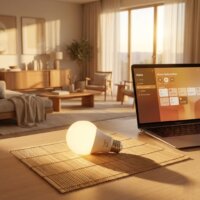
Finally, a smart lighting solution that handles a wide range of dimmable LED bulbs without flickering! The Lutron Caseta system is rock solid. I appreciate that Lutron focuses on the controls rather than making their own bulbs, which gives me more flexibility. The stable connection is exactly what I needed for my home office setup.
I’ve been using the Lutron Caseta Smart Lighting Dimmer Switch for a few weeks now, and it’s been a game-changer for my living room. The dimming capabilities are truly unparalleled, and I love how seamlessly it integrates with my Google Home. Setting it up was surprisingly easy, even for someone not super tech-savvy. Highly recommend for anyone looking to upgrade their lighting!
The Lutron Caseta Pico Remote is pretty handy for controlling lights from the couch, but I was a little disappointed that it needs the Caseta Bridge to work with Google Home. I was hoping for a more direct connection. It works fine once everything is set up, but that extra step was a bit of a hassle. Still, the scene control is a nice feature.
I picked up the Lutron Caseta Smart Plug to control my floor lamp, and it’s been working great. It’s super responsive with Google Home commands, and I haven’t experienced any dropped connections. It’s a solid choice for bringing non-smart lamps into my smart home ecosystem. Definitely makes my evenings more convenient.