Step into the future of home lighting with Bluetooth Smart Light Bulbs! As someone who’s spent over a decade immersed in the world of smart lighting, I’ve seen firsthand how these clever gadgets transform ordinary spaces into dynamic, personalized environments. Gone are the days of mundane switches; today, you can orchestrate your home’s ambiance with a simple tap on your phone or a quick voice command. This article will shine a light on everything you need to know about Bluetooth smart bulbs, from how they work to choosing the best ones for your home, ensuring you become a savvy smart lighting enthusiast.
Understanding the Magic Behind Bluetooth Smart Light Bulbs
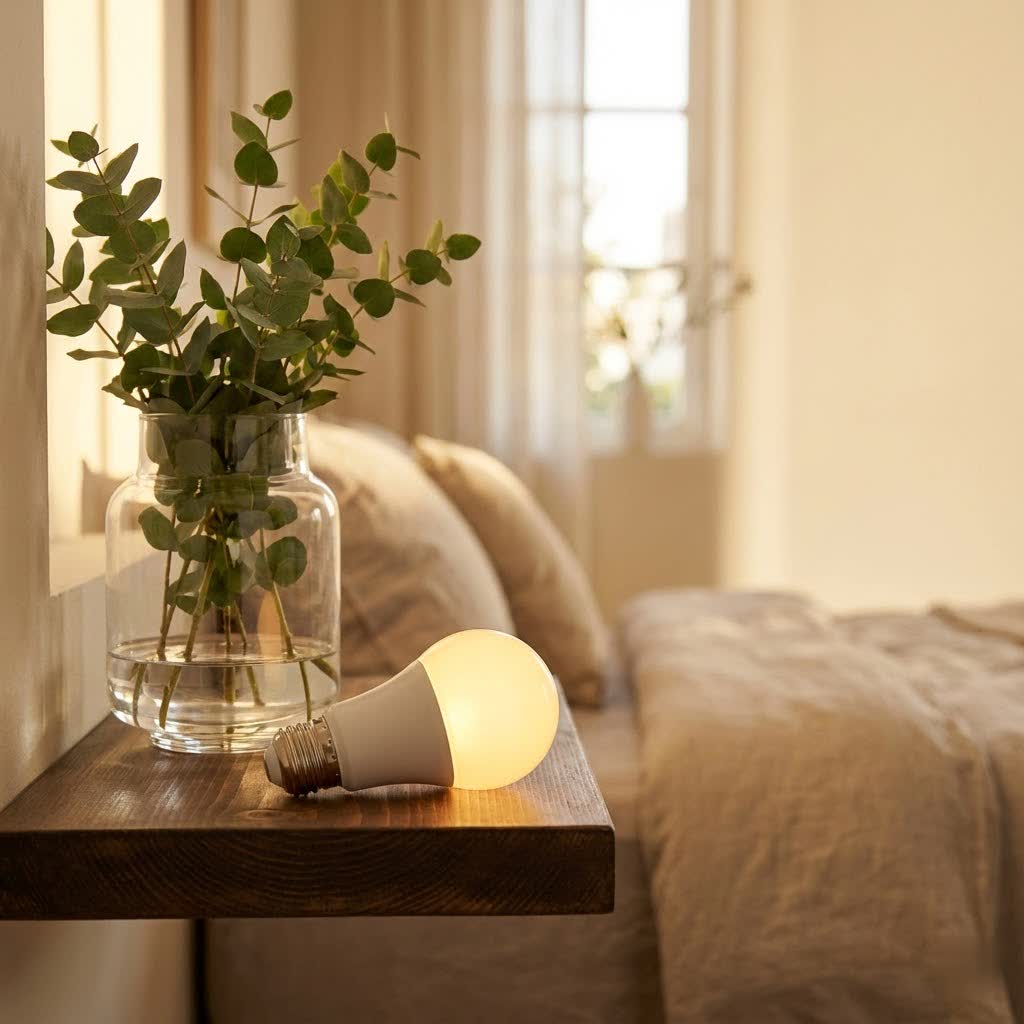
At their core, a Bluetooth smart light bulb is an LED bulb embedded with Bluetooth Low Energy (BLE) technology. Unlike traditional bulbs, these aren’t just for illuminating a room; they’re intelligent devices that communicate wirelessly with your smartphone, tablet, or a compatible smart home hub. This direct connection means you can control your lighting right from your device, typically within a range of about 100 feet. It’s like having a miniature command center for your lights right in your pocket.
“The beauty of Bluetooth smart bulbs lies in their simplicity and direct communication,” explains Dr. Elara Vance, Senior Lighting Architect at Srjja.com. “They offer an immediate, responsive lighting experience without needing complex network setups.”
Bluetooth vs. Wi-Fi Smart Bulbs: A Clear-Cut Comparison
When venturing into smart lighting, you’ll often encounter both Bluetooth and Wi-Fi options. While both offer impressive features, they operate differently:
- Bluetooth Smart Bulbs:
- Pros: Often more affordable and easier to set up as they typically don’t require a separate hub for basic control. This direct pairing reduces network congestion on your Wi-Fi router, making them ideal for single-room setups or smaller homes. The connection is usually quick and responsive. Many newer Bluetooth bulbs can also create a “mesh network,” allowing bulbs to communicate with each other and extend control range.
- Cons: The primary limitation is range. You generally need to be within Bluetooth proximity to control the bulbs directly. This means you can’t turn off your bedroom light from work unless you have a smart home hub acting as a bridge. Older models might also only allow one device to connect at a time.
- Wi-Fi Smart Bulbs:
- Pros: Offer remote control from anywhere with an internet connection. They can be integrated into larger smart home ecosystems more seamlessly and often support more complex automations.
- Cons: Can be more expensive and might require a hub, especially for certain brands. They also consume more network bandwidth and can sometimes be slower to respond due to reliance on cloud services.
|
Our Picks for the Best Smart Bulb in 2026
As an Amazon Associate I earn from qualifying purchases.
|
||
| Num | Product | Action |
|---|---|---|
| 1 | Linkind Smart Light Bulbs, Smart Bulb That Work with Alexa & Google Home, LED Light Bulbs Color Changing, 104 Preset Scene, Music Sync, A19 E26 2.4GHz RGBTW WiFi Bluetooth Light Bulb 60W, 800LM, 4Pack |

|
| 2 | Govee Smart Light Bulbs, Color Changing Light Bulb, Work with Alexa and Google Assistant, 16 Million Colors RGBWW, WiFi & Bluetooth LED Light Bulbs, Music Sync, A19, 800 Lumens, 4 Pack |
|
| 3 | Amazon Basics Smart A19 LED Light Bulb, Dimmable Soft White (2700K), 9W (60W Equivalent), 800LM, Works with Alexa Only, 2.4 GHz Wi-Fi, No Hub Required, 4 Pack |
|
| 4 | SYLVANIA Wifi LED Smart Light Bulb, 60W Equivalent Full Color and Tunable White A19, Dimmable, Compatible with Alexa and Google Home Only - 4 Pack (75674) |
|
| 5 | Govee LED Smart Light Bulbs, 1000LM Color Changing Light Bulb, Wi-Fi & Bluetooth Light Bulbs, Work with Alexa and Google Assistant, Dimmable RGBWW A19 75W Equivalent Smart Bulbs, 2 Pack |
|
| 6 | Tapo TP-Link Smart Light Bulbs, 16M Colors RGBW, Dimmable, Compatible with Alexa and Google Home, A19, 60W Equivalent, 800LM CRI>90, 2.4GHz WiFi only, No Hub Required, L530E(4-Pack) |
|
| 7 | Amazon Basics Smart A19 LED Light Bulb, Color Changing, 9W (60W Equivalent), 800LM, Works with Alexa Only, 2.4 GHz Wi-Fi, No Hub Required, 1 Pack |
|
| 8 | Bluex Bulbs 3 Pack Motion Sensor LED Light Bulb A21, 15W 1300 Lumens, Warm White 3000K, Automatic On/Off Security Light, E26 Medium Base Indoor & Outdoor Use, 120V (3000K - Warm White) |
|
| 9 | Kasa Smart Light Bulbs that works with Alexa and Google Home, Dimmable Smart LED Bulb, A19, 9W, 800Lumens, Soft White(2700K), CRI≥90, WiFi 2.4Ghz only, No Hub Required, 4 Count (Pack of 1)(KL110P4) |
|
| 10 | Kasa Smart Light Bulbs, Full Color Changing Dimmable Smart WiFi Bulbs Compatible with Alexa and Google Home, A19, 60 W 800 Lumens,2.4Ghz only, No Hub Required, 2-Pack (KL125P2), Multicolor |
|
For focused, local control and ease of installation, Bluetooth smart bulbs are often the perfect starting point.
Types and Ideal Applications of Bluetooth Smart Bulbs
Bluetooth smart light bulbs come in a variety of forms, each designed to suit different needs and preferences:
- Standard A19 Bulbs: These are your everyday bulb shapes, perfect for lamps and ceiling fixtures. Many offer tunable white light (from warm to cool) or a full spectrum of colors (RGBW).
- Specialty Bulbs: You’ll find Bluetooth options for various fixtures, including floodlights (BR30), candelabra (E12), and even outdoor string lights. These allow you to extend smart control beyond your indoor living spaces.
- Color-Changing and Tunable White: Many Bluetooth bulbs offer millions of color options, enabling you to set the perfect mood for any occasion. Tunable white bulbs let you adjust the color temperature from a cozy warm glow to an invigorating cool daylight.
- Dimmable: Almost all smart bulbs offer smooth dimming capabilities, allowing you to fine-tune brightness without needing a dedicated dimmer switch.
Bluetooth smart bulbs truly shine in specific scenarios. They are perfect for:
- Apartments or Smaller Homes: Where the limited range isn’t an issue, and a hub-free setup is preferred.
- Single Rooms or Zones: Control your living room lights without affecting the entire house’s network.
- Portable Lighting: Ideal for lamps that might move around, as they pair directly with your phone.
- Outdoor Ambiance: Bluetooth-enabled outdoor string lights can create magical evenings, easily controlled from your patio.
Easy Setup: Getting Your Bluetooth Smart Bulb Connected
One of the most appealing aspects of Bluetooth smart light bulbs is their straightforward installation process. You don’t need to be a tech wizard to get them up and running. Here’s a typical step-by-step guide:
Pre-Installation Checklist
Before you begin, ensure you have:
- The companion app for your specific bulb brand downloaded on your smartphone or tablet (e.g., Philips Hue Bluetooth app, GE Cync app).
- Bluetooth enabled on your smartphone or tablet.
- A compatible light fixture where you want to install the bulb.
- Made sure your light fixture is switched off to prevent electric shock.
Step-by-Step Pairing Guide
- Screw in the Bulb: Carefully screw your new Bluetooth smart light bulb into the desired light fixture.
- Power On: Flip the light switch to the “on” position. The bulb might light up immediately.
- Activate Pairing Mode: Most Bluetooth bulbs enter pairing mode by being power-cycled. This usually involves turning the light switch off and on 3-5 times rapidly, pausing briefly between cycles. The bulb will often flash or pulsate to indicate it’s in pairing mode.
- Open the App: Launch the companion app on your smartphone.
- Add Device: Look for an “Add Device,” “Scan,” or “Plus (+)” icon within the app. The app will then scan for nearby Bluetooth devices.
- Connect and Name: Once your bulb appears in the app, select it to connect. You’ll then typically be prompted to name your bulb (e.g., “Living Room Lamp,” “Kitchen Overhead”).
- Enjoy!: Your Bluetooth smart bulb is now connected and ready to be controlled!
Seamless Integration with Smart Assistants
Many Bluetooth smart bulbs can also integrate with popular voice assistants like Amazon Alexa or Google Assistant. This usually happens through the bulb’s companion app, which you’ll link to your smart assistant account. Once linked, you can say commands like, “Alexa, turn on the living room light,” or “Hey Google, set the kitchen lights to blue,” for hands-free control.
Maximizing Your Smart Bulb Experience: Tips & Maintenance
Getting your Bluetooth smart bulb set up is just the beginning. To truly unlock its potential and ensure longevity, consider these expert tips:
Embrace Energy Efficiency
Bluetooth smart bulbs are inherently energy-efficient because they utilize LED technology. LEDs consume significantly less power and last far longer than traditional incandescent bulbs. “Switching to smart LEDs is one of the easiest ways to reduce your energy footprint at home,” says Dr. Vance. “The dimming and scheduling features further enhance these savings by ensuring lights are only on when truly needed and at the optimal brightness.” Leverage features like:
- Scheduling: Set your lights to turn off automatically when you leave for work or dim as bedtime approaches.
- Away Mode: Program lights to randomly turn on and off while you’re away to simulate occupancy and deter potential intruders.
- Brightness Control: Dimming your lights not only saves energy but also extends the bulb’s lifespan.
Create Custom Scenes and Schedules
The real fun begins when you start customizing! Use your bulb’s app to:
- Design Lighting Scenes: Create “movie night” scenes with warm, dim lighting, or a “focus” scene with cool, bright white light for productivity.
- Automate Routines: Have your lights gradually brighten in the morning to simulate a sunrise, or turn on automatically when you arrive home.
Keep Firmware Updated
Just like your smartphone, smart bulbs receive firmware updates. These updates often bring new features, improve performance, and patch security vulnerabilities. Regularly check your bulb’s companion app for available updates and install them to ensure optimal functionality.
Simple Maintenance
Smart bulbs require very little maintenance. Keep them free of dust with a soft, dry cloth. If you need to clean the fixture, always turn off the power first.
Troubleshooting Common Bluetooth Smart Bulb Issues
Even the smartest devices can sometimes act up. Here are common issues you might encounter with Bluetooth smart light bulbs and how to troubleshoot them:
“My Bulb Isn’t Pairing!”
- Bluetooth On: Double-check that Bluetooth is enabled on your smartphone or tablet.
- Proximity: Ensure your device is within close range (typically 10-30 feet) of the bulb during the initial pairing process.
- Pairing Mode: Confirm the bulb is actually in pairing mode. If it’s not flashing, try power-cycling it off and on 3-5 times again.
- Close Other Apps: Other smart home apps might be competing for the Bluetooth connection. Close any unnecessary apps.
- App Cache/Permissions: Clear the cache for the bulb’s companion app. On Android, also check that “Nearby devices” or “Location” permissions are granted for the app.
- Restart Devices: Try restarting your smartphone and then the smart bulb (turn off power for 10 seconds, then back on).
Limited Range or Connectivity Drops
- Obstructions: Walls, furniture, and other electronics can interfere with Bluetooth signals. Try to minimize physical barriers between your phone and the bulb.
- Mesh Network: If your bulbs support Bluetooth mesh, ensure they are within range of each other to extend the network effectively.
- Firmware: An outdated firmware can sometimes cause connectivity issues. Check for updates.
Bulb Unresponsive
- Power Supply: Ensure the light fixture’s switch is in the “on” position. Smart bulbs need continuous power to receive commands.
- App Check: Verify the bulb’s status in the companion app. If it shows as “offline,” try restarting the bulb.
- Too Many Devices: If you have many Bluetooth devices connected to your phone, it might struggle to manage them all. Try disconnecting some temporarily.
Dealing with Old Pairings
If you’ve previously paired the bulb with another device or account, you might need to “unbind” or “forget” the device from the old app/phone before attempting a new pairing. A factory reset (often a longer power cycle sequence) can also clear old connections.
Top Brands and Innovations in Bluetooth Smart Lighting
The market for Bluetooth smart light bulbs is constantly evolving, with several brands leading the charge:
- Philips Hue: While known for its Zigbee hub, many Philips Hue bulbs now offer direct Bluetooth control, making them accessible without the Bridge for initial setups. They are praised for their exceptional light quality and vast ecosystem.
- GE Cync (formerly C by GE): These bulbs often emphasize hub-free Bluetooth connectivity and seamless integration with popular voice assistants.
- Sengled: Offers a range of Bluetooth mesh bulbs that enhance connectivity and range for whole-home solutions without a central hub.
- Wyze: Known for affordable smart home devices, Wyze offers Bluetooth-enabled smart bulbs that are easy to set up and integrate into their ecosystem.
Innovations like Bluetooth mesh networking are transforming how these bulbs function, allowing them to communicate with each other, effectively extending their control range and making hub-free whole-home smart lighting more viable. Advanced voice control and integration with broader smart home platforms continue to enhance user convenience, making Bluetooth smart bulbs a compelling choice for any smart home enthusiast.
Frequently Asked Questions About Bluetooth Smart Light Bulbs
Q1: Do Bluetooth smart light bulbs need a hub?
A: No, most modern Bluetooth smart light bulbs can connect directly to your smartphone or tablet without needing a separate hub. However, a hub (like a Philips Hue Bridge) might be required for remote control outside your home or for more complex automations and integrations.
Q2: What is the typical range for controlling a Bluetooth smart bulb?
A: Generally, you can control a Bluetooth smart light bulb from within approximately 30-100 feet (10-30 meters) of your smartphone. This range can be affected by physical obstructions like walls or furniture.
Q3: Can I control Bluetooth smart bulbs with Alexa or Google Assistant?
A: Yes, many Bluetooth smart light bulbs are compatible with Amazon Alexa and Google Assistant. You typically link the bulb’s companion app to your smart assistant account to enable voice control.
Q4: Are Bluetooth smart bulbs energy efficient?
A: Absolutely! Bluetooth smart bulbs use LED technology, which is inherently very energy efficient. Additionally, features like dimming, scheduling, and “away mode” help reduce energy consumption even further, making them a cost-effective choice in the long run.
Q5: How do Bluetooth mesh smart bulbs work?
A: In a Bluetooth mesh network, each smart bulb acts as a relay, passing commands and signals to other bulbs in the network. This extends the control range beyond the direct line of sight from your phone, allowing for more comprehensive smart lighting coverage without needing a central hub.
Q6: Can I use a Bluetooth smart bulb with a regular light switch?
A: Yes, you can use a Bluetooth smart bulb with a regular light switch. However, the switch must remain in the “on” position for the smart features to work. If you turn off the switch, the bulb loses power and cannot be controlled remotely.
The Future is Bright with Bluetooth Smart Bulbs
Bluetooth smart light bulbs represent an accessible and intelligent way to upgrade your home’s lighting. They offer unparalleled convenience, energy efficiency, and a canvas for creative expression through light, all often without the need for additional hardware. From setting the perfect ambiance for a quiet evening to deterring intruders while you’re away, these bulbs empower you to take full control of your lighting environment.
At Srjja.com, we believe that smart lighting should be intuitive and enriching. Embracing Bluetooth smart bulbs is a fantastic step towards a more connected, comfortable, and intelligent home. So, go ahead, screw in that Bluetooth smart light bulb, download the app, and start painting your world with light – you’ll wonder how you ever lived without it!
