Welcome to the future of lighting, where even the most compact fixtures can embrace intelligent control. If you’ve ever found yourself wishing those tiny G9 halogen bulbs in your elegant chandeliers or modern sconces could join your smart home ecosystem, then you’re in for a treat. The G9 Smart Bulb has emerged as a true game-changer, transforming once-challenging lighting scenarios into seamless, connected experiences. At Srjja.com, we’re dedicated to shedding light on the complexities of smart technology, and today, we’re diving deep into everything you need to know about the G9 smart bulb, ensuring you can confidently choose, install, and enjoy these miniature marvels.
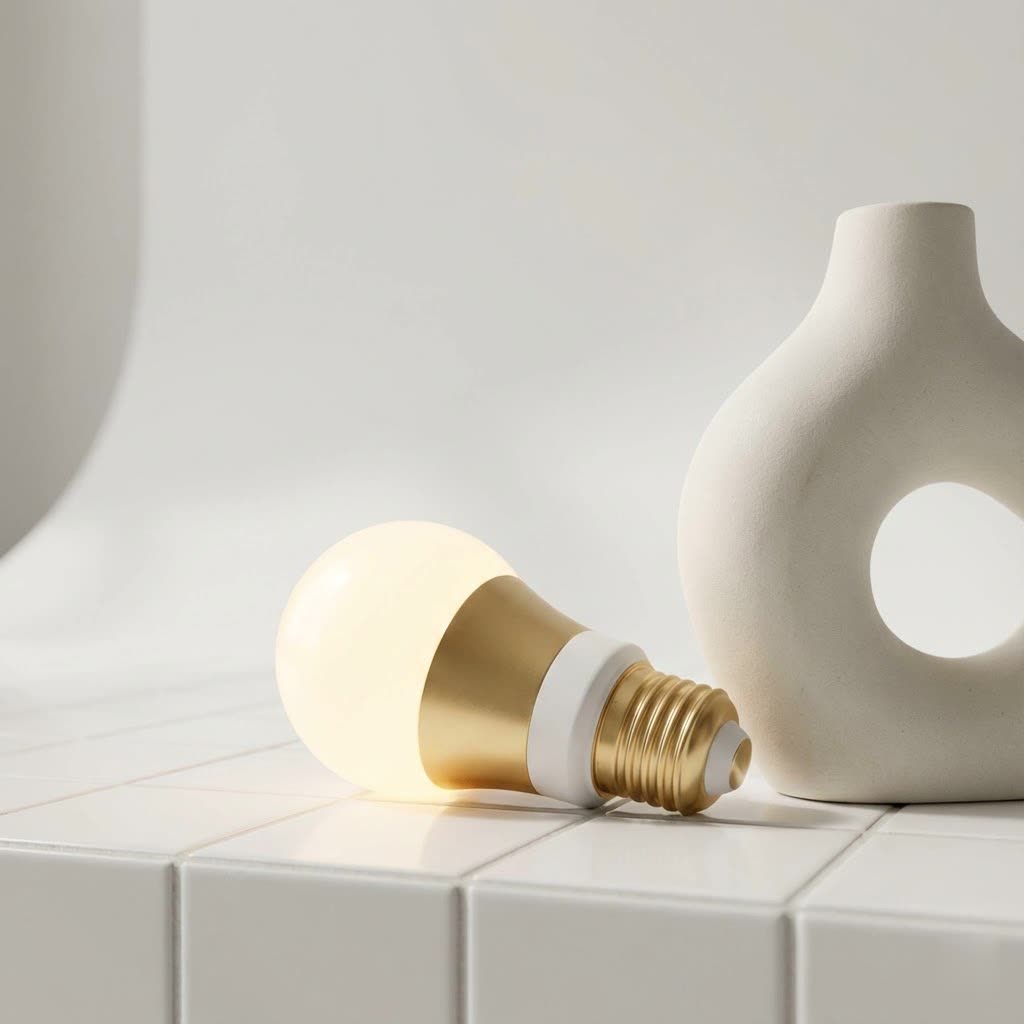
The Magic of G9 Smart Bulbs: Features and Applications
G9 smart bulbs pack an incredible array of features into their diminutive size, offering a level of control and customization that traditional G9 halogens could only dream of.
What Makes a G9 Smart Bulb So Special?
At its core, a G9 smart bulb utilizes the standard bi-pin G9 base, a compact fitting commonly found in decorative light fixtures. However, that’s where the similarities end. These intelligent little powerhouses bring a suite of smart capabilities to your fingertips:
- Energy Efficiency Redefined: Swapping out old halogen G9s for their smart LED counterparts is one of the quickest ways to reduce your energy bill. A typical G9 smart bulb consumes just 4W to 7W of power, yet delivers the equivalent brightness of a 40W halogen, translating to up to 90% energy savings. That’s a smart upgrade for your wallet and the planet!
- Dimmable and Tunable White: No more fixed brightness or single color temperature. Most G9 smart bulbs offer stepless dimming from 0-100%, allowing you to fine-tune the intensity for any mood or task. Even better, many boast tunable white capabilities, letting you shift between warm white (around 2700K) for cozy evenings and cool daylight (up to 6500K) for focused work.
- Full RGB Color Options: For those who love to paint with light, RGB G9 smart bulbs offer a palette of 16 million colors. Imagine transforming your living space with vibrant hues for a party or a soft, calming blue for relaxation – all with a tap on your phone or a simple voice command.
- Remote Control via App: The convenience is unparalleled. Using dedicated apps like Smart Life or Tuya Smart, you can control your G9 smart bulbs from anywhere in the world. Forgot to turn off the lights before leaving? No problem! Adjust them from your smartphone.
- Voice Control Integration: Seamlessly integrate your G9 smart bulbs with popular voice assistants such as Amazon Alexa and Google Assistant. “Alexa, brighten the living room G9s,” or “Hey Google, set the chandelier to warm white” makes daily life just a little bit easier.
- Scheduling and Automation Features: Wake up gently with lights that gradually brighten, or have them turn off automatically when you leave the house. Smart bulbs allow you to set schedules, create routines, and even link them with other smart devices for comprehensive home automation.
- No Hub Required (Often Wi-Fi Direct): Many modern G9 smart bulbs connect directly to your home’s 2.4GHz Wi-Fi network, eliminating the need for an additional smart home hub. This simplifies installation and reduces clutter.
|
Our Picks for the Best Smart Bulb in 2026
As an Amazon Associate I earn from qualifying purchases.
|
||
| Num | Product | Action |
|---|---|---|
| 1 | Amazon Basics Smart A19 LED Light Bulb, Dimmable Soft White (2700K), 9W (60W Equivalent), 800LM, Works with Alexa Only, 2.4 GHz Wi-Fi, No Hub Required, 4 Pack |

|
| 2 | Amazon Basics Smart A19 LED Light Bulb, Color Changing, 9W (60W Equivalent), 800LM, Works with Alexa Only, 2.4 GHz Wi-Fi, No Hub Required, 1 Pack |
|
| 3 | Bluex Bulbs 3 Pack Motion Sensor LED Light Bulb A21, 15W 1300 Lumens, Warm White 3000K, Automatic On/Off Security Light, E26 Medium Base Indoor & Outdoor Use, 120V (3000K - Warm White) |
|
| 4 | Govee LED Smart Light Bulbs, 1000LM Color Changing Light Bulb, Wi-Fi & Bluetooth Light Bulbs, Work with Alexa and Google Assistant, Dimmable RGBWW A19 75W Equivalent Smart Bulbs, 2 Pack |
|
| 5 | Tapo TP-Link Smart Light Bulbs, 16M Colors RGBW, Dimmable, Compatible with Alexa and Google Home, A19, 60W Equivalent, 800LM CRI>90, 2.4GHz WiFi only, No Hub Required, L530E(4-Pack) |
|
| 6 | Kasa Smart Light Bulbs that works with Alexa and Google Home, Dimmable Smart LED Bulb, A19, 9W, 800Lumens, Soft White(2700K), CRI≥90, WiFi 2.4Ghz only, No Hub Required, 4 Count (Pack of 1)(KL110P4) |
|
| 7 | SYLVANIA Wifi LED Smart Light Bulb, 60W Equivalent Full Color and Tunable White A19, Dimmable, Compatible with Alexa and Google Home Only - 4 Pack (75674) |
|
| 8 | Govee Smart Light Bulbs, Color Changing Light Bulb, Work with Alexa and Google Assistant, 16 Million Colors RGBWW, WiFi & Bluetooth LED Light Bulbs, Music Sync, A19, 800 Lumens, 4 Pack |
|
| 9 | Kasa Smart Light Bulbs, Full Color Changing Dimmable Smart WiFi Bulbs Compatible with Alexa and Google Home, A19, 60 W 800 Lumens,2.4Ghz only, No Hub Required, 2-Pack (KL125P2), Multicolor |
|
| 10 | Linkind Smart Light Bulbs, Smart Bulb That Work with Alexa & Google Home, LED Light Bulbs Color Changing, 104 Preset Scene, Music Sync, A19 E26 2.4GHz RGBTW WiFi Bluetooth Light Bulb 60W, 800LM, 4Pack |
|
Where Do G9 Smart Bulbs Shine Brightest?
The compact size and bi-pin base of G9 bulbs make them ideal for specific types of fixtures where larger bulbs just won’t fit. Smart G9 bulbs finally bring intelligent control to these often-overlooked lighting applications:
- Chandeliers and Decorative Fixtures: Elevate the ambiance of your dining room or entryway. With tunable white and RGB options, your chandelier can become a dynamic focal point.
- Wall Sconces: Add a touch of modern convenience to hallway or bedroom sconces, perfect for setting evening moods or providing a subtle night light.
- Under-Cabinet Lighting: Achieve practical, hands-free lighting in your kitchen, brightening countertops for cooking or creating soft accent lighting.
- Vanity Mirrors: Get the perfect light for makeup application or grooming by precisely adjusting brightness and color temperature.
- Smaller Lamps and Accent Lighting: Integrate floor lamps or desk lamps that use G9 fittings into your smart home, providing subtle background light or task illumination.
Historically, finding smart lighting solutions for G9 fittings was a challenge due to the limited space available for smart components. “The miniaturization of smart technology has been a game-changer for G9 bulbs,” notes Dr. Elara Vance, Chief Lighting Technologist at Srjja.com. “It allows us to deliver full smart home functionality without compromising on the sleek aesthetics of G9-compatible fixtures.”
Bringing Smart Light to Life: Installation and Connectivity
Installing and connecting your G9 smart bulb is generally a straightforward process, designed to get you up and running with minimal fuss.
How Do I Install a G9 Smart Bulb?
The physical installation is often as simple as replacing a traditional G9 bulb, but the smart pairing requires a few extra steps:
- Safety First: Always ensure the power to your light fixture is turned off at the switch before handling any bulbs. If you’re unsure, switch off the corresponding circuit breaker.
- Physical Installation: Carefully push the bi-pin base of the G9 smart bulb into the socket. It should slide in firmly without excessive force. Avoid twisting, as G9 bases are designed for a straight push-in motion.
- Download the App: Most G9 smart bulbs are controlled via common smart home apps like “Smart Life” or “Tuya Smart.” Download the recommended app from your smartphone’s app store (iOS or Android) and register for an account if you haven’t already.
- Initiate Pairing Mode: This is where smart bulbs differ. To put your G9 smart bulb into pairing mode, you typically need to flick the light switch on and off three to four times in quick succession. The bulb will then usually begin to flash rapidly, indicating it’s ready to connect.
- Connect via App: Open your smart home app. The app may auto-detect the new device, or you might need to manually add a device (often by selecting “Lighting” or “Light Source (Wi-Fi)”). Follow the on-screen prompts to connect the bulb to your 2.4GHz Wi-Fi network. Make sure your phone is also connected to the same 2.4GHz network during setup.
- Rename and Customize: Once paired, you can rename your bulb (e.g., “Kitchen Chandelier 1,” “Bedroom Sconce”), group it with other bulbs, and start customizing its brightness, color, and schedules.
Smart Home Integration: Compatibility is Key
The beauty of modern G9 smart bulbs lies in their broad compatibility with popular smart home ecosystems:
- Works with Alexa and Google Assistant: After connecting your bulbs to the Smart Life or Tuya Smart app, you can easily link these accounts to your Amazon Alexa or Google Home app. This allows for convenient voice control of your G9 smart bulbs.
- Smart Life/Tuya as Control Hubs: These apps act as central control points for many different smart devices, including G9 smart bulbs. They enable advanced features like:
- Group Control: Manage multiple G9 bulbs in a single fixture or room as one unit.
- Scene Creation: Design custom lighting scenes for different activities or moods (e.g., “Movie Night,” “Morning Wake-Up”).
- Automations: Set up rules based on time, weather, or other smart device triggers.
Keeping Your G9 Smart Bulbs Shining: Usage and Maintenance
To ensure your G9 smart bulbs deliver years of brilliant performance, a few simple usage and maintenance tips can go a long way.
Maximizing Lifespan and Performance
- Embrace LED Longevity: One of the most significant advantages of G9 smart bulbs is their extended lifespan. Unlike old halogens that might last only a year or so, LED G9 smart bulbs can operate for up to 25,000 to 50,000 hours, equivalent to over two decades of typical use. This means fewer bulb changes and consistent performance.
- Avoid Enclosed Fixtures (If Not Rated): While LEDs run cooler than halogens, they still generate heat. Ensure your G9 smart bulb is rated for enclosed fixtures if you plan to use it in one. Excessive heat can shorten the bulb’s lifespan.
- Regular App Updates: Keep your smart home app updated to the latest version. Manufacturers frequently release updates that improve performance, add new features, and patch security vulnerabilities.
- Gentle Handling: G9 bulbs, by design, are small. Always handle them gently during installation and removal to avoid bending the pins or damaging the bulb’s internal components.
- Cleanliness: Occasionally, wipe down the bulb with a soft, dry cloth to remove dust buildup, which can hinder light output.
Troubleshooting Common G9 Smart Bulb Hiccups
Even the smartest technology can have its moments. Here are solutions to some common issues you might encounter with your G9 smart bulbs.
My G9 Smart Bulb Won’t Connect to Wi-Fi!
This is a common frustration, but usually easily resolved:
- Check Your Wi-Fi Band: Most G9 smart bulbs operate exclusively on the 2.4GHz Wi-Fi band. Ensure your router is configured to broadcast a 2.4GHz signal, and your phone is connected to it during the setup process.
- Reset the Bulb: If initial pairing fails, try resetting the bulb. This typically involves the same on/off flicking sequence (3-4 times) that puts it into pairing mode. Wait for the rapid flashing.
- Router Distance and Interference: Your bulb might be too far from your Wi-Fi router, or there might be interference from other devices. Try setting up the bulb closer to the router first, then move it to its intended location. Obstacles like thick walls can also weaken signals.
Why is My G9 Smart Bulb Flickering?
Flickering can be annoying, but there are usually clear culprits:
- Incompatible Dimmers: If your fixture has a traditional dimmer switch, it might be incompatible with the smart bulb’s internal dimming technology, even if the smart bulb is dimmable via the app. Smart bulbs are designed to be powered by a constant supply of electricity, with dimming handled internally. Using a traditional wall dimmer can cause flickering. Remove or bypass the traditional dimmer if possible.
- Weak Wi-Fi Signal: A patchy Wi-Fi connection can sometimes cause inconsistent power delivery or delayed commands, leading to flickering. Refer to the Wi-Fi troubleshooting tips above.
- Faulty Bulb or Fixture: Though less common, a defective bulb or an issue with the fixture’s wiring could be the cause. Try swapping the bulb with another known-good G9 smart bulb to isolate the problem.
My G9 Bulb is Stuck or Won’t Fit!
Given their compact design, G9 bulbs can sometimes be tricky:
- Gentle Force, Avoid Twisting: G9 bulbs are designed to be pushed straight into the socket. If it’s stuck, try a firm, steady pull without twisting. If it won’t go in, do not force it aggressively, as this can damage the bulb or the fixture.
- Check for Bent Socket Pins: Over time, the internal metal contacts (spring retainers) in a G9 socket can become bent or deformed, preventing a new bulb from seating properly or an old one from coming out. With the power off, carefully inspect the socket and gently try to adjust the pins if they appear misaligned.
- Comparing Bulb Dimensions: Some G9 smart bulbs, due to their internal circuitry, might be slightly larger than older halogen G9s. Measure the space in your fixture and compare it to the bulb’s dimensions before purchasing.
- Safety Precautions for Stuck Bulbs: If a bulb is stuck, always turn off the power and let the bulb cool completely. Rubber gloves can provide a better grip. If the bulb breaks, ensure the power is off before carefully removing any remaining glass or base with pliers. If the socket itself is damaged, it’s safer to replace the entire fixture.
Top Picks in the G9 Smart Bulb Market
The market for G9 smart bulbs is growing, with several brands leading the charge in innovation and reliability. When choosing the best G9 smart bulb, look for reputable manufacturers known for quality smart home products.
- UIHECTA: Often praised for their solid performance and value, UIHECTA G9 smart bulbs typically offer dimmable white light and reliable app/voice control.
- FECONN: Feconn has been an early innovator in the G9 smart bulb space, particularly for offering full-color (RGB) options in this small form factor. They are often compatible with Alexa, Google Home, and the Smart Life app.
- I-SHUNFA: Known for their Wi-Fi RGBCW smart G9 LED bulbs, I-SHUNFA provides multicolour dimmable options with tunable white (2700K-6500K) and often include music sync features.
- DAIHHZA: DAIHHZA offers G9 smart LED bulbs with WiFi, Alexa, and Google Assistant compatibility, focusing on dimmable white light and app control.
- FluxTech: Mentioned as a pioneer, FluxTech has developed Wi-Fi smart dimmable CCT (Color Correlated Temperature) color G9 bulbs, offering robust smart features.
“When selecting a G9 smart bulb, always consider your specific needs,” advises Dr. Elara Vance. “Do you need full color, or is tunable white sufficient? What lumen output does your fixture require, and is it compatible with your existing smart home ecosystem? These details will guide you to the perfect choice.”
Frequently Asked Questions (FAQ)
Q1: Are G9 smart bulbs energy efficient?
A1: Absolutely! G9 smart bulbs are highly energy-efficient LED replacements for traditional halogen G9s. They consume significantly less power (e.g., 4W-7W) while delivering comparable brightness to much higher wattage halogen bulbs, leading to substantial energy savings.
Q2: Do G9 smart bulbs require a hub?
A2: Many modern G9 smart bulbs are designed to connect directly to your home’s 2.4GHz Wi-Fi network, meaning they do not require a separate smart home hub. They are typically controlled via a smartphone app like Smart Life or Tuya Smart.
Q3: Can I change the color of my G9 smart bulb?
A3: Yes, many G9 smart bulbs offer full RGB color changing capabilities, allowing you to choose from millions of colors. Others offer “tunable white,” letting you adjust the color temperature from warm white to cool daylight. Always check the product specifications to confirm.
Q4: How do I reset a G9 smart bulb?
A4: To reset a G9 smart bulb, you typically perform a power cycle. This usually involves quickly flicking the light switch on and off three to four times until the bulb begins to flash rapidly, indicating it has entered pairing/reset mode.
Q5: What is the lifespan of a G9 smart bulb?
A5: G9 smart bulbs, being LED technology, boast an impressive lifespan. Most are rated for 25,000 to 50,000 hours of use, which translates to many years of reliable operation, far outlasting traditional halogen bulbs.
Conclusion
The G9 smart bulb has truly revolutionized the way we approach lighting in fixtures that were once difficult to integrate into a smart home. These compact, feature-rich bulbs offer unparalleled convenience, significant energy savings, and the ability to transform any space with dynamic, customizable illumination. From dazzling chandeliers to subtle accent lighting, G9 smart bulbs empower you to create the perfect ambiance with just a tap or a voice command. So, go ahead and illuminate your world with the intelligence of G9 smart bulbs – your home, and your energy bill, will thank you. Dive in, experiment with colors and scenes, and share your experiences as you light up your home the smart way!
