Welcome to the future of home lighting, where convenience meets cutting-edge technology. If you’re looking to elevate your living space with intelligent illumination, a Kasa Smart Bulb is often the first brilliant step. These aren’t just ordinary light bulbs; they’re an integral part of a seamless smart home experience, offering unparalleled control, vibrant customization, and surprising energy efficiency. As an expert from Srjja.com with over a decade in the smart lighting arena, I’ve seen countless innovations, and Kasa Smart Bulbs consistently stand out for their accessibility and robust feature set.
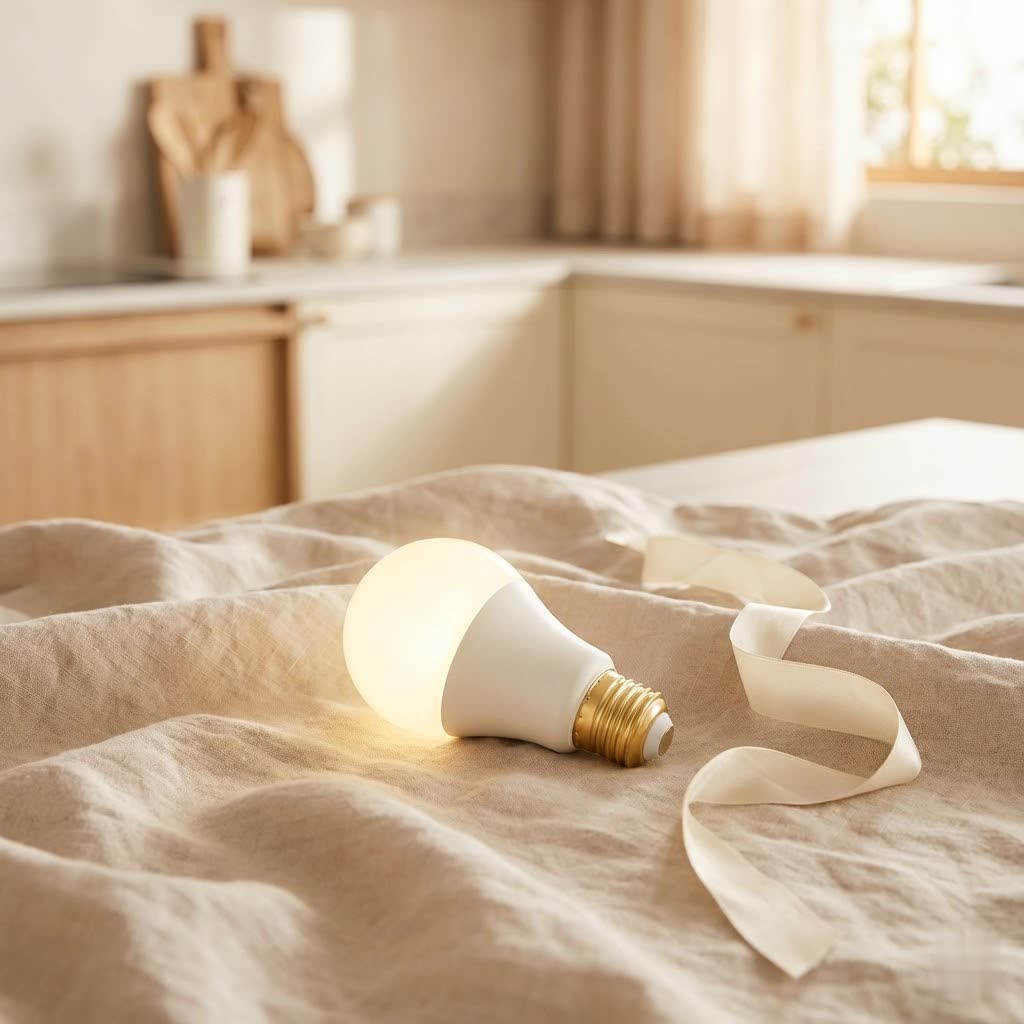
Gone are the days of flicking simple switches. With Kasa Smart Bulbs, you gain the power to transform your home’s ambiance with a tap, a voice command, or even automated schedules tailored to your lifestyle. Whether you’re a seasoned smart home enthusiast or just dipping your toes into intelligent living, understanding the nuances of Kasa Smart Bulbs will help you harness their full potential, turning everyday lighting into an extraordinary experience.
Unveiling the Kasa Smart Bulb Ecosystem: More Than Just Light
Kasa Smart Bulbs, under the TP-Link umbrella, have carved a significant niche in the smart home market by simplifying smart lighting. They operate on your existing Wi-Fi network, eliminating the need for a separate hub, which is a massive win for ease of setup and reducing clutter. This hub-less design is a cornerstone of the Kasa experience, making them incredibly appealing to users seeking straightforward integration.
A Spectrum of Choices: Types of Kasa Smart Bulbs
Kasa offers a diverse range of smart bulbs, each designed to meet different lighting needs and preferences. Understanding the distinctions will help you pick the perfect fit for your space:
- Multicolor Smart Bulbs (e.g., KL125, KL130, KL135): These are the superstars for ambiance and creativity. They allow you to choose from millions of colors and various shades of white, perfect for setting any mood, from a vibrant party atmosphere to a calming evening glow. Many models also boast an “Auto White” feature that intelligently adjusts the color temperature throughout the day to mimic natural light patterns, supporting your circadian rhythm.
- Dimmable White Smart Bulbs (e.g., KL110): For those who prefer a focus on functional yet flexible lighting, these bulbs offer adjustable brightness (from 1% to 100%) and often tunable white temperatures. This means you can shift from a warm, cozy white for relaxation to a crisp, cool daylight for focused work, all while maintaining energy efficiency.
- Filament Smart Bulbs (e.g., KL50, KL60): Combining vintage aesthetics with modern technology, Kasa’s filament bulbs provide a classic, warm glow. They’re typically dimmable white only but offer that iconic exposed filament look, ideal for decorative fixtures where style is as important as smart control.
|
Our Picks for the Best Smart Bulb in 2026
As an Amazon Associate I earn from qualifying purchases.
|
||
| Num | Product | Action |
|---|---|---|
| 1 | Govee Smart Light Bulbs, Color Changing Light Bulb, Work with Alexa and Google Assistant, 16 Million Colors RGBWW, WiFi & Bluetooth LED Light Bulbs, Music Sync, A19, 800 Lumens, 4 Pack |

|
| 2 | Linkind Smart Light Bulbs, Smart Bulb That Work with Alexa & Google Home, LED Light Bulbs Color Changing, 104 Preset Scene, Music Sync, A19 E26 2.4GHz RGBTW WiFi Bluetooth Light Bulb 60W, 800LM, 4Pack |
|
| 3 | Kasa Smart Light Bulbs, Full Color Changing Dimmable Smart WiFi Bulbs Compatible with Alexa and Google Home, A19, 60 W 800 Lumens,2.4Ghz only, No Hub Required, 2-Pack (KL125P2), Multicolor |
|
| 4 | Kasa Smart Light Bulbs that works with Alexa and Google Home, Dimmable Smart LED Bulb, A19, 9W, 800Lumens, Soft White(2700K), CRI≥90, WiFi 2.4Ghz only, No Hub Required, 4 Count (Pack of 1)(KL110P4) |
|
| 5 | Tapo TP-Link Smart Light Bulbs, 16M Colors RGBW, Dimmable, Compatible with Alexa and Google Home, A19, 60W Equivalent, 800LM CRI>90, 2.4GHz WiFi only, No Hub Required, L530E(4-Pack) |
|
| 6 | Amazon Basics Smart A19 LED Light Bulb, Dimmable Soft White (2700K), 9W (60W Equivalent), 800LM, Works with Alexa Only, 2.4 GHz Wi-Fi, No Hub Required, 4 Pack |
|
| 7 | Bluex Bulbs 3 Pack Motion Sensor LED Light Bulb A21, 15W 1300 Lumens, Warm White 3000K, Automatic On/Off Security Light, E26 Medium Base Indoor & Outdoor Use, 120V (3000K - Warm White) |
|
| 8 | Govee LED Smart Light Bulbs, 1000LM Color Changing Light Bulb, Wi-Fi & Bluetooth Light Bulbs, Work with Alexa and Google Assistant, Dimmable RGBWW A19 75W Equivalent Smart Bulbs, 2 Pack |
|
| 9 | SYLVANIA Wifi LED Smart Light Bulb, 60W Equivalent Full Color and Tunable White A19, Dimmable, Compatible with Alexa and Google Home Only - 4 Pack (75674) |
|
| 10 | Amazon Basics Smart A19 LED Light Bulb, Color Changing, 9W (60W Equivalent), 800LM, Works with Alexa Only, 2.4 GHz Wi-Fi, No Hub Required, 1 Pack |
|
Core Features That Shine Bright
Regardless of the type, Kasa Smart Bulbs share a suite of compelling features that make them a go-to choice for smart lighting:
- No Hub Required: As mentioned, a key advantage is direct Wi-Fi connectivity, simplifying installation and reducing hardware.
- Control From Anywhere: The intuitive Kasa Smart app (available on iOS and Android) empowers you to manage your lights from your smartphone, whether you’re across the room or across the globe.
- Voice Control Integration: Seamlessly connect your Kasa Smart Bulb with popular voice assistants like Amazon Alexa and Google Assistant, allowing for hands-free control. Simply say, “Alexa, turn off the living room lights,” or “Hey Google, set the kitchen to soft white.”
- Dimmable Capabilities: Precisely adjust the brightness from a subtle glow to full luminosity, crafting the perfect atmosphere for any activity.
- Scheduling and Scenes: Automate your lighting by setting schedules for specific times of day or night. Create custom “scenes” – predefined lighting settings (color, brightness) – for activities like “Movie Night” or “Morning Wake-Up” and activate them with a single tap.
- Energy Efficiency: Kasa Smart Bulbs are designed with energy conservation in mind. Their LED technology consumes significantly less power than traditional incandescent bulbs, often costing less than $2 a year in electricity usage for typical use, and featuring super low standby power of under 0.2 watts. This translates to noticeable savings on your electricity bill.
- Grouping Feature: For rooms with multiple bulbs, the grouping feature allows you to control several lights as one, simplifying management.
Getting Started: Your Step-by-Step Kasa Smart Bulb Installation Guide
Installing a Kasa Smart Bulb is generally a straightforward process, designed for quick integration into your home. You don’t need to be a tech wizard to get these shining.
Pre-Installation Checklist
Before you begin, ensure you have these essentials:
- A Kasa Smart Bulb.
- A smartphone or tablet.
- The Kasa Smart app downloaded and installed from your app store.
- A stable 2.4GHz Wi-Fi network in your home. Kasa bulbs do not support 5GHz networks. Ensure your phone is connected to the 2.4GHz band during setup.
- An existing light fixture compatible with standard A19 bulbs and E26 fittings.
Seamless Setup with the Kasa Smart App
Follow these steps for a smooth installation:
- Screw in Your Bulb: Gently screw the Kasa Smart Bulb into your desired light fixture. Make sure the power switch for that fixture is in the OFF position first, then turn it ON once the bulb is in place. The bulb should flash a few times, indicating it’s in setup mode.
- Open the Kasa Smart App: Launch the app on your smartphone or tablet. If you’re a new user, you’ll need to create a TP-Link ID and log in. Existing users simply log in.
- Add Your Device: Tap the “+” icon (usually in the top right corner) on the app’s home screen. Select “Device,” then “Lighting,” and choose “Smart Bulb” from the list. The app will then guide you to select your specific Kasa Smart Bulb model (e.g., KL125, KL110).
- Initiate Connection: The app will prompt you to turn your bulb on and off to confirm it’s in pairing mode. It will then search for the bulb.
- Connect to Bulb’s Wi-Fi (Temporary): Your phone will temporarily connect to the Kasa Smart Bulb’s own Wi-Fi network for initial configuration. Follow the on-screen instructions to do this, sometimes requiring you to go into your phone’s Wi-Fi settings to manually select the “TP-Link_SmartBulb_XXXX” network.
- Join Your Home Network: Once connected to the bulb, the Kasa app will ask you to select your home’s 2.4GHz Wi-Fi network and enter its password. This is how the bulb gets its permanent internet connection.
- Name Your Bulb: Give your Kasa Smart Bulb a descriptive name (e.g., “Living Room Lamp,” “Kitchen Overhead”) for easy identification and voice control. You can also assign it to a specific room.
- Complete Setup: The app will finalize the connection. Once successful, your new Kasa Smart Bulb will appear on your Kasa app’s home screen, ready for control!
“Installation is surprisingly easy, even for a non-techy person. The Kasa app walks you through every step, and the hub-less design means one less device to worry about,” notes Eleanor Vance, a smart home technology consultant.
Connecting to Your Wi-Fi Network (2.4GHz is Key!)
A crucial point in setup is ensuring your Kasa Smart Bulb connects to a 2.4GHz Wi-Fi network. Most modern routers broadcast both 2.4GHz and 5GHz bands. While 5GHz offers faster speeds over shorter distances, 2.4GHz provides a wider range and better penetration through walls, which is what Kasa Smart Bulbs utilize for stable connectivity. If you experience issues, double-check that your phone is on the 2.4GHz network during setup, and if your router combines both bands into one SSID, you might need to temporarily separate them in your router settings or move closer to the router.
Mastering Your Kasa Smart Bulb: Tips for Optimal Performance
Once your Kasa Smart Bulbs are installed, a world of possibilities opens up. Here are some pro tips to get the most out of your smart lighting experience.
Unlock Advanced Customization with Scenes and Schedules
Don’t just turn your lights on and off! Dive into the Kasa app to create:
- Custom Scenes: Design specific lighting presets for different activities or moods. Imagine a “Focus Time” scene with bright, cool white light, a “Relax” scene with warm, dim hues, or a “Party Mode” with dynamic color changes.
- Smart Actions: Link your Kasa Smart Bulbs with other Kasa devices (like smart plugs or cameras) to create automated routines. For example, have your bedroom light slowly brighten like a sunrise to gently wake you, or have your porch light turn on when your Kasa camera detects motion.
- Schedules and Timers: Set your lights to turn on automatically when you arrive home, or off at bedtime. Use “Away Mode” to randomly turn lights on and off when you’re out of town, making it appear as if someone is home for added security.
Harnessing Voice Control and Smart Integrations
Voice control is perhaps the most magical aspect of smart lighting. Ensure your Kasa account is linked to your Amazon Alexa or Google Assistant app. This typically involves enabling the “Kasa Smart” skill in your assistant’s app and logging in with your TP-Link ID. Once linked, you can use natural language commands to control your lights, individually or in groups. You can also integrate Kasa with platforms like IFTTT (If This Then That) for even more advanced automations with third-party devices.
Smart Habits for Longer Bulb Life and Energy Savings
While Kasa Smart Bulbs are built to last, a few habits can extend their lifespan and maximize energy savings:
- Avoid Frequent Power Cycling at the Wall Switch: While soft resets require it, daily on/off through the physical switch can shorten the bulb’s electronic components over time. Rely on the app, schedules, or voice control for regular operation.
- Keep Firmware Updated: Kasa regularly releases firmware updates for its bulbs via the app. These updates often improve performance, add new features, and patch security vulnerabilities. Always update when prompted.
- Monitor Energy Usage: Some Kasa models and the Kasa app itself offer insights into energy consumption. Use this data to identify areas where you can optimize schedules and dimming for further savings.
Troubleshooting Common Kasa Smart Bulb Issues: A Practical Guide
Even the most advanced smart technology can encounter a hiccup or two. Here’s how to tackle common problems with your Kasa Smart Bulb.
“My Bulb Won’t Connect!”: Solving Wi-Fi Woes
Connectivity is the most frequent challenge users face. If your Kasa Smart Bulb isn’t connecting or responding, consider these solutions:
- Verify 2.4GHz Wi-Fi: Again, Kasa bulbs only work on the 2.4GHz band. Confirm your router is broadcasting it and your phone is connected to it during setup.
- Power Cycle: Try turning the light fixture’s switch OFF for about 10 seconds, then back ON. This can often resolve minor glitches. Also, consider rebooting your Wi-Fi router.
- Router Proximity: If the bulb is far from your router or in an area with many obstructions, its signal might be weak. Try moving the bulb closer to the router for setup or consider a Wi-Fi extender.
- Correct Wi-Fi Password: It sounds simple, but a mistyped password is a common culprit. Double-check your Wi-Fi credentials.
- Network Congestion: Too many devices on your 2.4GHz network can cause issues. Temporarily disconnect other devices during setup or consider removing unused ones.
- App and Firmware Updates: Ensure both your Kasa Smart app and the bulb’s firmware are up to date. Outdated software can lead to compatibility problems.
- Disable VPN: If you use a VPN on your phone, temporarily disable it during the setup process, as it can interfere with local network communication.
When All Else Fails: Resetting Your Kasa Smart Bulb
If basic troubleshooting doesn’t work, a reset might be necessary. There are two main types:
- Soft Reset (Resets Wi-Fi Settings): This is ideal if you’ve changed your Wi-Fi network or password.
- Turn the light switch controlling the bulb OFF.
- Flip the light switch ON for about 3 seconds, then OFF for about 2 seconds.
- Repeat this ON/OFF cycle five times.
- After the fifth ON, the bulb should blink rapidly, indicating a successful soft reset. You can then re-add it to your app.
- Factory Reset (Erases All Settings): Use this as a last resort to return the bulb to its out-of-the-box state.
- Turn the light switch controlling the bulb OFF.
- Flip the light switch ON for about 3 seconds, then OFF for about 2 seconds.
- Repeat this ON/OFF cycle ten times.
- After the tenth ON, the bulb should blink three times, signaling a successful factory reset.
- Reset via Kasa App: You can also remove the device directly from the Kasa app by going to the device settings and selecting “Remove Device.” This effectively unlinks it from your account and prepares it for a new setup.
Why Kasa Smart Bulbs Stand Out in the Smart Home Landscape
In a crowded market of smart lighting solutions, Kasa Smart Bulbs consistently earn praise for their blend of functionality, reliability, and value.
The Kasa Advantage: Reliability and Value
Kasa, being a sub-brand of TP-Link, benefits from a long-standing reputation for reliable network hardware. This expertise translates into robust Wi-Fi connectivity and dependable performance for their smart bulbs. While some budget options might offer similar features on paper, Kasa often provides a more polished app experience and consistent performance. They strike a sweet spot between premium brands like Philips Hue (which typically require a hub) and generic, less-supported alternatives.
“Kasa has really mastered the art of accessible smart lighting. Their bulbs offer premium features without the premium price tag or the complexity of a hub, making them an excellent choice for expanding your smart home,” says Dr. Alex Chen, a smart technology engineer.
Building a Connected Home with the Kasa Ecosystem
Kasa Smart Bulbs are not solitary devices; they are part of a broader Kasa ecosystem that includes smart plugs, switches, security cameras, and even robotic vacuums. This allows for seamless integration and automation across various devices, all managed through the same intuitive Kasa Smart app. Imagine your lights dimming automatically when your Kasa smart plug turns on your TV, or your outdoor Kasa camera triggering your indoor lights if unexpected motion is detected. This integrated approach simplifies your smart home management and expands the possibilities for automation.
Your Kasa Smart Bulb Questions Answered
Q: Do Kasa Smart Bulbs require a hub?
A: No, Kasa Smart Bulbs connect directly to your home’s 2.4GHz Wi-Fi network, eliminating the need for a separate hub.
Q: Are Kasa Smart Bulbs compatible with voice assistants?
A: Yes, they are compatible with popular voice assistants such as Amazon Alexa and Google Assistant, allowing for convenient voice control.
Q: Can I control my Kasa Smart Bulbs when I’m away from home?
A: Absolutely! With the Kasa Smart app on your smartphone, you can control your lights from anywhere with an internet connection.
Q: What Wi-Fi frequency do Kasa Smart Bulbs use?
A: Kasa Smart Bulbs operate exclusively on the 2.4GHz Wi-Fi band. Ensure your router is broadcasting this frequency and your phone is connected to it during setup.
Q: How do I reset my Kasa Smart Bulb if it’s not connecting?
A: You can perform a soft reset by flipping the light switch ON/OFF five times, or a factory reset by flipping it ON/OFF ten times. Alternatively, you can remove the device from the Kasa Smart app.
Q: Can I change the color of Kasa Smart Bulbs?
A: Yes, multicolor Kasa Smart Bulbs offer millions of color options and various shades of white. Dimmable white bulbs allow you to adjust brightness and often the white temperature.
Q: Are Kasa Smart Bulbs energy efficient?
A: Yes, Kasa Smart Bulbs utilize LED technology, making them highly energy-efficient with low power consumption and extended lifespans, contributing to lower electricity bills.
Conclusion
The Kasa Smart Bulb is more than just a lighting fixture; it’s a gateway to a smarter, more personalized home environment. With their hub-less design, versatile features, and robust ecosystem, Kasa Smart Bulbs offer a compelling solution for anyone looking to enhance their living spaces with intelligent lighting. From effortless installation and intuitive app control to seamless voice integration and powerful automation, these bulbs truly illuminate the path to a connected home.
By understanding the types of Kasa Smart Bulbs available, mastering their setup, and utilizing the provided tips and troubleshooting techniques, you’re well-equipped to transform your home with brilliant, responsive lighting. Embrace the convenience, creativity, and efficiency that Kasa Smart Bulbs bring, and experience firsthand how smart lighting can redefine your daily life. It’s time to light up your world, smarter and brighter!
