Hey there, fellow tech enthusiast! As your seasoned guide with over a decade in the smart lighting world and the official content creator for Srjja.com, I’m thrilled to dive deep into the fascinating universe of Smart Led Bulbs. These aren’t just any light bulbs; they’re tiny powerhouses of innovation designed to transform your living spaces, enhance your mood, and even boost your home’s security. Forget everything you thought you knew about lighting; we’re about to explore how smart LED bulbs are literally changing the way we see the world, one brilliant hue at a time.
What Exactly is a Smart LED Bulb?
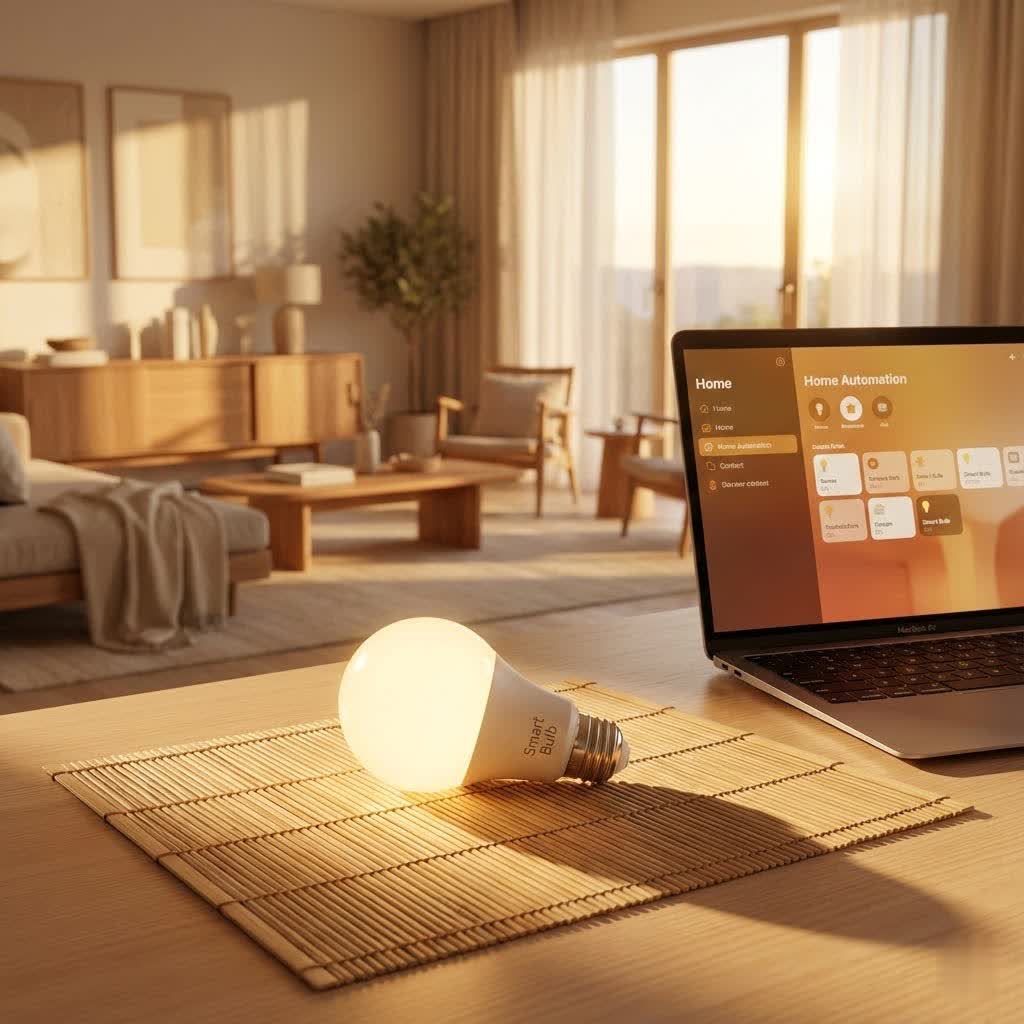
At its core, a smart LED bulb is an energy-efficient light-emitting diode (LED) bulb equipped with wireless communication technology. Think of it as a traditional light bulb that went to smart home school and graduated with honors! Unlike your old incandescent or even basic LED bulbs, a smart LED bulb connects to your home network, allowing you to control it remotely, automate its functions, and customize its appearance with unparalleled precision.
These clever bulbs communicate using various protocols, with Wi-Fi, Bluetooth, Zigbee, and the newer Thread and Matter standards being the most common. Wi-Fi smart LED bulbs connect directly to your home Wi-Fi network, offering widespread control without an extra hub. Bluetooth bulbs are great for local control directly from your phone but have a more limited range. Zigbee and Thread bulbs often require a dedicated hub (like the Philips Hue Bridge for Zigbee) to connect to your home network, but they offer greater stability, range, and allow for a larger number of devices to communicate efficiently. Matter, the latest unified standard, aims to simplify compatibility across different smart home ecosystems, making it easier than ever to integrate your smart LED bulbs.
The Brilliance of Smart LED Bulbs: Unlocking a World of Benefits
Why make the switch to smart LED bulbs? Well, the advantages go far beyond simply flicking a switch. These intelligent illuminators bring a whole host of perks that make everyday living more comfortable, efficient, and enjoyable.
Energy Efficiency and Cost Savings
|
Our Picks for the Best Smart Bulb in 2026
As an Amazon Associate I earn from qualifying purchases.
|
||
| Num | Product | Action |
|---|---|---|
| 1 | Tapo TP-Link Smart Light Bulbs, 16M Colors RGBW, Dimmable, Compatible with Alexa and Google Home, A19, 60W Equivalent, 800LM CRI>90, 2.4GHz WiFi only, No Hub Required, L530E(4-Pack) |

|
| 2 | Amazon Basics Smart A19 LED Light Bulb, Dimmable Soft White (2700K), 9W (60W Equivalent), 800LM, Works with Alexa Only, 2.4 GHz Wi-Fi, No Hub Required, 4 Pack |
|
| 3 | Linkind Smart Light Bulbs, Smart Bulb That Work with Alexa & Google Home, LED Light Bulbs Color Changing, 104 Preset Scene, Music Sync, A19 E26 2.4GHz RGBTW WiFi Bluetooth Light Bulb 60W, 800LM, 4Pack |
|
| 4 | Bluex Bulbs 3 Pack Motion Sensor LED Light Bulb A21, 15W 1300 Lumens, Warm White 3000K, Automatic On/Off Security Light, E26 Medium Base Indoor & Outdoor Use, 120V (3000K - Warm White) |
|
| 5 | Govee LED Smart Light Bulbs, 1000LM Color Changing Light Bulb, Wi-Fi & Bluetooth Light Bulbs, Work with Alexa and Google Assistant, Dimmable RGBWW A19 75W Equivalent Smart Bulbs, 2 Pack |
|
| 6 | SYLVANIA Wifi LED Smart Light Bulb, 60W Equivalent Full Color and Tunable White A19, Dimmable, Compatible with Alexa and Google Home Only - 4 Pack (75674) |
|
| 7 | Govee Smart Light Bulbs, Color Changing Light Bulb, Work with Alexa and Google Assistant, 16 Million Colors RGBWW, WiFi & Bluetooth LED Light Bulbs, Music Sync, A19, 800 Lumens, 4 Pack |
|
| 8 | Amazon Basics Smart A19 LED Light Bulb, Color Changing, 9W (60W Equivalent), 800LM, Works with Alexa Only, 2.4 GHz Wi-Fi, No Hub Required, 1 Pack |
|
| 9 | Kasa Smart Light Bulbs, Full Color Changing Dimmable Smart WiFi Bulbs Compatible with Alexa and Google Home, A19, 60 W 800 Lumens,2.4Ghz only, No Hub Required, 2-Pack (KL125P2), Multicolor |
|
| 10 | Kasa Smart Light Bulbs that works with Alexa and Google Home, Dimmable Smart LED Bulb, A19, 9W, 800Lumens, Soft White(2700K), CRI≥90, WiFi 2.4Ghz only, No Hub Required, 4 Count (Pack of 1)(KL110P4) |
|
One of the most compelling reasons to embrace smart LED bulbs is their incredible energy efficiency. Built on LED technology, they consume significantly less electricity than traditional incandescent bulbs – often saving you upwards of 75% on lighting costs. But it’s not just about the LEDs themselves; smart features like scheduling, motion detection, and remote control mean your lights are only on when you need them. Imagine your lights automatically turning off when you leave the house or dimming to a lower level during certain hours. These subtle automations add up, leading to substantial savings on your electricity bill over time. Plus, smart LED bulbs boast an impressive lifespan, often lasting up to 50,000 hours, which translates to decades of use and fewer replacements.
Unrivaled Ambiance and Customization
Ever wished you could change the mood of a room with a single tap or voice command? With smart LED bulbs, it’s not a dream – it’s your daily reality. Most smart LED bulbs offer a spectrum of 16 million colors, allowing you to perfectly match your lighting to any occasion, mood, or decor. Want a vibrant blue for a party, a calming warm white for reading, or a cool, crisp white for focused work? You got it! You can adjust not only the color but also the color temperature (from warm yellows to cool blues) and brightness with granular control. Many apps also let you create and save custom lighting “scenes” – combinations of colors and brightness levels – to instantly transform your space. Some advanced smart LED bulbs can even sync with music, creating a dynamic light show that beats to your favorite tunes.
Seamless Convenience and Automation
The sheer convenience of smart LED bulbs is truly a game-changer. Gone are the days of manually walking around to turn off every light. With a smartphone app, you can control your smart LED bulbs from anywhere – whether you’re on the couch, in another room, or even miles away from home. Voice control integration with assistants like Amazon Alexa, Google Assistant, or Apple Siri takes convenience to another level, allowing hands-free operation.
Beyond simple on/off control, smart LED bulbs empower you with robust automation features. Set schedules for your lights to turn on as the sun sets and gently fade as you drift to sleep. Use geofencing to have your lights greet you upon arrival and switch off when you depart. You can group multiple bulbs together to control an entire room or floor with a single command, making your home truly responsive to your lifestyle.
Enhanced Home Security Features
Who knew a light bulb could be a security guard? Smart LED bulbs offer a subtle yet effective layer of home security. When you’re away on vacation or at work, you can program your smart LED bulbs to randomly turn on and off in different rooms, simulating occupancy and making your home appear lived-in. This can be a powerful deterrent to potential intruders. Some systems even offer integration with security cameras or motion sensors, allowing your lights to flash brightly if unusual activity is detected, drawing attention and potentially scaring off unwelcome visitors.
Longevity and Durability
Smart LED bulbs are built to last. Thanks to their LED technology, they have a significantly longer operational lifespan compared to traditional incandescent or even CFL bulbs. We’re talking tens of thousands of hours – meaning you might upgrade your entire smart home system before you ever need to replace a smart LED bulb. This extended durability not only saves you money on replacement costs but also reduces waste, making them an eco-friendly choice.
Getting Started: A Step-by-Step Installation Guide
Ready to bring the magic of smart LED bulbs into your home? Don’t worry, it’s typically a straightforward process, even if you’re new to smart home tech. Here’s a general guide to get you started:
Preparing for Installation
Before you unscrew your old bulbs, make sure you have a few things ready. First, ensure you have a stable Wi-Fi network, preferably a 2.4GHz connection, as many smart bulbs operate best on this frequency. Next, download the specific companion app for your smart LED bulb brand onto your smartphone or tablet. You’ll usually find the app name on the bulb’s packaging or in the instruction manual. Some manufacturers even include a QR code for easy download. Finally, pick a fixture for your smart LED bulb – ideally, one that’s within good range of your Wi-Fi router.
The Standard Screw-In and App Setup (Wi-Fi/Bluetooth)
For most Wi-Fi and Bluetooth smart LED bulbs, the installation process is wonderfully simple:
- Remove and Replace: Turn off the power to the light fixture. Carefully unscrew your old bulb and screw in your new smart LED bulb.
- Power On: Flip the light switch back on. Your bulb should light up, possibly in a default color or brightness.
- Launch App & Pair: Open the smart bulb’s app on your phone. Most apps will automatically begin searching for new devices. If not, look for an “Add Device” or “+” icon.
- Initiate Pairing Mode: This is often the trickiest part, as it varies by brand. Many bulbs require you to cycle the power off and on a certain number of times (e.g., three times) until the bulb begins to flash rapidly. This rapid flashing indicates it’s in pairing mode.
- Connect to Wi-Fi: Follow the in-app instructions to connect your smart LED bulb to your home’s 2.4GHz Wi-Fi network. You’ll need to enter your Wi-Fi name and password. Some apps might have you temporarily connect your phone to the bulb’s own Wi-Fi network during this step.
- Name Your Bulb: Once connected, give your bulb a recognizable name (e.g., “Living Room Lamp,” “Kitchen Overhead”). You can often assign it to a specific room or group within the app.
Installing Bulbs with a Smart Home Hub (e.g., Philips Hue)
If your chosen smart LED bulbs, like Philips Hue, require a hub, there’s an initial step before adding the bulbs:
- Set Up the Hub: Connect the smart home hub (e.g., Hue Bridge) to your Wi-Fi router using an Ethernet cable and plug it into power. Download the hub’s specific app and follow the prompts to set it up and connect it to your home network.
- Add Bulbs: Once the hub is online, screw in your smart LED bulbs and turn them on. Then, within the hub’s app, select “Search for lights.” The hub will find and connect your bulbs, allowing you to control them through its ecosystem.
Quick Tips for a Smooth Setup
- Check Wi-Fi Band: Ensure your phone is connected to your 2.4GHz Wi-Fi network during initial setup if your bulbs require it.
- Keep Switches On: For remote control to work, the physical light switch controlling your smart LED bulb must remain in the “on” position. If you turn off the wall switch, the bulb loses power and can’t be controlled via the app or voice.
- Router Placement: Place your Wi-Fi router in a central location for optimal signal strength, especially for hub-free Wi-Fi bulbs.
- Manufacturer Instructions: Always refer to the specific instructions provided by your smart LED bulb’s manufacturer, as steps can vary.
Maximizing Your Smart LED Bulb Experience: Tips & Maintenance
You’ve got your smart LED bulbs set up – fantastic! Now let’s explore how to truly elevate your lighting experience and keep your bulbs performing at their best.
Creating Dynamic Lighting Scenes
Don’t just stick to basic on/off. Dive into the world of lighting scenes! Most smart bulb apps allow you to create custom scenes for different activities or times of day. Imagine a “Movie Night” scene that dims the lights to a warm glow, or a “Morning Wake-Up” scene that gradually brightens with cool tones. Experiment with different colors, brightness levels, and transitions. You can even set scenes to activate automatically based on time, sunrise/sunset, or your presence at home.
Leveraging Voice Control and Automation Routines
Integrate your smart LED bulbs with your voice assistant (Alexa, Google Assistant, Siri) for effortless control. Practice commands like “Hey Google, turn on the living room lights” or “Alexa, dim the bedroom to 30%.” Take it a step further by creating routines. For example, a “Good Morning” routine could turn on your kitchen lights, start your coffee maker, and play the news – all with one voice command. The possibilities for home automation are endless!
Regular Firmware Updates and App Management
Like any smart device, smart LED bulbs occasionally receive firmware updates that improve performance, add new features, and patch security vulnerabilities. Keep an eye on your bulb’s companion app for notifications about available updates. Regularly updating your bulbs ensures they operate smoothly and remain compatible with the latest smart home technologies. Also, keep your smart bulb app updated on your phone for the best user experience.
Cleaning and Proper Placement
While smart LED bulbs are generally low maintenance, a little care goes a long way. Occasionally, gently wipe down the bulb with a dry, soft cloth to remove dust. This helps maintain optimal light output and prevents dust buildup from insulating the bulb and potentially affecting its lifespan. Always ensure your smart LED bulbs are installed in fixtures that allow for adequate ventilation, especially if they are not specifically rated for enclosed fixtures. Proper airflow prevents overheating, which can shorten the bulb’s life.
Troubleshooting Common Smart LED Bulb Issues
Even the smartest tech can sometimes hit a snag. If your smart LED bulbs aren’t behaving as expected, don’t fret! Most issues are easily fixable. Here are some common problems and how to troubleshoot them.
My Bulb Isn’t Responding
This is usually the first sign something’s amiss.
- Check Power: Is the light fixture’s physical switch turned “on”? Remember, for smart control, the switch must always be on.
- Tighten Bulb: Ensure the bulb is screwed in properly and making good contact with the socket.
- Power Cycle: Try turning the light switch off, waiting 10-15 seconds, and then turning it back on. This simple reset often resolves minor glitches.
- App Status: Check your smart bulb app. Does it show the bulb as “offline” or “unreachable”?
- App Updates: Make sure your smart bulb app is updated to the latest version on your smartphone.
Connection Woes: Wi-Fi and Pairing Problems
If your smart LED bulb won’t connect or frequently drops its connection:
- Wi-Fi Check: Confirm your home Wi-Fi network is active and stable. Try connecting another device to the Wi-Fi to ensure it’s working.
- Router Range: Is the bulb too far from your Wi-Fi router or smart home hub? Consider using a Wi-Fi extender or relocating the bulb/router.
- 2.4GHz Network: Most smart LED bulbs require a 2.4GHz Wi-Fi network for initial setup. Ensure your phone is connected to this network, and that your router isn’t blocking the bulbs.
- Router Settings: Check your router’s settings. Are there too many devices connected, limiting bandwidth? Is your router set to IPv4 mode? Are there any strong firewalls that might be blocking the connection? (You might need to contact your internet provider for help with these advanced settings.)
- Reset Bulb: Perform a factory reset on the bulb. This usually involves a specific power cycle sequence (e.g., off-on three or five times until it flashes a particular way). Refer to your manufacturer’s instructions for the exact steps.
- Reinstall App: Sometimes, simply reinstalling the smart bulb app on your phone can resolve stubborn pairing issues.
Dealing with Flickering or Buzzing
An annoying flicker or hum can disrupt your smart lighting experience:
- Dimmer Compatibility: Are you using the smart LED bulb with an old-fashioned dimmer switch? Most smart LED bulbs are not compatible with traditional dimmers and can flicker or buzz. If you want dimming, use the bulb’s app or a smart dimmer switch designed for LEDs.
- Power Fluctuations: Inconsistent power supply can cause flickering. If you suspect this, contact an electrician.
- Firmware Update: Ensure the bulb’s firmware is up to date, as updates often include fixes for flickering.
Color Inaccuracies or Glitches
If your colors seem off or aren’t changing correctly:
- Recalibrate in App: Use your smart bulb app to recalibrate the bulb’s color settings.
- Reset Bulb: A soft reset (power cycle) or factory reset can often resolve software glitches affecting color.
- App/Firmware Update: Ensure both your app and the bulb’s firmware are updated.
Navigating the Market: Top Smart LED Bulb Brands in 2024/2025
The smart LED bulb market is bustling with innovation, offering a wide array of choices to fit every need and budget. As of 2024/2025, several brands stand out for their reliability, features, and ecosystem integration.
Philips Hue continues to be a market leader, renowned for its extensive ecosystem of bulbs, lamps, and accessories, along with excellent color accuracy and robust integration with all major smart home platforms. While typically a premium choice, its reliability and feature set often justify the investment, especially if you’re building a comprehensive smart lighting system with a Zigbee hub.
LIFX is another top contender, celebrated for its exceptionally bright bulbs and vibrant color reproduction. LIFX bulbs connect directly via Wi-Fi, meaning no hub is required, making them a great choice for those seeking powerful lighting without additional hardware.
For those looking for excellent value without compromising on features, WiZ (owned by Philips, but operates independently without a Hue Bridge) and TP-Link Kasa offer hub-free Wi-Fi smart LED bulbs that provide a wide range of colors, dimming, and scheduling capabilities at a more accessible price point.
Newer players like AiDot Linkind Matter and Nanoleaf are also making waves, particularly with their adoption of the Matter and Thread standards, promising a more unified and future-proof smart home experience. Nanoleaf is also known for its unique designs and impressive light art panels. Govee is another brand that offers feature-rich smart lighting solutions, often at competitive prices, focusing on vibrant colors and dynamic effects.
When choosing, consider your existing smart home ecosystem (Alexa, Google Assistant, Apple HomeKit), whether you prefer a hub-based or hub-free setup, your budget, and the specific features (e.g., brightness, color range, music sync) that are most important to you.
Light Up Your World, Smartly!
Smart LED bulbs are more than just a passing trend; they’re an integral part of the modern smart home, offering a blend of unparalleled convenience, aesthetic appeal, and practical benefits. From slashing your energy bills and setting the perfect mood for any occasion to boosting your home’s security, these intelligent illuminators empower you to take control of your environment like never before.
At Srjja.com, we believe that understanding the technology behind these innovations helps you make the best choices for your home and lifestyle. So, go ahead, explore the possibilities, experiment with colors and scenes, and embrace the brilliant future that smart LED bulbs offer. The power to transform your space is now literally at your fingertips – or the sound of your voice!
