Have you ever wished you could transform your living space with a touch, a tap, or even just your voice? If so, you’re in the right place! Gosund Smart Bulbs are at the forefront of this lighting revolution, offering an unparalleled blend of convenience, customization, and energy efficiency. As a leading expert at Srjja.com, I’ve spent years immersed in the smart home ecosystem, and I can tell you that understanding your gosund smart bulb is the key to unlocking its full potential. This comprehensive guide will equip you with all the knowledge you need, from initial setup to advanced customization, ensuring your smart lighting experience is nothing short of brilliant.
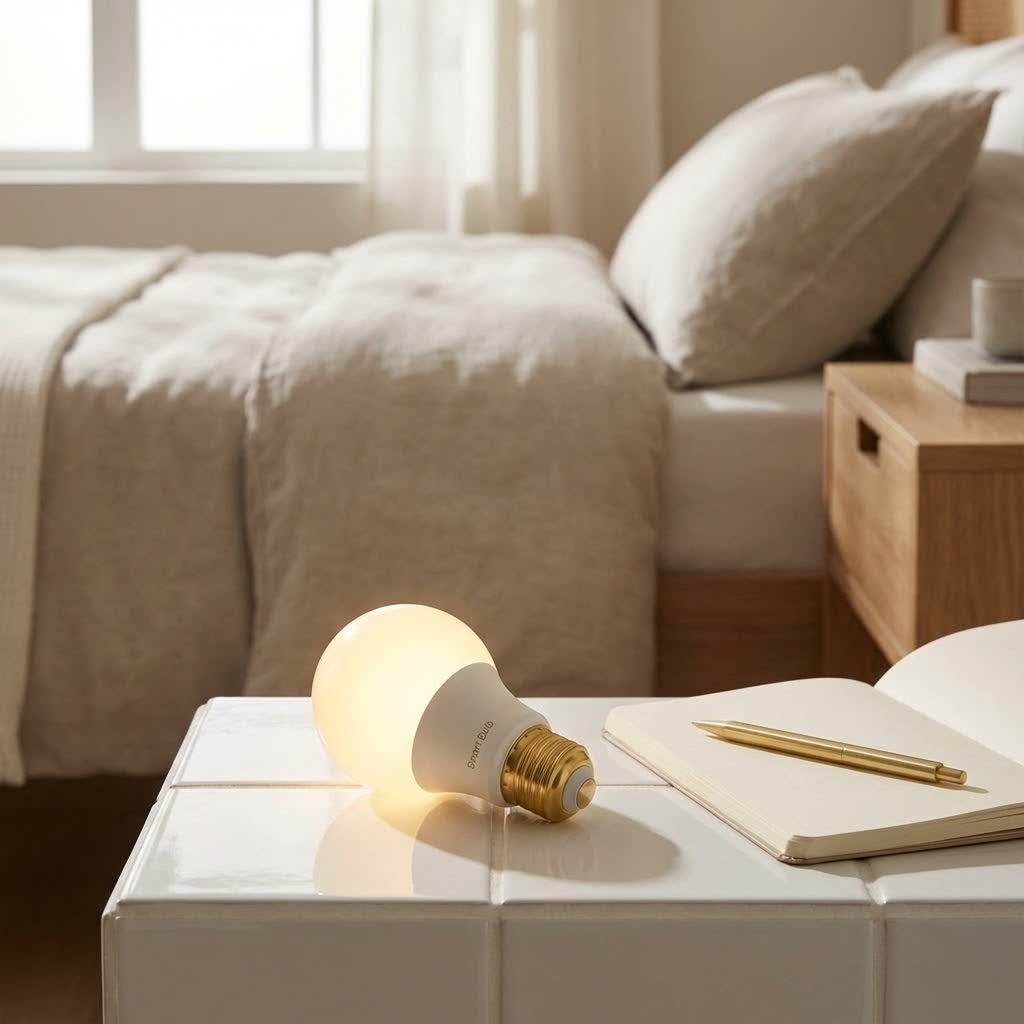
What Makes Gosund Smart Bulbs Shine? Features and Benefits Explored
Gosund smart bulbs are more than just lights; they are intelligent devices designed to enhance your daily life. They offer a host of features that traditional bulbs simply can’t match, seamlessly integrating into your smart home.
Key Features of Gosund Smart Bulbs:
- Vibrant Color Control: Most Gosund smart bulbs are RGB (Red, Green, Blue), meaning they can display millions of colors. Whether you’re setting a romantic mood with soft reds or throwing a party with dynamic, flashing blues and greens, the possibilities are endless.
- Tunable White Light: Beyond color, you can often adjust the white light temperature from warm yellow to cool blue-white. This flexibility allows you to mimic natural daylight or create cozy, warm ambiances.
- Dimmable Brightness: Control the intensity of your light from 1% to 100%, perfect for everything from bright task lighting to subtle night lights.
- App Control: Manage your gosund smart bulb from anywhere using the Gosund app or the compatible Smart Life app on your smartphone. Turn lights on/off, change colors, adjust brightness, and set schedules with ease.
- Voice Control: Compatible with Amazon Alexa and Google Assistant, Gosund smart bulbs respond to your voice commands, offering true hands-free convenience.
- Scheduling and Timers: Set your lights to turn on or off at specific times, helping you wake up gently or deter intruders while you’re away.
- Scene Customization: Create custom lighting scenes for different activities or moods, like “Movie Night” or “Reading Mode,” and activate them with a single tap or voice command.
- Energy Efficiency: As LED bulbs, Gosund smart bulbs consume significantly less energy than incandescent bulbs, saving you money on your electricity bill while being kinder to the planet.
|
Our Picks for the Best Smart Bulb in 2026
As an Amazon Associate I earn from qualifying purchases.
|
||
| Num | Product | Action |
|---|---|---|
| 1 | Govee LED Smart Light Bulbs, 1000LM Color Changing Light Bulb, Wi-Fi & Bluetooth Light Bulbs, Work with Alexa and Google Assistant, Dimmable RGBWW A19 75W Equivalent Smart Bulbs, 2 Pack |

|
| 2 | Amazon Basics Smart A19 LED Light Bulb, Dimmable Soft White (2700K), 9W (60W Equivalent), 800LM, Works with Alexa Only, 2.4 GHz Wi-Fi, No Hub Required, 4 Pack |
|
| 3 | Linkind Smart Light Bulbs, Smart Bulb That Work with Alexa & Google Home, LED Light Bulbs Color Changing, 104 Preset Scene, Music Sync, A19 E26 2.4GHz RGBTW WiFi Bluetooth Light Bulb 60W, 800LM, 4Pack |
|
| 4 | Bluex Bulbs 3 Pack Motion Sensor LED Light Bulb A21, 15W 1300 Lumens, Warm White 3000K, Automatic On/Off Security Light, E26 Medium Base Indoor & Outdoor Use, 120V (3000K - Warm White) |
|
| 5 | Kasa Smart Light Bulbs that works with Alexa and Google Home, Dimmable Smart LED Bulb, A19, 9W, 800Lumens, Soft White(2700K), CRI≥90, WiFi 2.4Ghz only, No Hub Required, 4 Count (Pack of 1)(KL110P4) |
|
| 6 | SYLVANIA Wifi LED Smart Light Bulb, 60W Equivalent Full Color and Tunable White A19, Dimmable, Compatible with Alexa and Google Home Only - 4 Pack (75674) |
|
| 7 | Govee Smart Light Bulbs, Color Changing Light Bulb, Work with Alexa and Google Assistant, 16 Million Colors RGBWW, WiFi & Bluetooth LED Light Bulbs, Music Sync, A19, 800 Lumens, 4 Pack |
|
| 8 | Tapo TP-Link Smart Light Bulbs, 16M Colors RGBW, Dimmable, Compatible with Alexa and Google Home, A19, 60W Equivalent, 800LM CRI>90, 2.4GHz WiFi only, No Hub Required, L530E(4-Pack) |
|
| 9 | Kasa Smart Light Bulbs, Full Color Changing Dimmable Smart WiFi Bulbs Compatible with Alexa and Google Home, A19, 60 W 800 Lumens,2.4Ghz only, No Hub Required, 2-Pack (KL125P2), Multicolor |
|
| 10 | Amazon Basics Smart A19 LED Light Bulb, Color Changing, 9W (60W Equivalent), 800LM, Works with Alexa Only, 2.4 GHz Wi-Fi, No Hub Required, 1 Pack |
|
These features combine to offer a truly personalized and convenient lighting experience, transforming how you interact with your home.
Getting Started: Your Gosund Smart Bulb Setup Guide
Setting up your gosund smart bulb is a straightforward process, but it requires a few key steps to ensure a smooth connection. The most crucial detail is that Gosund smart bulbs, like many smart home devices, operate exclusively on a 2.4GHz Wi-Fi network. If your router broadcasts both 2.4GHz and 5GHz bands, ensure your phone is connected to the 2.4GHz network during setup.
Step-by-Step Installation and Connection:
- Download the Gosund App: Begin by downloading the official Gosund app from the Apple App Store or Google Play Store. You might also use the Smart Life app, as many Gosund devices are compatible with it.
- Install the Bulb: Screw your Gosund smart bulb into any standard E26/E27 light socket.
- Power On and Reset: Turn the light switch on. To put the bulb into pairing mode, you’ll usually need to reset it. This is typically done by flipping the light switch off and on rapidly three times (wait about 2 seconds between each flip). The bulb should begin flashing quickly (for “Easy Mode”) or slowly (for “AP Mode”).
- Add Device in App: Open the Gosund app.
- Tap the “Add Device” or “+” sign in the upper right-hand corner.
- Navigate to “Lighting” and select “Light Source (Wi-Fi)” or “Wi-Fi Smart Bulb.”
- Connect to Wi-Fi:
- Confirm the bulb is flashing as described (fast for Easy Mode, slow for AP Mode). Select the corresponding option in the app.
- Enter your 2.4GHz Wi-Fi network name and password. Double-check for accuracy.
- Keep your phone close to the bulb during the connection process.
- Rename and Customize: Once connected, you can rename your bulb (e.g., “Living Room Lamp,” “Kitchen Light”) for easier control. Explore the app to adjust colors, brightness, and set schedules immediately.
“The initial setup is often the most critical step for any smart home device,” notes Srjja.com’s lead smart lighting analyst, Dr. Elara Vance. “Ensuring you’re on a 2.4GHz network and performing the reset correctly will save you a lot of troubleshooting later.”
Seamless Integration: Connecting Gosund Smart Bulbs to Your Smart Home
The true magic of a gosund smart bulb comes alive when it integrates with your broader smart home ecosystem. They play well with the most popular voice assistants, allowing for effortless control.
Integrating with Amazon Alexa:
- Open Alexa App: Launch the Amazon Alexa app on your smartphone.
- Enable Skill: Go to “More” -> “Skills & Games.” Search for “Gosund” or “Smart Life” and enable the skill.
- Link Account: You’ll be prompted to link your Gosund (or Smart Life) account with your Alexa account. Use the same credentials you used for the Gosund app.
- Discover Devices: Once linked, Alexa will automatically discover your Gosund smart bulbs. If not, say “Alexa, discover my devices” or manually initiate discovery in the Alexa app.
- Voice Commands: You can now control your lights with commands like:
- “Alexa, turn on Living Room Light.”
- “Alexa, set Kitchen Light to 50%.”
- “Alexa, change Bedroom Lamp to blue.”
Integrating with Google Assistant:
- Open Google Home App: Launch the Google Home app on your smartphone.
- Set Up Device: Tap the “+” icon -> “Set up device” -> “Works with Google.”
- Search for Service: Search for “Gosund” or “Smart Life” and select it.
- Link Account: Sign in with your Gosund (or Smart Life) account credentials to link it with Google Home.
- Assign Rooms: Assign your Gosund bulbs to specific rooms within your Google Home setup for organized control.
- Voice Commands: Control your lights with commands such as:
- “Hey Google, turn off all lights.”
- “Hey Google, dim the dining room light.”
- “Hey Google, make the office light warmer.”
With these integrations, your gosund smart bulb becomes an intuitive part of your daily routine, responding to your voice and working in harmony with other smart devices.
Longevity and Luster: Tips for Using and Maintaining Your Gosund Smart Bulbs
While Gosund smart bulbs are designed for durability, a few simple practices can help you maximize their lifespan and maintain their performance.
- Keep the Switch On: Remember, smart bulbs need constant power to remain connected to your Wi-Fi and respond to commands. Always leave the physical light switch in the “on” position. Use the app or voice commands to control the light.
- Maintain Stable Wi-Fi: A strong, stable 2.4GHz Wi-Fi signal is crucial for consistent performance. Weak signals can lead to disconnects and unresponsive bulbs. Consider a Wi-Fi extender if you have dead zones.
- Avoid Extreme Conditions: While many LEDs are robust, avoid installing your gosund smart bulb in enclosed fixtures that trap heat, or in areas with extreme temperature fluctuations, as this can degrade performance and lifespan.
- Regular App Updates: Keep your Gosund or Smart Life app updated to the latest version. These updates often include bug fixes, performance improvements, and new features.
- Gentle Cleaning: If the bulb gets dusty, gently wipe it with a dry, soft cloth when it’s off and cool. Avoid using liquid cleaners directly on the bulb.
By following these tips, you can ensure your Gosund smart bulbs continue to illuminate your home brilliantly for years to come.
When Things Go Dim: Troubleshooting Common Gosund Smart Bulb Issues
Even the most reliable smart tech can occasionally encounter a hiccup. If your gosund smart bulb isn’t behaving as expected, don’t fret. Here are solutions to common problems:
Bulb Won’t Connect to Wi-Fi:
- Check Wi-Fi Band: Ensure your phone (and the bulb, if applicable via hotspot setup) is connected to a 2.4GHz Wi-Fi network. Gosund bulbs do not support 5GHz Wi-Fi.
- Correct Password: Double-check your Wi-Fi password for typos.
- Router Proximity: Move the bulb and your phone closer to your Wi-Fi router during setup.
- Reset the Bulb: Perform the off-on-off-on-off-on reset procedure (3 times) to put the bulb back into pairing mode. Look for fast blinking (Easy Mode) or slow blinking (AP Mode) indicators.
- Router Settings: Temporarily disable any VPN or advanced firewall settings on your router during setup, if you’re comfortable doing so.
Bulb Shows “Offline” in App:
- Check Power: Make sure the physical light switch for the bulb is in the “on” position. If someone accidentally flipped it off, the bulb loses power and goes offline.
- Wi-Fi Signal: Verify your Wi-Fi network is active and the signal strength is good in the bulb’s location.
- Router Reboot: Try rebooting your Wi-Fi router.
- Re-pair: If issues persist, try deleting the bulb from the app and re-pairing it from scratch.
Voice Control Not Working:
- App Linkage: Confirm your Gosund/Smart Life account is correctly linked to Alexa or Google Assistant in their respective apps.
- Device Discovery: Ask your voice assistant to “discover devices” again.
- Device Name: Ensure the device name you’re using in your voice command matches the name in the Alexa/Google Home app.
- Internet Connection: Verify your smart speaker/display has a stable internet connection.
Most issues can be resolved with these basic troubleshooting steps. Patience and a systematic approach are your best tools!
Illuminating Choices: Exploring Gosund Smart Bulb Models and the Market Landscape
Gosund offers a range of smart bulbs catering to various needs, often characterized by their base (e.g., E26/E27 standard screw base) and specific features. While specific model numbers evolve, the core offerings generally include:
- RGB+W Bulbs: These are the most versatile, offering full-color control plus tunable white light. They are ideal for creating diverse ambiances.
- Dimmable White Bulbs: For those who prefer simplicity, these bulbs offer adjustable brightness and sometimes tunable white temperatures, without the added complexity of full-color control.
- Specialty Bulbs: Gosund may also offer bulbs with different form factors (e.g., candle bulbs, larger globes) or specific lumen outputs for different room sizes.
When considering a gosund smart bulb, think about:
- Color vs. White: Do you need millions of colors, or is adjustable white light sufficient?
- Brightness (Lumens): How bright do you need the bulb to be? A higher lumen count means more light.
- Base Type: Ensure it matches your existing fixtures (most commonly E26/E27 in many regions).
Gosund’s competitive edge often lies in its affordability and ease of integration, making it an excellent entry point into smart lighting for many users. They are part of a broader ecosystem that often includes smart plugs, switches, and other devices, all controllable through the same app.
The Future is Bright: Why Choose Gosund Smart Bulbs?
Gosund smart bulbs stand out in a crowded market by delivering a compelling combination of features, reliability, and value. They embody the promise of smart home technology: making everyday life simpler, more convenient, and more enjoyable. From setting the perfect mood for a quiet evening to managing your home’s energy consumption, a gosund smart bulb empowers you with control like never before. They are a testament to how accessible and impactful smart lighting has become, transforming mundane light fixtures into dynamic tools for personal expression and home automation.
Frequently Asked Questions About Gosund Smart Bulbs
Q1: Do Gosund smart bulbs require a hub?
A1: No, Gosund smart bulbs connect directly to your 2.4GHz Wi-Fi network and do not require a separate smart home hub. You only need the Gosund or Smart Life app and a Wi-Fi connection.
Q2: Can I use Gosund smart bulbs outdoors?
A2: Most standard Gosund smart bulbs are designed for indoor use. Always check the product specifications for any bulb you intend to use outdoors, as specific models may offer outdoor ratings.
Q3: What happens if my Wi-Fi goes down?
A3: If your Wi-Fi goes down, you won’t be able to control your Gosund smart bulb via the app or voice assistant. However, you can still control it using the physical light switch, which will typically revert to the last saved setting or a default white light.
Q4: Are Gosund smart bulbs energy efficient?
A4: Yes, Gosund smart bulbs are LED bulbs, which are highly energy efficient compared to traditional incandescent bulbs. They consume significantly less power and have a much longer lifespan.
Q5: Can I group multiple Gosund smart bulbs together?
A5: Absolutely! The Gosund or Smart Life app allows you to create groups of bulbs. This enables you to control multiple lights simultaneously with a single command, perfect for rooms with several fixtures.
Q6: Can I share control of my Gosund smart bulbs with family members?
A6: Yes, the Gosund or Smart Life app typically offers a “Device Sharing” feature, allowing you to invite family members to control your smart bulbs from their own devices.
Q7: What is the difference between “Easy Mode” and “AP Mode” during setup?
A7: “Easy Mode” (fast blinking) is usually a quicker setup method where the app connects directly to the bulb. “AP Mode” (slow blinking) is an alternative where the bulb creates its own temporary Wi-Fi hotspot, and your phone connects to that hotspot to configure the bulb. AP mode is useful if Easy Mode fails.
Light Up Your Life with Gosund
Embracing smart lighting with a gosund smart bulb is an effortless way to upgrade your home and lifestyle. From the vibrant hues that set the perfect atmosphere to the convenience of voice control, these bulbs offer a world of possibilities at your fingertips. We encourage you to dive in, experiment with colors and scenes, and truly make your lighting work for you. Share your creative lighting setups with us at Srjja.com – we’d love to see how you’re illuminating your world!
