IKEA smart bulbs, primarily from their TRÅDFRI and Dirigera lines, offer an accessible and affordable entry point into smart home lighting, integrating seamlessly with major platforms like Apple HomeKit, Google Assistant, and Amazon Alexa. These bulbs are known for their user-friendly design, decent performance, and significantly lower price point compared to premium competitors like Philips Hue, making them ideal for budget-conscious consumers. For example, IKEA’s white spectrum bulbs can mimic natural daylight, enhancing productivity and well-being.
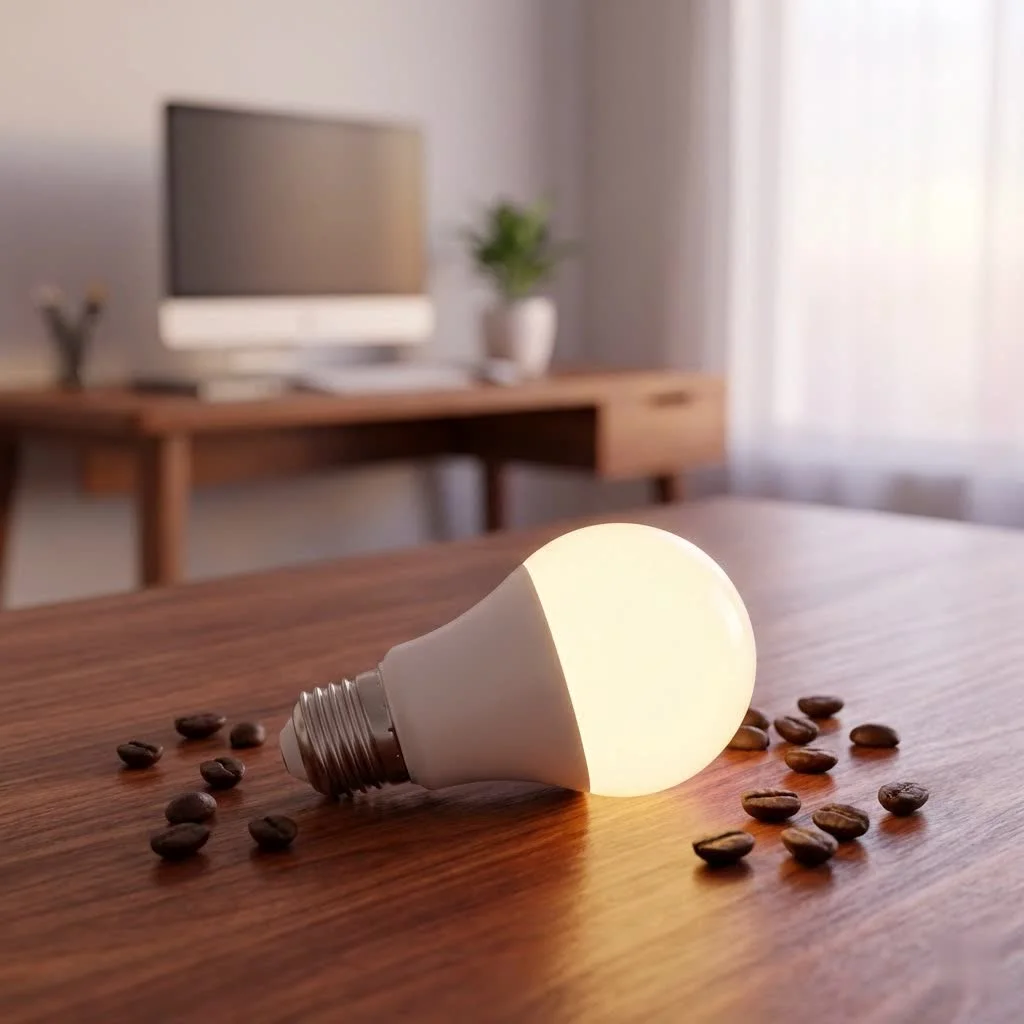 smart bulbs illuminating a modern living room” style=”margin: 20px auto;width: 800px;max-width: 100%;height: auto” />
IKEA’s approach to smart lighting has always focused on making smart home technology approachable. They have demystified complex setups, bringing the benefits of connected lighting to a wider audience. Whether you need subtle ambient glow, vibrant task lighting, or the convenience of voice control, IKEA’s smart bulbs provide a robust foundation for your smart home journey.
What Makes IKEA Smart Bulbs Stand Out?
When considering smart lighting, the sheer number of options can be overwhelming. However, the Smart Bulb IKEA range carves out a unique niche due to its blend of affordability, user-friendly design, and decent performance.
Affordability Meets Innovation
Premium smart bulbs can be expensive, especially when outfitting an entire home. This is where IKEA excels. Their bulbs are often significantly more affordable than competitors like Philips Hue, making them an excellent choice for budget-conscious consumers or those new to smart homes. Despite the lower price, these bulbs are bright, efficient, and offer impressive dimming capabilities.
The TRÅDFRI & Dirigera Ecosystem Explained
At the heart of IKEA’s smart lighting is a central hub – either the classic TRÅDFRI Gateway or the newer Dirigera Hub. This hub acts as the brain of your lighting system, enabling your bulbs to communicate with your smartphone app and other smart home platforms. You’ll find a wide variety of IKEA smart bulbs, including popular fittings like E27, E14, and GU10, as well as light strips and panels that seamlessly integrate into IKEA furniture.
Beyond the bulbs, IKEA offers a range of “steering devices.” These are essential components for pairing and controlling your lights. From simple wireless dimmers to motion sensors, these accessories provide intuitive ways to manage your lighting without always reaching for your phone.
Features for Every Mood
IKEA’s smart bulbs offer more than just on/off functionality. You can choose from dimmable white bulbs for simple brightness control, white spectrum bulbs that allow adjustment between warm and cool tones, and even color-changing options to set any ambiance imaginable. I’ve personally used their white spectrum bulbs to mimic natural daylight in my home office, and the subtle shift in color temperature throughout the day makes a surprising difference to my productivity and well-being.
Setting Up Your IKEA Smart Bulbs: A Simple Guide
Getting your Smart Bulb IKEA system up and running is generally a straightforward process. However, a few nuances are good to know to ensure a smooth installation.
Getting Started with the TRÅDFRI Gateway/Dirigera Hub
|
Our Picks for the Best Smart Bulb in 2026
As an Amazon Associate I earn from qualifying purchases.
|
||
| Num | Product | Action |
|---|---|---|
| 1 | Linkind Smart Light Bulbs, Smart Bulb That Work with Alexa & Google Home, LED Light Bulbs Color Changing, 104 Preset Scene, Music Sync, A19 E26 2.4GHz RGBTW WiFi Bluetooth Light Bulb 60W, 800LM, 4Pack |

|
| 2 | Govee LED Smart Light Bulbs, 1000LM Color Changing Light Bulb, Wi-Fi & Bluetooth Light Bulbs, Work with Alexa and Google Assistant, Dimmable RGBWW A19 75W Equivalent Smart Bulbs, 2 Pack |
|
| 3 | Kasa Smart Light Bulbs that works with Alexa and Google Home, Dimmable Smart LED Bulb, A19, 9W, 800Lumens, Soft White(2700K), CRI≥90, WiFi 2.4Ghz only, No Hub Required, 4 Count (Pack of 1)(KL110P4) |
|
| 4 | Amazon Basics Smart A19 LED Light Bulb, Dimmable Soft White (2700K), 9W (60W Equivalent), 800LM, Works with Alexa Only, 2.4 GHz Wi-Fi, No Hub Required, 4 Pack |
|
| 5 | SYLVANIA Wifi LED Smart Light Bulb, 60W Equivalent Full Color and Tunable White A19, Dimmable, Compatible with Alexa and Google Home Only - 4 Pack (75674) |
|
| 6 | Tapo TP-Link Smart Light Bulbs, 16M Colors RGBW, Dimmable, Compatible with Alexa and Google Home, A19, 60W Equivalent, 800LM CRI>90, 2.4GHz WiFi only, No Hub Required, L530E(4-Pack) |
|
| 7 | Govee Smart Light Bulbs, Color Changing Light Bulb, Work with Alexa and Google Assistant, 16 Million Colors RGBWW, WiFi & Bluetooth LED Light Bulbs, Music Sync, A19, 800 Lumens, 4 Pack |
|
| 8 | Kasa Smart Light Bulbs, Full Color Changing Dimmable Smart WiFi Bulbs Compatible with Alexa and Google Home, A19, 60 W 800 Lumens,2.4Ghz only, No Hub Required, 2-Pack (KL125P2), Multicolor |
|
| 9 | Amazon Basics Smart A19 LED Light Bulb, Color Changing, 9W (60W Equivalent), 800LM, Works with Alexa Only, 2.4 GHz Wi-Fi, No Hub Required, 1 Pack |
|
| 10 | Bluex Bulbs 3 Pack Motion Sensor LED Light Bulb A21, 15W 1300 Lumens, Warm White 3000K, Automatic On/Off Security Light, E26 Medium Base Indoor & Outdoor Use, 120V (3000K - Warm White) |
|
Your first step is setting up the hub.
- Connect the Hub: Plug your TRÅDFRI Gateway or Dirigera Hub into power and connect it to your home router using an Ethernet cable.
- Download the App: Install the IKEA Home smart app on your smartphone or tablet.
- Follow On-Screen Instructions: The app will guide you through activating the hub and setting up your smart home network.
Pairing Your Bulbs and Steering Devices
A common misconception is that bulbs can be paired directly to the hub. However, for most IKEA smart lighting products, you first need a “steering device” like a remote control, wireless dimmer, or motion sensor to pair a light source to the gateway.
- Prepare the Bulb: Screw in your IKEA smart bulb and ensure the power switch is on.
- Initiate Pairing with Steering Device: Follow the instructions for your specific steering device (often holding it close to the bulb and pressing a button).
- Add to Gateway via App: Once the bulb is paired with the steering device, use the IKEA Home smart app to add the steering device (and its connected bulbs) to your gateway. The app provides step-by-step guidance.
Connecting to Your Smart Home Ecosystem
One of the greatest strengths of Smart Bulb IKEA is its compatibility with major smart home platforms. Yes, you can control your IKEA lights with your voice!
- Apple HomeKit: Open the IKEA Home smart app, go to “Integrations,” and select “Apple HomeKit.” You’ll need the eight-digit HomeKit code found on your TRÅDFRI Gateway. Then, add it as an accessory in the Apple Home app.
- Google Assistant & Amazon Alexa: Similarly, within the IKEA Home smart app, navigate to “Integrations” and enable Google Assistant or Amazon Alexa. You’ll then link your IKEA Home Smart account through the respective Google Home or Alexa apps. to keep your gateway firmware updated for the best compatibility.
Maximizing Your IKEA Smart Lighting Experience
Once your IKEA smart bulbs are set up, the real fun begins. There’s so much more to smart lighting than just on and off.
Creative Lighting Scenes and Automations
With the IKEA Home smart app and integrations, you can craft personalized lighting scenes. Imagine a “Movie Night” scene that dims your living room lights to a cozy 30% and shifts the color temperature to a warm amber. Or an “Awake” scene that gradually brightens your bedroom lights as your alarm goes off, simulating a sunrise.
You can also set up automations. For instance, have your porch light turn on automatically at sunset and off at sunrise, or link a motion sensor to your kitchen lights so they illuminate only when you enter the room. The possibilities truly open up once you start experimenting with these features.
Beyond Basic On/Off: Dimmers and Motion Sensors
IKEA’s steering devices offer incredibly intuitive control. The wireless dimmers are fantastic for quick adjustments without opening an app, and their portability means you can place a light switch virtually anywhere. Motion sensors, on the other hand, bring convenience and energy efficiency, ensuring lights are only on when needed. For example, in a hallway, a motion sensor can automatically illuminate the path, then turn off after a set period of inactivity, saving energy.
Essential Maintenance Tips for Longevity
Like any technology, your Smart Bulb IKEA system benefits from a little TLC.
- Firmware Updates: Regularly check the IKEA Home smart app for firmware updates for your gateway and bulbs. These updates often bring performance improvements, new features, and crucial bug fixes.
- Battery Checks: If you’re using wireless dimmers or motion sensors, periodically check their batteries. A low battery can cause unresponsive behavior.
- Router Stability: Ensure your home Wi-Fi router is stable and reliable. A shaky network can lead to connectivity issues with your smart lighting.
Common IKEA Smart Bulb Issues and How to Fix Them
Even the most seasoned smart home enthusiasts encounter hiccups. Here are some common issues with Smart Bulb IKEA products and my go-to solutions.
Troubleshooting Pairing and Connectivity
“My new bulb just won’t pair!” This is a classic.
- Ensure Steering Device: you almost always need a steering device to pair a new bulb with the gateway. Make sure it’s fully charged and within close proximity to the bulb during pairing.
- Power Cycle: Sometimes, simply turning the main power to the bulb off for 10 seconds and back on can resolve minor connectivity glitches.
- Check Gateway Connection: Verify that your TRÅDFRI Gateway or Dirigera Hub is correctly connected to your router and has internet access.
- Multiple Attempts: Don’t get discouraged if it doesn’t work on the first try. Pairing can sometimes require several attempts, or even resetting the app or gateway.
Lights Out of Sync? Here’s the Fix
Have you ever noticed some lights in a group turning on to different brightness levels or color temperatures? This often happens if you use a traditional wall switch to turn off part of a smart light group.
- Re-syncing: To get them back in sync, simply turn off all affected light sources using their main power switches (or the smart app if available), wait a few seconds, and then turn them all back on. This usually forces them to re-establish their group settings.
The “Dimmed to Zero” Mystery
A peculiar issue some users, including myself, have encountered is certain bulbs turning on but dimmed to zero, especially during automated sunset routines.
- Individual Flows/Routines: While not the most elegant, a solution that has worked for me and others is creating individual automation flows for problematic bulbs. For example, if a bulb consistently dims to zero, set up an automation that, a few seconds after the main routine, explicitly sets that bulb to a desired brightness. Some users have found success by adding a rule to turn the bulb off and then immediately back on if its power consumption drops below a certain threshold when it should be on.
Resetting Your Smart Bulb IKEA
Sometimes, a full reset is needed to clear stubborn issues or reconfigure a bulb.
- Bulb Reset: The official method is to toggle the main power switch to the bulb six times. If the bulb isn’t responding, use an IKEA TRÅDFRI remote: locate the reset button (often near the light bulb icon), press and hold it for about 10 seconds. The bulb should light up, then blink, indicating it’s in pairing mode.
- Gateway Reset: For the TRÅDFRI Gateway, open the lid, push a pin into the pinhole for at least 5 seconds until the LED light stops flashing. This will factory reset all data.
IKEA Smart Bulbs: How They Stack Up Against the Competition
In the vast smart lighting landscape, how does the Smart Bulb IKEA compare?
Value Proposition
IKEA’s greatest strength is its value. For those new to smart homes or on a tight budget, the TRÅDFRI and Dirigera lines offer an incredibly accessible entry point. You get decent quality, good features, and broad compatibility for a fraction of the cost of some premium brands.
Integration and Flexibility
While the IKEA Home smart app is functional, it might feel basic compared to feature-rich apps like Philips Hue. However, the robust integration with Apple HomeKit, Google Assistant, and Amazon Alexa means you can leverage those more advanced platforms for complex automations and scenes, freeing your IKEA lights from the limitations of their native app.
“The beauty of IKEA’s system,” notes smart home expert Dr. Anya Sharma, “lies in its interoperability. It’s a fantastic starting point that grows with you, allowing you to integrate with more sophisticated ecosystems as your needs evolve.”
Who is IKEA Smart Lighting For?
IKEA smart lighting is ideal for:
- Beginners: Easy setup and a low barrier to entry.
- Budget-Conscious Users: Excellent performance without the premium price tag.
- IKEA Enthusiasts: Seamless integration with other IKEA Home smart products like blinds.
- Smart Home Explorers: A reliable foundation to experiment with smart lighting before investing heavily in more expensive systems.
Conclusion
The Smart Bulb IKEA range has proven itself to be a formidable player in the smart lighting market, offering an intelligent and affordable way to enhance any home. From its straightforward setup to its impressive compatibility with major smart home platforms, IKEA empowers you to create personalized lighting experiences that adapt to your lifestyle. While no system is without its quirks, the practical solutions and continuous improvements make IKEA smart bulbs a consistently smart choice.
So, if you’re ready to improve your home with intelligent lighting, consider IKEA. It’s an accessible, effective, and stylish path to a brighter, smarter living space. Dive in, experiment with scenes, and discover how a little smart lighting can make a big difference in your daily life. And hey, don’t hesitate to share your own Smart Bulb IKEA experiences with us at Srjja.com – we’d love to hear how you’re lighting up your world!
Smart home that does not lock you in
Free PDF — protocol compatibility matrix for 30 hubs and devices.
I’ve been slowly upgrading my home lighting, and the IKEA TRÅDFRI bulbs have been a game-changer. I love how easily they integrate with my Google Assistant. Setting up routines for different times of day, especially mimicking natural daylight with the white spectrum bulbs, has really improved my morning routine. Plus, the price point is unbeatable compared to other brands.
I got a few of the TRÅDFRI bulbs to try out in my living room. They work fine with Alexa, and I appreciate the lower cost compared to Philips Hue. However, I’ve noticed that one of the bulbs occasionally disconnects from the hub and I have to reset it. It’s a bit annoying, but for the most part, they do what they’re supposed to.
Seriously impressed with how far IKEA’s smart lighting has come. I remember when their first generation was a bit clunky, but the current lineup, especially the Dirigera hub, is fantastic. The ability to create vibrant task lighting in my home office has made a huge difference in my productivity. Definitely recommend for anyone looking for an affordable smart lighting solution.
These Dirigera bulbs are pretty solid for the price. I was a bit hesitant to try smart bulbs because I thought they’d be super complicated, but IKEA really made it user-friendly. I’m using them with Apple HomeKit and it was a breeze to set up. My only minor complaint is that sometimes there’s a slight delay when I use voice commands, but it’s not a dealbreaker.