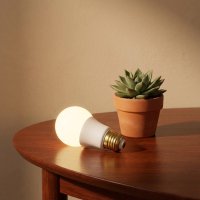
Hey there, fellow smart home enthusiasts! As someone who’s spent over a decade navigating the ins and outs of smart lighting, and as the official content creator for Srjja.com, I can confidently say that the right lighting can transform your home. Today, we’re diving deep into the world of the Nanoleaf smart bulb, a product that’s been making waves for its vibrant colors, impressive brightness, and seamless integration into modern smart homes. If you’re looking to elevate your ambiance, streamline your routines, or simply add a splash of color to your life, a Nanoleaf smart bulb might just be your next favorite gadget.
What Makes Nanoleaf Smart Bulbs Stand Out?
When it comes to smart lighting, the market is flooded with options. But Nanoleaf, particularly their Essentials line, brings a unique blend of features that truly sets them apart. These aren’t just your average bulbs; they’re intelligent light sources designed to enhance your living experience.
A Spectrum of Brilliance: Colors and Tunable Whites
Imagine a bulb that can paint your room with over 16 million colors. That’s precisely what a Nanoleaf smart bulb offers. From deep blues to vibrant reds, the possibilities are virtually endless, allowing you to create the perfect mood for any occasion – whether it’s a cozy movie night or a lively party. But it’s not just about flashy colors; Nanoleaf also excels at functional white light. Their bulbs provide a wide range of tunable white temperatures, from a warm, inviting 2700 Kelvin to a crisp, energizing 6500 Kelvin. This flexibility means you can tailor your lighting to support productivity during the day and relaxation in the evening.
Unmatched Brightness for Every Mood
Nobody wants a dim smart bulb, right? The Nanoleaf smart bulb delivers impressive brightness, with many models reaching up to 1100 lumens and an average brightness of over 800 lumens. This makes them some of the brightest smart lights available, easily outshining many competitors. Whether you need powerful illumination for a task or a subtle glow for unwinding, Nanoleaf bulbs offer exceptional control, even dimming smoothly all the way down to 0%.
Seamless Connectivity: Thread, Matter, and Beyond
One of the most compelling aspects of the Nanoleaf smart bulb is its advanced connectivity. These bulbs utilize not just Bluetooth, but also Thread and Matter. What does that mean for you?
- Bluetooth: This allows for easy, direct control straight out of the box using just the Nanoleaf App on your smartphone, without needing any additional hub. It’s great for getting started quickly.
- Thread: This is a low-power, self-healing mesh networking technology that offers faster speeds, increased reliability, and extended range compared to Bluetooth. If one bulb goes offline, the others can still communicate. To fully leverage Thread, you’ll need a compatible Thread border router, often built into popular smart home hubs.
- Matter: This is the game-changer. Matter is a new universal smart home standard designed to simplify device compatibility across different ecosystems. A Matter-enabled Nanoleaf smart bulb can seamlessly integrate with Apple Home, Google Home, Amazon Alexa, and Samsung SmartThings, as long as you have a Matter-compatible smart home hub. Examples of these hubs include Apple HomePod mini, Google Nest Hub (2nd Gen), and Amazon Echo (4th Gen).
This multi-faceted connectivity ensures that your Nanoleaf smart bulb is not only compatible with your current setup but also future-proofed for evolving smart home technology.
Beyond Basic Lighting: Smart Features You’ll Love
|
Our Picks for the Best Smart Bulb in 2026
As an Amazon Associate I earn from qualifying purchases.
|
||
| Num | Product | Action |
|---|---|---|
| 1 | Bluex Bulbs 3 Pack Motion Sensor LED Light Bulb A21, 15W 1300 Lumens, Warm White 3000K, Automatic On/Off Security Light, E26 Medium Base Indoor & Outdoor Use, 120V (3000K - Warm White) |

|
| 2 | Amazon Basics Smart A19 LED Light Bulb, Color Changing, 9W (60W Equivalent), 800LM, Works with Alexa Only, 2.4 GHz Wi-Fi, No Hub Required, 1 Pack |
|
| 3 | SYLVANIA Wifi LED Smart Light Bulb, 60W Equivalent Full Color and Tunable White A19, Dimmable, Compatible with Alexa and Google Home Only - 4 Pack (75674) |
|
| 4 | Govee LED Smart Light Bulbs, 1000LM Color Changing Light Bulb, Wi-Fi & Bluetooth Light Bulbs, Work with Alexa and Google Assistant, Dimmable RGBWW A19 75W Equivalent Smart Bulbs, 2 Pack |
|
| 5 | Amazon Basics Smart A19 LED Light Bulb, Dimmable Soft White (2700K), 9W (60W Equivalent), 800LM, Works with Alexa Only, 2.4 GHz Wi-Fi, No Hub Required, 4 Pack |
|
| 6 | Linkind Smart Light Bulbs, Smart Bulb That Work with Alexa & Google Home, LED Light Bulbs Color Changing, 104 Preset Scene, Music Sync, A19 E26 2.4GHz RGBTW WiFi Bluetooth Light Bulb 60W, 800LM, 4Pack |
|
| 7 | Kasa Smart Light Bulbs, Full Color Changing Dimmable Smart WiFi Bulbs Compatible with Alexa and Google Home, A19, 60 W 800 Lumens,2.4Ghz only, No Hub Required, 2-Pack (KL125P2), Multicolor |
|
| 8 | Kasa Smart Light Bulbs that works with Alexa and Google Home, Dimmable Smart LED Bulb, A19, 9W, 800Lumens, Soft White(2700K), CRI≥90, WiFi 2.4Ghz only, No Hub Required, 4 Count (Pack of 1)(KL110P4) |
|
| 9 | Govee Smart Light Bulbs, Color Changing Light Bulb, Work with Alexa and Google Assistant, 16 Million Colors RGBWW, WiFi & Bluetooth LED Light Bulbs, Music Sync, A19, 800 Lumens, 4 Pack |
|
| 10 | Tapo TP-Link Smart Light Bulbs, 16M Colors RGBW, Dimmable, Compatible with Alexa and Google Home, A19, 60W Equivalent, 800LM CRI>90, 2.4GHz WiFi only, No Hub Required, L530E(4-Pack) |
|
Beyond color and brightness, Nanoleaf smart bulbs come packed with intelligent features designed to make your life easier and more enjoyable.
- Circadian Lighting: This incredible feature automatically adjusts the color temperature of your lights throughout the day to mimic the sun’s natural cycle. It helps energize you in the morning and gradually prepares you for rest by reducing blue light exposure in the evening, promoting better sleep patterns.
- Dynamic Scenes and Automations: The Nanoleaf App allows you to create vibrant, color-changing scenes and automate your lighting schedules. Imagine your lights gently waking you up with a sunrise effect or changing color as you transition from work to relaxation. You can also set schedules to turn lights on/off at specific times, making your daily routines a breeze.
- Voice Control: With integration into major smart home ecosystems, you can control your Nanoleaf smart bulb hands-free using voice commands with Siri, Google Assistant, or Alexa. Simply say, “Hey Siri, turn on the bedroom light,” or “Okay Google, set the living room to ‘Relax’ scene,” and watch your commands come to life.
Getting Started: How to Set Up Your Nanoleaf Smart Bulb
Setting up your Nanoleaf smart bulb is usually a straightforward process, designed to get you enjoying smart lighting quickly.
Installation: Screw It In!
The physical installation is as simple as it gets. Just screw your Nanoleaf smart bulb into any compatible light socket while the power is off. Once it’s securely in place, you can turn the power back on. Remember, these smart bulbs are generally not compatible with traditional dimmer switches because they have their own built-in dimming mechanisms, which can cause conflicts.
Pairing with the Nanoleaf App (The First Step)
While you can often connect directly to your smart home ecosystem, Nanoleaf recommends pairing with the Nanoleaf App first to unlock all features.
- Download the Nanoleaf App: Ensure you have the latest version of the Nanoleaf App on your iOS or Android device.
- Enable Bluetooth: Turn on Bluetooth on your mobile device. Your phone should also be connected to a 2.4GHz Wi-Fi network during setup, as Nanoleaf products typically don’t work on 5GHz networks.
- Initiate Pairing: Open the Nanoleaf App. From the Dashboard, tap the pencil icon (top right) and then “Add Device +”.
- Scan or Enter Code: You’ll be prompted to scan a HomeKit or Matter QR code, usually found on the bulb itself or on the Quick Start Guide included in the packaging. Alternatively, you can manually enter the 8-digit or 11-digit pairing code.
- Connect to Thread (if applicable): If a compatible Thread network is detected in your home (e.g., via an Apple HomePod mini), the app will automatically provision your device to use Thread.
- Name and Assign: Give your Nanoleaf smart bulb a recognizable name and assign it to a specific room within the Nanoleaf App.
Integrating with Your Smart Home Ecosystem (HomeKit, Google Home, Alexa)
For full smart home integration and features like remote access, you’ll connect your Nanoleaf smart bulb to your preferred ecosystem via Matter. This typically requires a Matter-compatible smart home hub that also acts as a Thread border router.
- Crucial Tip: For Matter-compatible bulbs, pairing must be initiated within 15 minutes of the light being powered on. If you miss this window, a factory reset will be required to re-enable pairing mode.
- Process: After initial setup in the Nanoleaf App, if a Matter-compatible hub is detected, the app should prompt you to connect to your smart home ecosystem. For instance, on iOS, it might automatically prompt you to add it to Apple Home. For other ecosystems like Google Home or Amazon Alexa, you might need to go into their respective apps, select “Add device,” and follow the Matter pairing instructions, often involving scanning a new, ecosystem-specific QR code or entering a unique pairing code generated by your smart home app.
“From my experience, the initial setup with Nanoleaf Essentials can feel a bit like a dance between the Nanoleaf App and your smart home ecosystem. But once they’re connected, it’s smooth sailing,” says Dr. Anya Sharma, a leading smart home technology analyst. “The key is patience and making sure your Thread border router is online.”
Maximizing Your Nanoleaf Experience: Tips and Tricks
Once your Nanoleaf smart bulb is up and running, there are many ways to get the most out of your smart lighting.
Customizing Your Scenes and Automations
Dive into the Nanoleaf App to explore and create custom lighting scenes. You can discover thousands of user-generated palettes and animations, or get creative and design your own color transitions. Beyond aesthetics, smart scenes can be practical: a “Good Morning” scene could gradually brighten your room, while a “Movie Night” scene sets a dim, cozy ambiance. These scenes can then be integrated into your smart home routines through Apple Home, Google Home, or other Matter-compatible apps.
The Magic of Circadian Lighting
Enable Circadian Lighting in the Nanoleaf App to align your indoor lighting with your body’s natural clock. This feature subtly adjusts the color temperature, providing warm, blue-light-reduced tones in the evening to prepare you for sleep and brighter, cooler tones during the day to boost alertness. It’s a simple yet powerful way to support your well-being.
Keeping Your Bulbs Healthy: Maintenance Tips
Like any advanced tech, a little care goes a long way for your Nanoleaf smart bulb:
- Firmware Updates: Always check for and install the latest firmware updates via the Nanoleaf App. These updates often bring new features, performance improvements, and crucial bug fixes.
- Avoid Smart Switches/Dimmers: As mentioned, Nanoleaf smart bulbs have their own dimming capabilities and should generally not be used with external smart switches or traditional dimmer fixtures. This can cause compatibility issues and potentially damage the bulb. Stick to controlling them via the app or voice.
- Clean Connections: Occasionally, ensure the bulb’s base and the socket are clean and free of dust for optimal electrical contact.
Troubleshooting Common Nanoleaf Smart Bulb Issues
Even the best smart bulbs can have an off day. If your Nanoleaf smart bulb isn’t behaving as expected, don’t fret – many issues have simple solutions.
Connectivity Hiccups? Simple Fixes
Before resorting to a full reset, try these common troubleshooting steps:
- Power Cycle: Turn the light fixture off at the physical switch, wait about 10 seconds, then turn it back on. This can often resolve temporary glitches.
- Bluetooth Reset (on your phone): Smart bulb problems are frequently linked to unstable Bluetooth connections. Try turning Bluetooth off on your mobile device, waiting for 60 seconds, and then turning it back on.
- App Update/Restart: Ensure your Nanoleaf App is updated to the latest version from your app store. Sometimes, simply restarting the app can fix control issues.
- Check Power Source: Verify that the bulb is receiving consistent power. If it’s connected to a wall plug, check the plug or any associated switch.
- Wi-Fi Network: Confirm your smart home hub and mobile device are on the same 2.4GHz Wi-Fi network.
When All Else Fails: Factory Reset Your Nanoleaf Bulb
If basic troubleshooting doesn’t work, a factory reset can clear all previous configurations and allow you to start fresh. Remember, this will delete all pairing and network information, so you’ll need to re-pair it afterward.
Here’s how to perform a factory reset for a Nanoleaf smart bulb:
- Turn off the bulb at the light switch.
- Wait three seconds.
- Turn on the bulb for no more than one second, then turn it off again.
- Repeat steps 2 and 3 a total of five times.
- On the fifth cycle, leave the bulb ON.
- If successful, the bulb will flash red three times, turn off, and then turn back on, indicating it’s ready for re-pairing.
After the factory reset, follow the initial pairing steps to reconnect your Nanoleaf smart bulb to the Nanoleaf App and your smart home ecosystem.
Why Choose Nanoleaf Smart Bulbs for Your Home?
The Nanoleaf smart bulb offers a compelling package for anyone looking to step up their lighting game. They combine stunning visual capabilities with advanced connectivity and user-friendly features, all at a competitive price point. With their commitment to Matter over Thread, Nanoleaf is not only delivering innovative products today but also building a foundation for a more interconnected and seamless smart home experience tomorrow.
Whether you’re a seasoned smart home enthusiast or just starting your journey, the vibrant colors, intelligent controls, and reliable performance of a Nanoleaf smart bulb make them an excellent choice for creating a dynamic, personalized, and efficient lighting environment. Ready to light up your world? Explore the possibilities with Nanoleaf and experience the difference smart lighting can make!
Smart home that does not lock you in
Free PDF — protocol compatibility matrix for 30 hubs and devices.