Hello there, fellow smart home enthusiast! As the lead content creator for Srjja.com and someone who’s spent over a decade tinkering with smart lighting, I’ve seen firsthand how a little bit of light control can transform a living space. Today, we’re diving deep into a topic that often sparks confusion but holds immense potential for your home: the smart bulb dimmer.
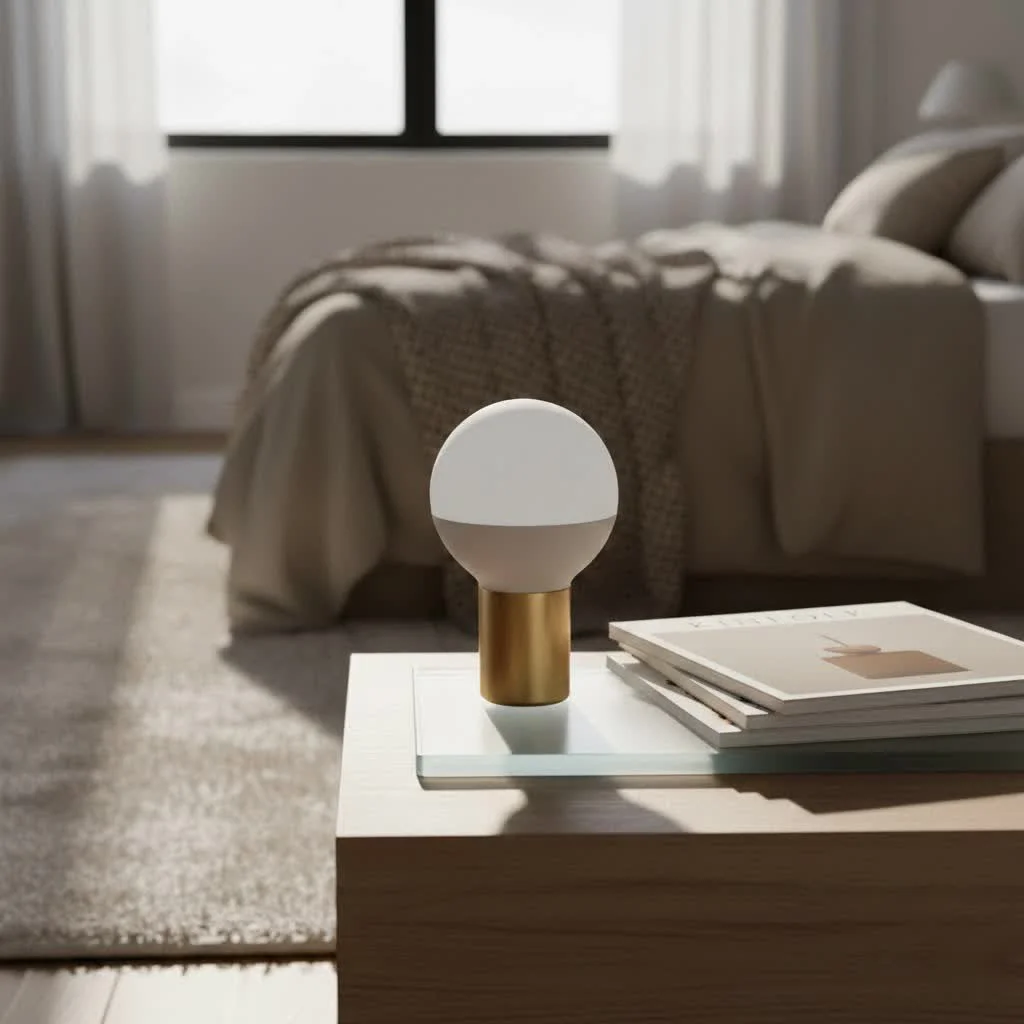
Gone are the days when dimming meant a single, clunky rotary knob on your wall. Smart lighting has revolutionized how we think about light, giving us unprecedented control over brightness, color, and mood. But when it comes to dimming these intelligent lights, things can get a touch more nuanced than simply flipping a switch. Let’s illuminate the path to perfect smart dimming in your home.
Understanding the Heart of Smart Dimming
At its core, dimming is about controlling the amount of light emitted by a bulb. With traditional incandescent bulbs, a dimmer switch would physically reduce the electrical power flowing to the bulb, making it glow less brightly. Simple, right? But smart bulbs are different animals entirely.
How Smart Bulbs Handle Dimming
Most smart bulbs, whether they’re Wi-Fi, Zigbee, or Bluetooth enabled, have their own sophisticated internal circuitry designed to handle dimming. This means the bulb itself is responsible for adjusting its brightness. You don’t “dim” a smart bulb by cutting its power in the traditional sense; instead, you send a digital command to the bulb, telling it to adjust its light output.
This command can come from various sources:
- A dedicated smartphone app: Most smart bulb brands offer an app where you can precisely control brightness, color, and even set schedules.
- Voice assistants: Integrations with Amazon Alexa, Google Assistant, and Apple HomeKit allow you to dim lights with simple voice commands like, “Alexa, dim the living room lights to 50%.”
- Smart remotes or wireless buttons: Many systems offer handheld remotes that can pair directly with your smart bulbs for quick adjustments.
The Crucial Distinction: Smart Bulbs vs. Smart Dimmer Switches
This is where many people get tripped up. When we talk about a smart bulb dimmer, we could be referring to two distinct, though sometimes complementary, solutions:
- Dimmable Smart Bulbs: These are the bulbs themselves, equipped with built-in dimming capabilities. They need a constant, uninterrupted power supply to function optimally and stay connected to your smart home network.
- Smart Dimmer Switches: These replace your existing wall switches. They can serve two primary purposes:
- Controlling “Dumb” Dimmable Bulbs: A smart dimmer switch can transform a regular, dimmable LED, CFL, or incandescent bulb into a “smart” light, allowing you to dim it via an app or voice control.
- Controlling Smart Bulbs: Some advanced smart dimmer switches are designed to integrate with smart bulbs. Instead of cutting power, they act as a physical controller, sending dimming commands to your smart bulbs while ensuring the bulbs always receive full power.
Why Traditional Dimmers and Smart Bulbs Don’t Mix
|
Our Picks for the Best Smart Bulb in 2026
As an Amazon Associate I earn from qualifying purchases.
|
||
| Num | Product | Action |
|---|---|---|
| 1 | Tapo TP-Link Smart Light Bulbs, 16M Colors RGBW, Dimmable, Compatible with Alexa and Google Home, A19, 60W Equivalent, 800LM CRI>90, 2.4GHz WiFi only, No Hub Required, L530E(4-Pack) |

|
| 2 | SYLVANIA Wifi LED Smart Light Bulb, 60W Equivalent Full Color and Tunable White A19, Dimmable, Compatible with Alexa and Google Home Only - 4 Pack (75674) |
|
| 3 | Bluex Bulbs 3 Pack Motion Sensor LED Light Bulb A21, 15W 1300 Lumens, Warm White 3000K, Automatic On/Off Security Light, E26 Medium Base Indoor & Outdoor Use, 120V (3000K - Warm White) |
|
| 4 | Linkind Smart Light Bulbs, Smart Bulb That Work with Alexa & Google Home, LED Light Bulbs Color Changing, 104 Preset Scene, Music Sync, A19 E26 2.4GHz RGBTW WiFi Bluetooth Light Bulb 60W, 800LM, 4Pack |
|
| 5 | Kasa Smart Light Bulbs, Full Color Changing Dimmable Smart WiFi Bulbs Compatible with Alexa and Google Home, A19, 60 W 800 Lumens,2.4Ghz only, No Hub Required, 2-Pack (KL125P2), Multicolor |
|
| 6 | Kasa Smart Light Bulbs that works with Alexa and Google Home, Dimmable Smart LED Bulb, A19, 9W, 800Lumens, Soft White(2700K), CRI≥90, WiFi 2.4Ghz only, No Hub Required, 4 Count (Pack of 1)(KL110P4) |
|
| 7 | Amazon Basics Smart A19 LED Light Bulb, Color Changing, 9W (60W Equivalent), 800LM, Works with Alexa Only, 2.4 GHz Wi-Fi, No Hub Required, 1 Pack |
|
| 8 | Govee LED Smart Light Bulbs, 1000LM Color Changing Light Bulb, Wi-Fi & Bluetooth Light Bulbs, Work with Alexa and Google Assistant, Dimmable RGBWW A19 75W Equivalent Smart Bulbs, 2 Pack |
|
| 9 | Amazon Basics Smart A19 LED Light Bulb, Dimmable Soft White (2700K), 9W (60W Equivalent), 800LM, Works with Alexa Only, 2.4 GHz Wi-Fi, No Hub Required, 4 Pack |
|
| 10 | Govee Smart Light Bulbs, Color Changing Light Bulb, Work with Alexa and Google Assistant, 16 Million Colors RGBWW, WiFi & Bluetooth LED Light Bulbs, Music Sync, A19, 800 Lumens, 4 Pack |
|
“One of the most common mistakes people make is trying to use a traditional wall dimmer with a smart bulb,” says Sarah Jenkins, Srjja.com’s lead smart lighting expert. “Smart bulbs require a consistent, full power supply to maintain their internal electronics and wireless connectivity. A traditional dimmer interferes with this, leading to flickering, buzzing, poor performance, or even damaging the bulb over time.”
Think of it like this: your smart bulb is a mini-computer. It needs steady power to run its software and communicate. A traditional dimmer is like constantly turning the power on and off at a rapid, inconsistent rate, which confuses and stresses the smart bulb’s delicate components. Always ensure your smart bulbs are installed in fixtures connected to a standard, non-dimming switch, or a smart dimmer switch specifically designed for smart bulbs.
Smart Dimmer Switches: The Wall Control Solution
For those who love the familiarity and convenience of a physical wall switch, smart dimmer switches are an excellent choice. They offer a tangible point of control that apps or voice commands sometimes can’t replicate, especially for guests or family members not steeped in smart home tech.
What They Are and How They Work
A smart dimmer switch replaces your existing wall switch, providing both manual and smart control over your lighting. When used with “dumb” dimmable bulbs, it electronically adjusts the power supplied, just like a modern, LED-compatible dimmer.
However, their true brilliance shines when integrated into a smart home system. These switches connect to your home network (Wi-Fi, Zigbee, Z-Wave) and can be controlled via apps, voice assistants, and automation routines.
Benefits of Smart Dimmer Switches
- Physical Control: The most significant advantage is restoring intuitive wall switch functionality. Everyone in the house can use them without needing a phone or voice command.
- Whole-Room Management: A single smart dimmer switch can control all the dimmable bulbs connected to that circuit, making it ideal for rooms with multiple lights like kitchens or living rooms.
- Keeps Smart Bulbs “Always On”: For advanced setups, some smart dimmer switches offer a “smart bulb mode” or “decoupled mode.” In this configuration, the switch ensures your smart bulbs always receive full power (so they stay connected and controllable via app/voice) but sends dimming commands wirelessly to the bulbs. This eliminates the frustration of someone accidentally cutting power to your smart bulbs at the wall.
- Cost-Effective for Existing Fixtures: If you already have standard, dimmable LED bulbs you love, a smart dimmer switch can make them smart without replacing every single bulb.
Key Considerations
- Neutral Wire: Most smart dimmer switches require a neutral wire in the electrical box for constant power. Older homes often lack this, which can complicate DIY installation. However, some brands, like Lutron Caséta, offer models that don’t require a neutral wire.
- Compatibility: Ensure the smart dimmer switch is compatible with your smart home ecosystem (e.g., Philips Hue, SmartThings, Alexa, Google Home).
- Installation: While often a DIY project, if you’re uncomfortable with electrical wiring, it’s always best to consult a professional electrician.
Dimmable Smart Bulbs: Flexibility in Your Hands
Dimmable smart bulbs are often the entry point for many into smart lighting, and for good reason. They are incredibly easy to install and offer a rich array of features.
Features and Benefits
- Easy Installation: Simply screw them into any standard light fixture. No wiring required. This makes them perfect for renters or those who prefer a hassle-free setup.
- Rich Features: Beyond dimming, many smart bulbs offer millions of color options, tunable white light (from warm to cool), dynamic lighting effects, and the ability to sync with music or TV.
- Individual Control: You can control each bulb individually, or group them together in the app to control multiple lights simultaneously.
- Portability: You can easily move smart bulbs from one fixture to another, or take them with you if you move homes.
Considerations
- Loss of Physical Switch Control: If you only use smart bulbs with traditional wall switches, turning the physical switch off will cut power to the bulb, making it unresponsive to app or voice commands. You’ll need to leave the traditional switch “on” at all times. This is why a smart dimmer switch (in smart bulb mode) or a wireless smart button is often recommended as a complementary physical control.
- Scalability Cost: While one or two smart bulbs are affordable, outfitting an entire home with them can quickly become more expensive than using smart dimmer switches with existing “dumb” dimmable bulbs, especially for fixtures with multiple bulbs.
- Network Dependence: Smart bulbs rely on your Wi-Fi or smart home hub. If your network goes down, you might lose smart control, though most will revert to their last setting or a default “on” state when powered on physically.
Choosing Your Smart Dimming Path
Deciding between dimmable smart bulbs and smart dimmer switches (or a combination) depends on your specific needs, existing setup, and desired level of control.
- Go for Dimmable Smart Bulbs if: You’re a renter, you want maximum color and feature customization for individual lamps or fixtures, you prefer app/voice control primarily, or you’re just starting your smart home journey with a few lights.
- Opt for Smart Dimmer Switches if: You want to maintain traditional wall switch functionality, control multiple lights on a single circuit, integrate existing dimmable “dumb” bulbs into your smart home, or have a robust, whole-house lighting control system.
- Consider a Hybrid Approach if: You want the best of both worlds. Use smart dimmer switches for whole-room control in high-traffic areas and physical dimming, and use smart bulbs in areas where color and dynamic effects are a priority, or for accent lighting. Ensure your smart dimmer switches are compatible with “smart bulb mode” if you go this route.
Installation and Setup Tips
Getting your smart bulb dimmer system up and running doesn’t have to be a headache. Here are some pointers:
For Smart Bulbs:
- Screw ‘Em In: Simply replace your existing bulbs with smart ones.
- Power On: Make sure the physical wall switch is always in the “on” position to provide constant power.
- App Pairing: Download the manufacturer’s app (e.g., Philips Hue, Wiz, Kasa Smart). Follow the in-app instructions to pair your bulbs to your Wi-Fi network or smart home hub.
- Wi-Fi Check: Ensure your Wi-Fi signal is strong where your bulbs are located. Many smart bulbs operate on the 2.4 GHz band.
For Smart Dimmer Switches:
- Safety First: Always turn off power at the circuit breaker before beginning any electrical work.
- Wiring Matters: Most smart dimmer switches require a neutral wire. If you’re unsure, consult an electrician. If you don’t have a neutral wire, look for models specifically designed to work without one.
- Installation: Follow the manufacturer’s wiring diagrams carefully. It’s usually a straightforward swap with your old switch.
- App & Hub Integration: Once installed and powered on, pair the smart dimmer switch with its corresponding app or smart home hub (if required by the brand, like a Philips Hue Bridge or SmartThings Hub).
Common Smart Dimming Issues & Troubleshooting
Even the smartest setups can have a hiccup now and then. Here are some common problems with smart bulb dimmers and how to fix them:
Flickering or Inconsistent Dimming
- Incompatible Switch: The most frequent culprit. If you’re using a traditional dimmer switch with a smart bulb, replace it with a standard toggle switch or a smart dimmer switch designed for smart bulbs.
- Power Fluctuations: Ensure your light fixture is receiving steady power. Check for loose wiring connections or consult an electrician for voltage issues.
- Weak Wi-Fi: A struggling Wi-Fi signal can cause erratic behavior. Move your router closer, use a Wi-Fi extender, or consider a mesh network.
- Overheating: If smart bulbs are in enclosed fixtures, they can overheat and dim themselves as a protective measure. Ensure adequate ventilation.
Bulb Unresponsive to App/Voice Commands
- Power Cut: Is the physical wall switch “off”? Remember, smart bulbs need constant power.
- Wi-Fi Connection: Is your Wi-Fi network active and are the bulbs within range? Try restarting your router.
- Firmware Updates: Smart bulbs, like any smart device, receive firmware updates. Check the manufacturer’s app for any pending updates. Outdated software can cause glitches.
- Hub Issues: If you’re using a smart home hub, ensure it’s online and functioning correctly.
- Factory Reset: As a last resort, try a factory reset for the problematic bulb (check your bulb’s manual for the specific sequence, often involves turning it off and on several times). You’ll then need to re-pair it.
“Patience is key with smart home tech,” advises Sarah Jenkins. “Most issues are connectivity-related or stem from a simple misunderstanding of how smart bulbs and dimmers interact. A quick check of your Wi-Fi and power usually resolves things.”
Top Brands for Smart Dimming Solutions
The market for smart lighting is vibrant, with many excellent brands offering reliable smart bulb dimmer solutions. While specific product recommendations can change rapidly, here are some leading names to consider:
- Philips Hue: A premium ecosystem known for its extensive range of bulbs, smart dimmer switches (like their Dimmer Switch and Lutron Aurora for Hue), and robust hub-based control.
- Lutron Caséta: Excellent for smart dimmer switches, particularly if you need a no-neutral wire solution. It’s renowned for reliability and smooth dimming.
- Brilliant: Offers smart dimmer switches that can turn regular lights smart and even make existing smart bulbs “smarter” by providing physical wall control.
- WiZ (by Philips): A more budget-friendly, Wi-Fi-based alternative to Philips Hue, offering color-changing bulbs and simple app control.
- Kasa Smart (TP-Link): Provides a range of affordable Wi-Fi smart bulbs and smart dimmer switches that are easy to set up and integrate with major voice assistants.
- Aqara: Known for its Zigbee-based smart home ecosystem, including smart dimmer switches and bulbs that offer precise control and advanced automation capabilities, often requiring a hub.
When choosing, always consider the ecosystem you’re building or integrating with, and whether you prefer a hub-based (more reliable, offloads Wi-Fi traffic) or hub-free (simpler setup) system.
Elevate Your Home with Smart Dimming
Embracing the smart bulb dimmer is more than just about adjusting brightness; it’s about unlocking a new level of control, convenience, and personalization in your home. From setting the perfect mood for a cozy evening to ensuring energy efficiency with automated schedules, smart dimming empowers you to sculpt your environment with light.
Whether you opt for the versatile smart bulb, the intuitive smart dimmer switch, or a clever combination of both, the journey to a smarter, more illuminated home is an exciting one. So go ahead, experiment, and discover the magic that well-controlled lighting can bring to your living spaces. What smart dimming setup will you choose to brighten your world today?
Smart home that does not lock you in
Free PDF — protocol compatibility matrix for 30 hubs and devices.
