Welcome to the dazzling world of smart lighting, where even the smallest bulbs play a huge role in transforming your living spaces. As a seasoned expert with over a decade in smart home technology and a content creator for Srjja.com, I’ve seen firsthand how innovations like the Smart E12 Bulb are revolutionizing the way we illuminate our homes. These compact powerhouses bring an unparalleled blend of charm, efficiency, and intelligence to fixtures often overlooked by traditional smart lighting solutions.
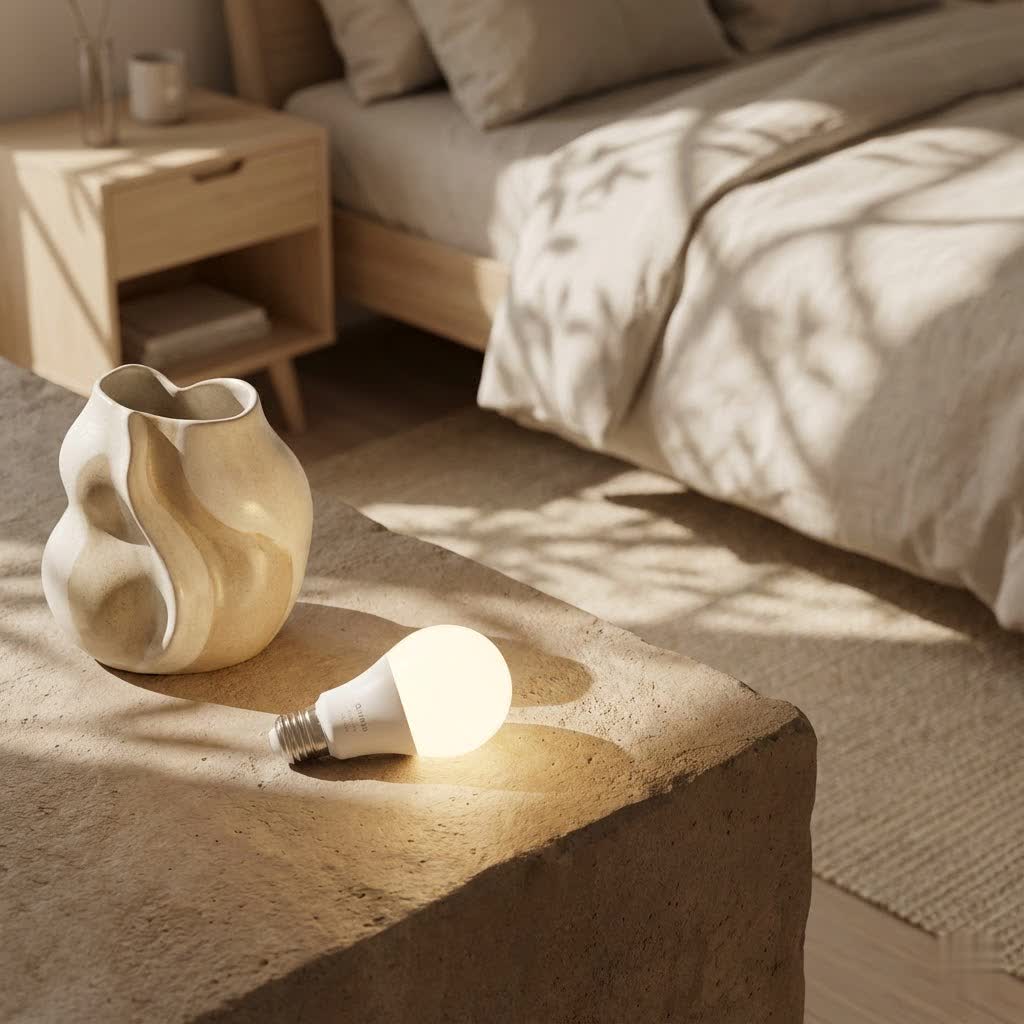
Gone are the days when your elegant chandeliers, cozy nightlights, or stylish wall sconces were limited to simple on/off functions. With a smart E12 bulb, you unlock a spectrum of possibilities, from millions of colors to precise scheduling, all controllable with a tap on your phone or a simple voice command. This guide is your definitive resource to understanding, installing, optimizing, and troubleshooting these brilliant little bulbs, ensuring you harness their full potential to create the perfect ambiance for every moment.
What Exactly is a Smart E12 Bulb?
At its core, an E12 bulb is characterized by its Edison screw base, measuring a slender 12 millimeters in diameter. Often affectionately known as a “candelabra base” bulb, it’s typically found in decorative fixtures where a smaller, more refined bulb is required. Think about those intricate chandeliers, elegant wall sconces, ceiling fans, or even festive string lights – these are the natural habitats for an E12 bulb. Unlike their larger counterparts, E12s are not always about sheer brightness; instead, they excel at delivering accent lighting, setting a mood, and complementing your interior design.
What transforms a standard E12 bulb into a “smart” E12 bulb is its integration with modern technology. These bulbs leverage energy-efficient LED technology, packing in wireless connectivity (most commonly 2.4GHz Wi-Fi, sometimes Bluetooth, Zigbee, or Matter) that allows for digital control. This means you can ditch the traditional light switch and embrace a world where your lighting responds to your commands, schedules, and even your music.
The Brilliant Features of Smart E12 Bulbs
Smart E12 bulbs might be small, but they come packed with features that bring immense versatility and convenience to your home:
Customizable Colors & Tunable Whites
|
Our Picks for the Best Smart Bulb in 2026
As an Amazon Associate I earn from qualifying purchases.
|
||
| Num | Product | Action |
|---|---|---|
| 1 | Linkind Smart Light Bulbs, Smart Bulb That Work with Alexa & Google Home, LED Light Bulbs Color Changing, 104 Preset Scene, Music Sync, A19 E26 2.4GHz RGBTW WiFi Bluetooth Light Bulb 60W, 800LM, 4Pack |

|
| 2 | Tapo TP-Link Smart Light Bulbs, 16M Colors RGBW, Dimmable, Compatible with Alexa and Google Home, A19, 60W Equivalent, 800LM CRI>90, 2.4GHz WiFi only, No Hub Required, L530E(4-Pack) |
|
| 3 | SYLVANIA Wifi LED Smart Light Bulb, 60W Equivalent Full Color and Tunable White A19, Dimmable, Compatible with Alexa and Google Home Only - 4 Pack (75674) |
|
| 4 | Bluex Bulbs 3 Pack Motion Sensor LED Light Bulb A21, 15W 1300 Lumens, Warm White 3000K, Automatic On/Off Security Light, E26 Medium Base Indoor & Outdoor Use, 120V (3000K - Warm White) |
|
| 5 | Govee Smart Light Bulbs, Color Changing Light Bulb, Work with Alexa and Google Assistant, 16 Million Colors RGBWW, WiFi & Bluetooth LED Light Bulbs, Music Sync, A19, 800 Lumens, 4 Pack |
|
| 6 | Govee LED Smart Light Bulbs, 1000LM Color Changing Light Bulb, Wi-Fi & Bluetooth Light Bulbs, Work with Alexa and Google Assistant, Dimmable RGBWW A19 75W Equivalent Smart Bulbs, 2 Pack |
|
| 7 | Kasa Smart Light Bulbs, Full Color Changing Dimmable Smart WiFi Bulbs Compatible with Alexa and Google Home, A19, 60 W 800 Lumens,2.4Ghz only, No Hub Required, 2-Pack (KL125P2), Multicolor |
|
| 8 | Kasa Smart Light Bulbs that works with Alexa and Google Home, Dimmable Smart LED Bulb, A19, 9W, 800Lumens, Soft White(2700K), CRI≥90, WiFi 2.4Ghz only, No Hub Required, 4 Count (Pack of 1)(KL110P4) |
|
| 9 | Amazon Basics Smart A19 LED Light Bulb, Color Changing, 9W (60W Equivalent), 800LM, Works with Alexa Only, 2.4 GHz Wi-Fi, No Hub Required, 1 Pack |
|
| 10 | Amazon Basics Smart A19 LED Light Bulb, Dimmable Soft White (2700K), 9W (60W Equivalent), 800LM, Works with Alexa Only, 2.4 GHz Wi-Fi, No Hub Required, 4 Pack |
|
Imagine being able to shift your lighting from a vibrant party glow to a calming evening hue. Most smart E12 bulbs offer a palette of over 16 million colors, allowing you to perfectly match your lighting to your mood or decor. Beyond a rainbow of colors, many also feature tunable white capabilities, letting you adjust the color temperature from a warm, cozy white (around 2000K-2700K) to a crisp, energizing daylight white (up to 6500K). This adaptability is key for different times of the day or various activities.
Seamless Dimming
Precision dimming is a hallmark of smart lighting. With an E12 smart bulb, you can fine-tune the brightness level from 0% to 100% using your smartphone app or voice commands. This granular control allows you to create subtle accent lighting or provide ample brightness when needed, all without the need for a physical dimmer switch.
Smart Home Integration
The true magic of smart E12 bulbs lies in their ability to integrate seamlessly with your smart home ecosystem. They are typically compatible with popular voice assistants like Amazon Alexa, Google Assistant, and Apple HomeKit/Siri, allowing for hands-free control. “Alexa, dim the chandelier to 50%,” or “Hey Google, change the dining room lights to warm white,” are commands that become part of your daily routine. Many bulbs also support direct app control via proprietary apps or universal platforms like Smart Life or Tuya Smart.
Automated Schedules & Scenes
Say goodbye to fumbling for light switches. Smart E12 bulbs allow you to set customized schedules and routines. Wake up gently with a “sunrise” simulation, have lights turn on automatically at dusk, or create a “movie night” scene that dims the lights and sets a warm glow with a single command. The possibilities for automating your home’s ambiance are endless.
Dynamic Music Sync
For those who love to entertain or simply enjoy an immersive experience, some smart E12 bulbs offer music synchronization. These bulbs can change colors and brightness in rhythm with your favorite tunes, transforming any space into a dynamic light show.
Group Control
If you have multiple smart E12 bulbs in a fixture, or across several decorative lights, group control is a game-changer. You can link several bulbs together in your app and control them as a single entity, ensuring coordinated lighting effects and effortless management throughout a room or your entire home.
Step-by-Step Installation: Getting Your Smart E12 Bulbs Up and Running
Installing a smart E12 bulb is surprisingly straightforward, even for those new to smart home technology. Here’s how to get your new bulbs glowing intelligently:
-
Safety First: Before you do anything, ensure the power to your light fixture is completely turned off at the wall switch or, for ultimate safety, at the circuit breaker. This prevents any risk of electrical shock.
-
Physical Installation: Gently unscrew your existing E12 bulb (if any) and carefully screw in your new smart E12 bulb clockwise until it’s snug. Avoid overtightening, as this can damage the bulb or the fixture’s socket.
-
Activate Pairing Mode: Restore power to the fixture. Most smart bulbs will immediately enter a “pairing mode,” often indicated by rapid flashing or a slow “breathing” light pattern. If your bulb doesn’t do this automatically, you’ll typically need to power cycle it a few times (e.g., turn it off and on three to five times quickly) to initiate pairing mode. Consult your bulb’s specific instructions for the exact sequence.
-
Download & Connect via App: Grab your smartphone or tablet and download the manufacturer’s dedicated app (e.g., Govee Home, Cync App, WiZ App) or a compatible universal app like Smart Life or Tuya Smart. Register for an account if prompted.
-
Wi-Fi Connection: This is a crucial step. Ensure your smartphone is connected to a 2.4GHz Wi-Fi network. Most smart bulbs operate exclusively on this frequency. If your router broadcasts both 2.4GHz and 5GHz networks with the same name, you might need to temporarily disable the 5GHz band via your router’s settings during the initial setup to ensure a smooth connection. Also, enable Bluetooth and location services on your phone, as many apps use these for initial device discovery.
-
Integrate with Voice Assistants: Once your bulb is successfully paired with its app, navigate to the app’s settings or integration section to link it with your preferred voice assistant (Amazon Alexa, Google Assistant, or Apple HomeKit). This usually involves logging into your voice assistant account through the bulb’s app.
“The initial setup for smart E12 bulbs is surprisingly quick, often taking just a few minutes. The key is to ensure your Wi-Fi is on the correct band and that you follow the app’s instructions closely,” notes Alice Chen, a smart home integration specialist.
Optimizing Your Smart E12 Bulb Experience: Tips and Tricks
Now that your smart E12 bulbs are up and running, here are some expert tips from Srjja to help you get the most out of them:
- Strategic Placement for Wi-Fi: While E12 bulbs are small, they still need a strong Wi-Fi signal. If you experience connectivity issues, try moving your router closer or investing in a Wi-Fi extender, especially if the bulbs are in a remote part of your home or in an outdoor fixture.
- Regular Firmware & App Updates: Manufacturers frequently release updates that improve performance, add new features, and fix bugs. Make it a habit to check for and install firmware updates for your bulbs and keep their control apps updated on your smartphone.
- Ventilation Matters: Although LED bulbs produce less heat than incandescents, it’s still wise to ensure good airflow, especially if your E12 bulbs are in enclosed fixtures. Preventing excessive heat buildup can prolong the bulb’s lifespan.
- Mastering Group Control: For fixtures with multiple E12 bulbs, or for creating unified lighting zones in a room, leverage group control. This simplifies management and ensures all bulbs in a given area respond in sync, creating a harmonious lighting effect.
- Creating Custom Scenes: Don’t just use the default settings. Dive into your bulb’s app and experiment with creating personalized scenes for different activities or moods – “Reading Nook,” “Dinner Party,” “Relaxation,” etc. This is where smart lighting truly shines, transforming your home with a tap.
Decoding Common Smart E12 Bulb Issues and How to Fix Them
Even the smartest bulbs can occasionally encounter a hiccup. Here’s how to troubleshoot some common problems you might face with your smart E12 bulbs:
“My Bulb Won’t Connect!” (Connectivity issues)
This is perhaps the most frequent frustration.
- Check Power & Wi-Fi: First, confirm the bulb is properly screwed in, the fixture switch is on, and your Wi-Fi router is functioning. Ensure your phone is connected to the 2.4GHz Wi-Fi network.
- Reset the Bulb: If connection fails, try resetting the bulb to pairing mode by power cycling it (e.g., off-on-off-on-off-on with 1-second intervals).
- Router Settings: Check your router’s administrator page. Ensure no firewall or MAC filtering is blocking new devices. Temporarily disabling the 5GHz Wi-Fi band can sometimes help if you have a combined network name.
- Proximity: Make sure the bulb isn’t too far from your Wi-Fi router.
“Why Is It Flickering?” (Flickering/Buzzing)
- Dimmer Incompatibility: If your fixture has an old-school dimmer switch, it might be incompatible with your smart LED bulb, causing flickering. Smart bulbs are designed to be dimmed digitally. Either remove the traditional dimmer and replace it with a regular switch, or invest in a smart-compatible dimmer specifically designed for smart LEDs.
- Voltage Fluctuations: Less common, but power inconsistencies in your home can also lead to flickering. If other lights are also affected, it might indicate a broader electrical issue.
“Colors Are Off / Not Bright Enough!” (Color/Brightness discrepancies)
- App Calibration: Open your bulb’s app and ensure the color and brightness settings are correctly adjusted. Sometimes, a software glitch or a delayed app update can cause misinterpretations.
- Bulb Limitations: Remember that E12 bulbs are often designed for accent lighting. If you need extreme brightness, ensure you’ve chosen a bulb with a higher lumen output.
- Reset and Recalibrate: A simple reset of the bulb and recalibration through the app can often resolve color or brightness inconsistencies.
“It Keeps Going Offline!” (Intermittent connection)
- Network Stability: An unstable Wi-Fi network is a common culprit. Try power cycling your router and modem.
- Power Cycling the Bulb: Turn the problematic bulb off at the switch, wait 30 seconds, and turn it back on.
- Hub/Firmware Updates: If you’re using a smart home hub, ensure its firmware is up-to-date. Outdated firmware can lead to connectivity drops.
- Interference: Too many devices on your network or interference from other electronics can degrade signal quality.
Top Smart E12 Bulb Brands to Consider
The market for smart E12 bulbs is growing, with several reputable brands offering excellent products:
- Philips Hue: Known for its robust ecosystem and reliable performance, Philips Hue offers both white ambiance and full-color E12 options. While they often require a Hue Bridge for full functionality, their quality is undeniable.
- Govee: Popular for vibrant color customization and unique features like music sync, Govee’s E12 bulbs offer great value and often connect directly via Wi-Fi.
- GE Cync: These bulbs provide a straightforward, hub-free setup, often supporting both soft white and color-changing capabilities, compatible with Alexa and Google Home.
- WiZ: A brand known for its user-friendly app and extensive customization options, WiZ E12 bulbs connect directly to Wi-Fi and offer a wide range of colors and tunable whites.
- LOHAS & Avatar Controls: These brands frequently offer affordable multi-packs with essential smart features like color changing, dimming, and app/voice control, often leveraging universal smart home apps.
Smart E12 Bulb FAQs
Do smart E12 bulbs require a hub?
Many Wi-Fi enabled smart E12 bulbs (like those from Govee, GE Cync, WiZ, LOHAS, Avatar Controls) can connect directly to your home’s 2.4GHz Wi-Fi network without a separate hub. Brands like Philips Hue typically require a bridge (hub) for full functionality and the most stable performance.
Can I use smart E12 bulbs outdoors?
It depends on the bulb’s rating. Standard smart E12 bulbs are generally designed for indoor use. If you plan to use them outdoors, ensure the bulb and fixture are specifically rated for outdoor (weatherproof) conditions to prevent damage and ensure safety.
What is the lifespan of a smart E12 LED bulb?
Smart E12 LED bulbs typically boast an impressive lifespan, often rated for 15,000 to 25,000 hours of use. This translates to many years of reliable lighting under normal usage, significantly longer than traditional incandescent bulbs.
How do I reset my smart E12 bulb?
The reset process usually involves a specific power cycling sequence. Most bulbs require you to turn them off and on a set number of times (e.g., 3-5 times) with short intervals (1-2 seconds) until the bulb flashes rapidly, indicating it has entered pairing/reset mode. Always refer to your bulb’s manufacturer instructions.
Can I control smart E12 bulbs when I’m away from home?
Yes, as long as your smart E12 bulbs are connected to your home Wi-Fi and integrated with their respective app or a smart home ecosystem, you can typically control them remotely from anywhere with an internet connection.
Are smart E12 bulbs energy efficient?
Absolutely. Smart E12 bulbs utilize LED technology, which is inherently far more energy-efficient than traditional incandescent or halogen bulbs. They consume significantly less power while producing comparable or superior light quality, leading to lower electricity bills and a smaller carbon footprint.
What’s the difference between E12 and E14?
Both E12 and E14 refer to Edison screw bases. The primary difference is their diameter: E12 has a 12mm diameter base and is commonly used in North America, while E14 has a 14mm diameter base and is prevalent in Europe and other regions. They are not interchangeable.
Elevate Your Home with Smart E12 Bulbs
Smart E12 bulbs are much more than just tiny light sources; they are intelligent elements that infuse personality, convenience, and efficiency into your home’s most decorative fixtures. From setting the perfect mood with millions of colors to automating your daily routines, these bulbs empower you to craft a living space that truly reflects your lifestyle.
At Srjja, we believe that understanding your smart devices is the first step to truly enjoying them. By following this guide, you’re well on your way to confidently selecting, installing, and mastering your smart E12 bulbs. So go ahead, experiment with new scenes, embrace voice control, and let your home shine brighter and smarter than ever before. Your journey into brilliant smart lighting starts now!
