IKEA smart bulbs offer an accessible and budget-friendly entry into smart home lighting, leveraging the ZigBee Light Link protocol for reliable connectivity and integrating with major smart home ecosystems like Apple HomeKit, Amazon Alexa, and Google Assistant via the TRÅDFRI Gateway or DIRIGERA Hub. The newer DIRIGERA Hub further enhances compatibility by supporting Matter, the new smart home connectivity standard, and functioning as a Thread border router, allowing seamless integration with a wider array of smart home devices.
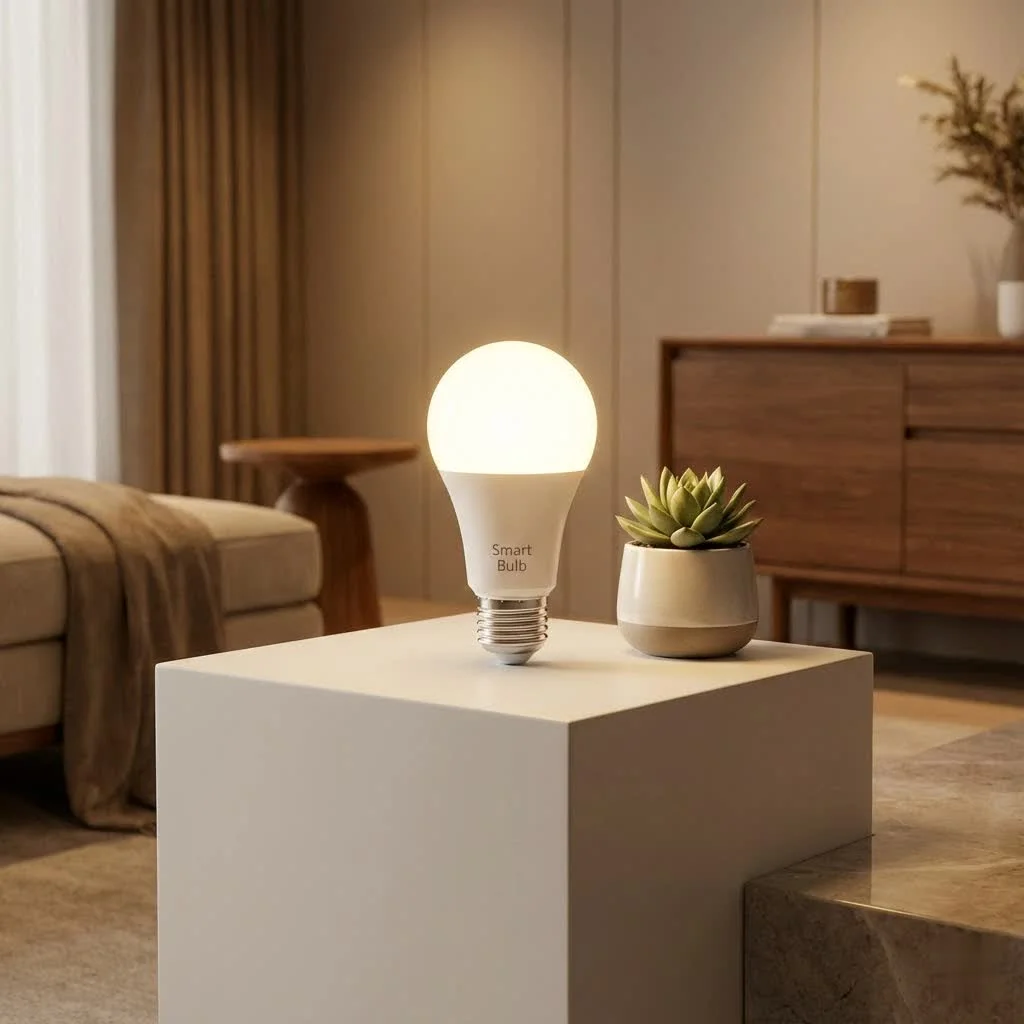
Understanding IKEA Smart Bulbs: From TRÅDFRI to DIRIGERA
IKEA’s journey into smart lighting began with the TRÅDFRI system, known for its affordable smart bulbs. These initial offerings provided basic dimming and white spectrum control, enabling users to switch between warm and cool light temperatures. The TRÅDFRI system was straightforward, comprising a hub, bulbs, and a “steering device” like a remote control. For see our smart home recommendations on this site.
The IKEA smart lighting landscape has significantly advanced with the introduction of the DIRIGERA Hub. This more advanced hub serves as a central brain, offering enhanced connectivity and broader compatibility across the entire IKEA Home Smart range. The DIRIGERA Hub is a significant upgrade because it supports Matter, the new smart home connectivity standard, and also functions as a Thread border router. This allows IKEA smart bulbs to integrate seamlessly with a wider variety of smart home devices from different brands, creating a truly unified smart home experience. This demonstrates IKEA’s commitment to future-proofing its smart lighting solutions.
IKEA smart bulbs use the ZigBee Light Link protocol, an open standard designed for remote control of lighting. This protocol establishes a mesh network where each bulb can relay messages, improving signal strength and reliability throughout your home. This robust foundation ensures that your smart bulbs respond quickly and consistently to commands.
Seamless Setup: Getting Your IKEA Smart Bulbs Connected
Setting up your IKEA smart bulb system is designed to be user-friendly, even for those new to smart home technology.
Initial Setup with the TRÅDFRI Gateway or DIRIGERA Hub
For a fully connected experience, you typically begin with a TRÅDFRI Gateway (for older systems) or the newer DIRIGERA Hub. The setup process involves:
- Powering On: Connect your hub to power and, for TRÅDFRI, via Ethernet to your home router. DIRIGERA often provides more flexible connectivity options.
- App Installation: Download the IKEA Home Smart app on your smartphone or tablet.
- Hub Discovery: The app will guide you to locate and connect to your hub, usually by scanning a QR code on the back of the device.
Pairing Bulbs with Steering Devices
|
Our Picks for the Best Smart Bulb in 2026
As an Amazon Associate I earn from qualifying purchases.
|
||
| Num | Product | Action |
|---|---|---|
| 1 | Kasa Smart Light Bulbs, Full Color Changing Dimmable Smart WiFi Bulbs Compatible with Alexa and Google Home, A19, 60 W 800 Lumens,2.4Ghz only, No Hub Required, 2-Pack (KL125P2), Multicolor |

|
| 2 | SYLVANIA Wifi LED Smart Light Bulb, 60W Equivalent Full Color and Tunable White A19, Dimmable, Compatible with Alexa and Google Home Only - 4 Pack (75674) |
|
| 3 | Govee LED Smart Light Bulbs, 1000LM Color Changing Light Bulb, Wi-Fi & Bluetooth Light Bulbs, Work with Alexa and Google Assistant, Dimmable RGBWW A19 75W Equivalent Smart Bulbs, 2 Pack |
|
| 4 | Bluex Bulbs 3 Pack Motion Sensor LED Light Bulb A21, 15W 1300 Lumens, Warm White 3000K, Automatic On/Off Security Light, E26 Medium Base Indoor & Outdoor Use, 120V (3000K - Warm White) |
|
| 5 | Govee Smart Light Bulbs, Color Changing Light Bulb, Work with Alexa and Google Assistant, 16 Million Colors RGBWW, WiFi & Bluetooth LED Light Bulbs, Music Sync, A19, 800 Lumens, 4 Pack |
|
| 6 | Kasa Smart Light Bulbs that works with Alexa and Google Home, Dimmable Smart LED Bulb, A19, 9W, 800Lumens, Soft White(2700K), CRI≥90, WiFi 2.4Ghz only, No Hub Required, 4 Count (Pack of 1)(KL110P4) |
|
| 7 | Amazon Basics Smart A19 LED Light Bulb, Dimmable Soft White (2700K), 9W (60W Equivalent), 800LM, Works with Alexa Only, 2.4 GHz Wi-Fi, No Hub Required, 4 Pack |
|
| 8 | Amazon Basics Smart A19 LED Light Bulb, Color Changing, 9W (60W Equivalent), 800LM, Works with Alexa Only, 2.4 GHz Wi-Fi, No Hub Required, 1 Pack |
|
| 9 | Linkind Smart Light Bulbs, Smart Bulb That Work with Alexa & Google Home, LED Light Bulbs Color Changing, 104 Preset Scene, Music Sync, A19 E26 2.4GHz RGBTW WiFi Bluetooth Light Bulb 60W, 800LM, 4Pack |
|
| 10 | Tapo TP-Link Smart Light Bulbs, 16M Colors RGBW, Dimmable, Compatible with Alexa and Google Home, A19, 60W Equivalent, 800LM CRI>90, 2.4GHz WiFi only, No Hub Required, L530E(4-Pack) |
|
IKEA’s “steering devices”—remotes, wireless dimmers, and motion sensors—are essential to the system. You will pair these devices with your hub, and then use them to connect your IKEA smart bulb.
- Steering Device Pairing: Follow the in-app instructions to pair your chosen steering device (e.g., a remote) to the hub. This often requires pressing a link button multiple times until a confirmation light appears.
- Bulb Pairing: Once your steering device is paired, bring it close (within 2 cm) to the IKEA smart bulb you wish to connect. Ensure the bulb is powered on. Press and hold the link button on your steering device until the bulb responds by dimming or flashing, indicating a successful connection.
- Naming and Grouping: After pairing, you can name your smart bulb and assign it to a specific room or group within the IKEA Home Smart app for easy control.
Integrating with Smart Home Ecosystems
One of the most appealing aspects of IKEA smart bulbs is their compatibility with major smart home platforms.
How do IKEA Smart Bulbs integrate with Amazon Alexa, Google Assistant, and Apple HomeKit?All IKEA Smart lighting products, when connected to a TRÅDFRI Gateway or DIRIGERA Hub, are compatible with Apple HomeKit, Amazon Alexa, and Google Assistant. This enables voice control and integration into your broader smart home routines. After setting up your hub and bulbs in the IKEA Home Smart app, navigate to the “Integrations” section to link your IKEA account with your preferred smart assistant. This typically involves logging into your Amazon, Google, or Apple account within the IKEA app.
Maximizing Your Experience: Tips for Using IKEA Smart Bulbs
Once your IKEA smart bulbs are set up, a world of intelligent lighting possibilities opens up.
Leveraging the IKEA Home Smart App
The IKEA Home Smart app is your command center. It allows you to:
- Create Rooms and Groups: Organize your bulbs by room or create custom groups for simultaneous control.
- Adjust Brightness and Color: Precisely control the brightness and, for white spectrum or color bulbs, choose the perfect hue to match your mood or activity.
- Set Schedules: Program your lights to turn on/off or change intensity at specific times, aligning with your daily routine.
Creating Scenes and Automations
Go beyond simple on/off control by creating custom scenes and automations:
- Scene Creation: Design “scenes” for different activities—a “Movie Night” scene with dim, warm lights, or a “Morning Wake-Up” scene with gradually brightening cool lights.
- Automations: Pair your IKEA smart bulbs with motion sensors to automatically illuminate a hallway when you enter, or integrate them with smart plugs to trigger other devices. The DIRIGERA Hub’s Matter compatibility further expands these possibilities, allowing for more complex cross-brand automations.
Energy Efficiency and Cost Savings
Are IKEA smart bulbs energy efficient?Yes, IKEA smart bulbs are LED-based, making them significantly more energy-efficient than traditional incandescent bulbs. LEDs consume less power and have a much longer lifespan, translating into lower electricity bills and less frequent bulb replacements. Many IKEA smart bulbs offer well over 900 lumens at their default settings, providing ample brightness for most rooms while keeping energy consumption in check.
“Investing in IKEA smart bulbs isn’t just about convenience; it’s a smart financial decision,” says Dr. Elara Vance, a leading expert in sustainable smart home technology. “Their LED efficiency coupled with robust control features makes them a standout choice for reducing household energy costs.”
Keeping Your Smart Bulbs Shining: Maintenance and Troubleshooting
Even the most reliable smart technology can occasionally encounter a hiccup. Here’s how to maintain your IKEA smart bulb system and troubleshoot common issues.
Common Issues: Unresponsive Bulbs, Syncing Problems
- Unresponsive Bulbs: If an IKEA smart bulb isn’t responding, first check if its main power switch is on. Smart bulbs need constant power to receive commands.
- Out of Sync: Bulbs in a group can become unsynchronized, especially if some are manually turned off at the wall switch while others are controlled via the app.
How can I resync my IKEA smart bulbs if they become out of sync?If your IKEA smart bulbs become unsynchronized, press and hold the ON/OFF button on your remote control for at least 3 seconds. This will often return the light source to its default setting (100% brightness, 2700K) and bring them back into sync. Alternatively, you can dim up all lights in the group until they reach 100% brightness to resynchronize them.
How to Reset IKEA Smart Bulbs
Resetting a smart bulb can resolve many connectivity issues. There are a couple of methods for resetting your IKEA smart bulb:
- The 6-Times On/Off Method: With the light powered on, quickly switch it OFF and ON six times. On the sixth ON state, the bulb should flicker or increase in brightness to confirm a successful reset. If you have non-colored bulbs, some users find that making the “on” phases very brief (less than a second) and the “off” phases longer can improve success rates.
- Using an IKEA TRÅDFRI Remote: If you have an IKEA TRÅDFRI remote, you can use its reset button (usually next to the light bulb icon). Press and hold this button for about 10 seconds. The smart light bulb should respond by lighting up, then increasing brightness and blinking, indicating it has entered pairing mode.
Firmware Updates and Their Importance
IKEA regularly releases firmware updates for its hubs and bulbs to improve performance, add features, and enhance compatibility. Always ensure your DIRIGERA Hub and smart bulbs have the latest firmware installed, as this can resolve known bugs and improve overall system stability. The IKEA Home Smart app will usually notify you when updates are available.
IKEA Smart Bulbs in the Market: A Value Proposition
When considering smart lighting, the IKEA smart bulb line stands out for its unique blend of affordability and expanding capabilities.
Affordability vs. Features: Compared to Competitors
IKEA smart bulbs consistently offer excellent value, often costing significantly less than premium brands like Philips Hue, especially for basic white ambiance bulbs. While the TRÅDFRI system initially offered fewer advanced features or third-party integrations compared to more established players, the DIRIGERA Hub’s Matter compatibility is rapidly closing that gap. For those prioritizing a cost-effective entry into smart lighting without sacrificing core functionality, IKEA remains an unbeatable choice. You get reliable performance and essential smart features at a price point that makes smart home adoption accessible to everyone.
The Power of ZigBee and the Future of Matter
IKEA’s commitment to the ZigBee Light Link protocol has always ensured a reliable and widely supported local control network. With the DIRIGERA Hub now acting as a Matter controller and Thread border router, the future looks even brighter. This strategic move means IKEA smart bulbs are not only compatible within their own ecosystem but are also ready to integrate seamlessly with a growing number of Matter-certified devices from various manufacturers. This enhances flexibility and future-proofs your smart home investment.
Who Are IKEA Smart Bulbs For?
IKEA smart bulbs are perfect for:
- Smart Home Beginners: Their simple setup and affordable price point make them an ideal starting place.
- Budget-Conscious Consumers: Get reliable smart lighting without breaking the bank.
- IKEA Enthusiasts: Naturally integrate with your existing IKEA furniture and decor.
- Those Seeking Basic Automation: Excellent for schedules, dimming, and scene control.
- Future-Oriented Users: The DIRIGERA Hub’s Matter support ensures long-term compatibility.
Frequently Asked Questions (FAQ)
Q: Do IKEA smart bulbs require a hub to work?
A: For full smart features, including app control, automations, and third-party integrations (Alexa, Google Assistant, HomeKit), an IKEA TRÅDFRI Gateway or DIRIGERA Hub is required. However, you can control individual bulbs with an IKEA steering device (remote, dimmer) without the hub for basic functionality like on/off and dimming.
Q: Can I use IKEA smart bulbs without the IKEA Home Smart app?
A: Yes, you can control IKEA smart bulbs using a paired IKEA remote control or dimmer for basic on/off and dimming functions, even without the app. However, the app unlocks advanced features like scheduling, scenes, and integrations.
Q: Are IKEA smart bulbs compatible with Philips Hue?
A: While both systems use the ZigBee protocol, direct integration without a hub is generally not straightforward. However, with the DIRIGERA Hub becoming a Matter controller, it can now control Matter devices from any brand, including potentially Philips Hue lights if they are Matter-compatible, opening up new possibilities for cross-brand control.
Q: What is the lifespan of an IKEA smart bulb?
A: Like most LED bulbs, IKEA smart bulbs are designed for a long lifespan, typically lasting around 25,000 hours. This translates to many years of use under normal conditions, significantly longer than incandescent bulbs.
Q: Can I use IKEA smart bulbs with a traditional dimmer switch?
A: No, IKEA TRÅDFRI smart lighting cannot be used with a wired dimmer connection. Using smart bulbs with traditional dimmer switches can damage the bulb or the switch. Always use the IKEA wireless dimmers or the app for dimming functionality.
Q: How do IKEA smart bulbs compare in brightness to standard bulbs?
A: Many IKEA smart bulbs offer excellent brightness, often exceeding 900 lumens. This is noticeably brighter than a standard 60W incandescent bulb and provides ample illumination for most residential settings.
Q: What is Matter compatibility, and why is it important for IKEA smart bulbs?
A: Matter is a new, open-source connectivity standard designed to simplify smart home device compatibility across different brands. The DIRIGERA Hub’s Matter compatibility means your IKEA smart bulbs can now more easily work with other Matter-certified devices and platforms, breaking down ecosystem barriers and offering greater flexibility and control.
Brighten Your Future with IKEA Smart Bulbs
IKEA smart bulbs offer an accessible, reliable, and increasingly sophisticated pathway to intelligent lighting. From their user-friendly setup and robust ZigBee foundation to the future-forward Matter compatibility of the DIRIGERA Hub, IKEA is making smart lighting a reality for every home. Whether you’re looking to create the perfect ambiance, automate your routines, or simply enjoy energy-efficient illumination, these bulbs deliver exceptional value. Embrace the brilliance of IKEA smart bulbs and improve your living space into a smarter, more inviting home. Dive in, experiment with different settings, and share your experiences—because a smarter home truly is a brighter home.
Frequently Asked Questions
Do IKEA smart bulbs require a hub for full functionality?
Yes, for full smart features such as app control, automations, and third-party integrations with systems like Alexa, Google Assistant, or HomeKit, an IKEA TRu00c5DFRI Gateway or DIRIGERA Hub is required. However, basic functions like on/off and dimming can be controlled with an IKEA steering device without a hub.
What is the typical lifespan of an IKEA smart bulb?
IKEA smart bulbs, being LED-based, are designed for a long lifespan, typically lasting around 25,000 hours. This significantly exceeds the lifespan of traditional incandescent bulbs, offering many years of use under normal operating conditions.
Can IKEA smart bulbs be used with traditional dimmer switches?
No, IKEA TRu00c5DFRI smart lighting products are not compatible with wired traditional dimmer switches. Using smart bulbs with such switches can cause damage to both the bulb and the switch. Always use IKEA wireless dimmers or the IKEA Home Smart app for dimming functionality.
How bright are IKEA smart bulbs compared to standard bulbs?
Many IKEA smart bulbs offer excellent brightness, often exceeding 900 lumens. This output is noticeably brighter than a standard 60W incandescent bulb and provides ample illumination for most residential settings, ensuring effective lighting for various rooms.
Why is Matter compatibility important for IKEA smart bulbs?
Matter is a new, open-source connectivity standard that simplifies smart home device compatibility across different brands. The DIRIGERA Hub's Matter compatibility means IKEA smart bulbs can more easily integrate with other Matter-certified devices and platforms, breaking down ecosystem barriers and offering greater flexibility and control for users.
How can I resync my IKEA smart bulbs if they become unsynchronized?
If your IKEA smart bulbs become unsynchronized, you can often resync them by pressing and holding the ON/OFF button on your remote control for at least 3 seconds. This action typically returns the light source to its default setting (100% brightness, 2700K) and brings them back into sync. Alternatively, dimming all lights in the group up to 100% brightness can also resynchronize them.
Set Up IKEA Smart Bulbs with a Hub
This guide outlines the steps to set up your IKEA smart bulbs using either a TRu00c5DFRI Gateway or the newer DIRIGERA Hub, ensuring full smart home integration.
Connect your TRu00c5DFRI Gateway or DIRIGERA Hub to power. For TRu00c5DFRI, connect it via Ethernet to your home router. DIRIGERA hubs often offer more flexible connectivity options, including Wi-Fi.
Download and install the IKEA Home Smart app on your smartphone or tablet. This app is essential for controlling your smart bulbs and managing your smart home system.
Open the IKEA Home Smart app and follow the on-screen instructions to find and connect to your hub. This usually involves scanning a QR code located on the back of the hub device to establish the initial connection.
Pair your chosen IKEA steering device (remote, dimmer) to the hub by following in-app instructions. Then, bring the steering device within 2 cm of the smart bulb, ensure the bulb is powered on, and press/hold the link button on the steering device until the bulb responds, indicating a successful connection.
After successful pairing, use the IKEA Home Smart app to name your smart bulb and assign it to a specific room or group. This organization allows for easy control and management of your lighting setup within your home.
Smart home that does not lock you in
Free PDF — protocol compatibility matrix for 30 hubs and devices.
I was hesitant to dive into smart lighting because of the cost, but IKEA’s offerings made it so accessible. I started with just a few bulbs and the TRÅDFRI Gateway, and it was super easy to get them working with my Google Assistant. Being able to dim the lights from my couch is a small luxury that makes a big difference. I’m already planning to expand to more rooms!
The Matter compatibility with the new DIRIGERA Hub is what sold me on these. It’s great to see IKEA embracing the new standard, and it makes me feel more confident about future-proofing my smart home. The bulbs themselves are decent quality for the cost, and I appreciate the ZigBee Light Link protocol for reliable connectivity. My only wish is for more color options at this price point.
I’ve been slowly upgrading my home lighting, and these IKEA smart bulbs are a game-changer for the price. I love how easily they integrated with my Apple HomeKit setup through the DIRIGERA Hub. The ability to control the white spectrum from warm to cool light is fantastic for different times of the day. Definitely recommend for anyone looking for an affordable smart lighting solution.
I picked up a few of the TRÅDFRI bulbs to try out, and while they work fine for basic dimming, I found the initial setup a bit clunky. Connecting them to my existing Amazon Alexa system took a couple of tries, and the app isn’t as intuitive as some other brands. They’re good for the budget, but don’t expect a super smooth experience right out of the box.