E12 smart bulbs are candelabra-base light bulbs with a 12-millimeter screw diameter that integrate into smart home systems, offering features like dimming, color changing, and voice control for decorative fixtures such as chandeliers and wall sconces. These bulbs allow users to modernize traditional lighting without sacrificing aesthetic appeal, making them ideal for smaller, intricate light fixtures.

What Makes an E12 Smart Bulb Special?
The “E” in E12 signifies an Edison Screw base, named after Thomas Edison’s original design, while “12” denotes a 12-millimeter diameter screw base. This specific size, also known as a candelabra base, makes E12 bulbs perfect for smaller, decorative light fixtures like chandeliers, elegant wall sconces, ceiling fans, and certain decorative table lamps. Unlike larger standard bulbs, E12 smart bulbs fit precisely into these specialized sockets, enabling smart functionality without altering the aesthetic of your cherished fixtures. For complete smart home library on this site.
The “smart” aspect is what truly distinguishes them. These are not merely tiny LEDs; they are advanced technological devices. They provide essential smart lighting benefits: effortless dimming for mood setting, the ability to change colors for any occasion, and the power to set schedules, all controllable from your smartphone or voice assistant.
Dive into the Different Types of E12 Smart Bulbs
Similar to their larger counterparts, E12 smart bulbs are available in various types, each offering distinct ways to enhance your home’s ambiance and functionality.
Tunable White E12 Smart Bulbs
Tunable white E12 smart bulbs provide a spectrum of white light, typically ranging from a warm, cozy 2700 Kelvin to a crisp, invigorating 6500 Kelvin. This allows you to use bright, cool light for morning tasks and transition to a soft, warm glow in the evening for relaxation. This feature effectively supports your natural circadian rhythm, aligning your home’s lighting with your daily life.
Color-Changing (RGBW) E12 Smart Bulbs
Color-changing E12 smart bulbs, often labeled RGBW (Red, Green, Blue, White), offer access to millions of color options and frequently include dozens of preset scene modes. You can transform any room’s look and feel with a tap or voice command, from a calming blue to an energetic red. Many models also feature “music sync,” allowing lights to pulsate with your favorite tunes.
Vintage/Filament Styles E12 Smart Bulbs
For those who appreciate the classic Edison bulb aesthetic combined with modern smart features, vintage or filament-style E12 smart bulbs are an excellent choice. These bulbs replicate the exposed filament look of traditional incandescent bulbs while providing smart control, dimmability, and sometimes even tunable white or color-changing capabilities. They are ideal for open fixtures or those with clear glass shades where the bulb itself contributes to the decor.
Seamless Setup: How to Install and Connect Your E12 Smart Bulb
Installing and connecting your E12 smart bulb is typically a straightforward process, even for smart home novices.
Step-by-Step Installation
|
Our Picks for the Best Smart Bulb in 2026
As an Amazon Associate I earn from qualifying purchases.
|
||
| Num | Product | Action |
|---|---|---|
| 1 | SYLVANIA Wifi LED Smart Light Bulb, 60W Equivalent Full Color and Tunable White A19, Dimmable, Compatible with Alexa and Google Home Only - 4 Pack (75674) |

|
| 2 | Linkind Smart Light Bulbs, Smart Bulb That Work with Alexa & Google Home, LED Light Bulbs Color Changing, 104 Preset Scene, Music Sync, A19 E26 2.4GHz RGBTW WiFi Bluetooth Light Bulb 60W, 800LM, 4Pack |
|
| 3 | Amazon Basics Smart A19 LED Light Bulb, Dimmable Soft White (2700K), 9W (60W Equivalent), 800LM, Works with Alexa Only, 2.4 GHz Wi-Fi, No Hub Required, 4 Pack |
|
| 4 | Kasa Smart Light Bulbs, Full Color Changing Dimmable Smart WiFi Bulbs Compatible with Alexa and Google Home, A19, 60 W 800 Lumens,2.4Ghz only, No Hub Required, 2-Pack (KL125P2), Multicolor |
|
| 5 | Kasa Smart Light Bulbs that works with Alexa and Google Home, Dimmable Smart LED Bulb, A19, 9W, 800Lumens, Soft White(2700K), CRI≥90, WiFi 2.4Ghz only, No Hub Required, 4 Count (Pack of 1)(KL110P4) |
|
| 6 | Bluex Bulbs 3 Pack Motion Sensor LED Light Bulb A21, 15W 1300 Lumens, Warm White 3000K, Automatic On/Off Security Light, E26 Medium Base Indoor & Outdoor Use, 120V (3000K - Warm White) |
|
| 7 | Govee LED Smart Light Bulbs, 1000LM Color Changing Light Bulb, Wi-Fi & Bluetooth Light Bulbs, Work with Alexa and Google Assistant, Dimmable RGBWW A19 75W Equivalent Smart Bulbs, 2 Pack |
|
| 8 | Govee Smart Light Bulbs, Color Changing Light Bulb, Work with Alexa and Google Assistant, 16 Million Colors RGBWW, WiFi & Bluetooth LED Light Bulbs, Music Sync, A19, 800 Lumens, 4 Pack |
|
| 9 | Tapo TP-Link Smart Light Bulbs, 16M Colors RGBW, Dimmable, Compatible with Alexa and Google Home, A19, 60W Equivalent, 800LM CRI>90, 2.4GHz WiFi only, No Hub Required, L530E(4-Pack) |
|
| 10 | Amazon Basics Smart A19 LED Light Bulb, Color Changing, 9W (60W Equivalent), 800LM, Works with Alexa Only, 2.4 GHz Wi-Fi, No Hub Required, 1 Pack |
|
Here’s a general guide to get you started:
- Preparation is Key: First, ensure your home Wi-Fi network operates on the 2.4GHz band, as most E12 smart bulbs require this frequency for initial pairing. Download the manufacturer’s dedicated app (e.g., Govee Home, Smart Life, Philips Hue, Globe Suite) from your smartphone’s app store.
- Physical Installation: With the power to the fixture turned off, carefully screw your new E12 smart bulb into the socket. Ensure it is secure but do not overtighten.
- Power On and Pair: Turn the power back on. The bulb should typically begin flashing rapidly (e.g., once per second), indicating it is in pairing mode and ready to connect.
- Connect via App: Open the downloaded app on your smartphone or tablet. Follow the on-screen instructions to “add a device” or “pair a new bulb.” The app will guide you through connecting the bulb to your Wi-Fi network.
Connecting to Your Smart Home Ecosystem
Many E12 smart bulbs are designed for seamless integration with popular smart home ecosystems.
- Wi-Fi vs. Bluetooth: Most E12 smart bulbs use Wi-Fi for direct connection to your home network, often without needing an additional hub. Others might use Bluetooth for local control, sometimes requiring a hub for remote access or broader smart home integration.
- Hub-Required vs. Hub-less: While many modern E12 smart bulbs are “hub-less” and connect directly to your Wi-Fi, some brands, like Philips Hue, utilize a bridge (hub) for enhanced features, better reliability, and integration with a wider range of smart accessories. Always check the product specifications to understand if a hub is necessary for the features you desire.
- Voice Assistant Integration: Once connected via the app, you can link your smart bulb to voice assistants like Amazon Alexa, Google Assistant, and even Apple Siri, allowing for hands-free control.
improve your Home: Creative Uses and Smart Tips for E12 Bulbs
With E12 smart bulbs, your decorative fixtures become canvases for creative expression and convenience.
Optimizing Your Lighting Experience
- Ambiance Creation: Use the color-changing capabilities to match your lighting to your mood, an event, or even the seasons. Consider warm amber for autumn evenings or cool blue for a serene spa-like bathroom.
- Scene Setting: Group multiple E12 bulbs, perhaps in a chandelier, and program custom scenes for different activities. A “Dinner Party” scene might feature dimmed, warm white light, while a “Movie Night” scene could involve very low, subtle backlighting.
- Smart Automation: Leverage scheduling features to automate your lighting. Have your chandelier turn on at sunset and dim gradually before bedtime. Set a “wake-up” routine with a slowly brightening white light in your bedroom.
- Voice Control Mastery: Integrate your bulbs with Alexa or Google Assistant for effortless control. Simply say, “Alexa, set the living room chandelier to ‘cozy'” or “Hey Google, dim the sconces to 30%.”
Extending Bulb Lifespan and Energy Efficiency
E12 smart bulbs are typically LEDs, making them inherently energy-efficient compared to traditional incandescent bulbs. By utilizing their smart features, you can further optimize savings:
- Remote Control: Control your bulbs remotely via the app, preventing wasted energy if you forget to turn off the lights.
- Dimming: Running your bulbs at lower brightness levels extends their lifespan and consumes less power.
- Scheduling: Ensure lights are only on when needed with precise schedules, reducing unnecessary illumination.
“E12 smart bulbs unlock a world of possibilities for decorative fixtures,” says Dr. Anya Sharma, a leading smart home technology expert. “They transform forgotten corners into dynamic focal points, proving that even the smallest bulbs can make the biggest impact on your home’s ambiance and energy footprint.”
Troubleshooting Common E12 Smart Bulb Headaches
Even the most seasoned smart home enthusiasts encounter occasional hiccups. Here’s how to tackle common E12 smart bulb issues.
Bulb Not Connecting
Why won’t my E12 smart bulb connect to my Wi-Fi?Most E12 smart bulbs require a 2.4GHz Wi-Fi network for initial setup. If your router broadcasts both 2.4GHz and 5GHz, ensure your phone is connected to the 2.4GHz network during the pairing process. Obstructions or distance from your router can also weaken the signal.
How do I reset an E12 smart bulb?The reset process varies slightly by brand but usually involves a specific power cycling sequence. A common method is to turn the bulb off and on three to five times, with short intervals (e.g., 1-2 seconds) between each toggle. The bulb will typically flash rapidly or slowly to indicate it has reset and is ready for pairing.
Flickering or Dimming Problems
What causes an E12 smart bulb to flicker or dim unexpectedly?Flickering can stem from several issues: a weak Wi-Fi signal, incompatibility with dimmer switches (if not removed or bypassed), or electrical fluctuations. Ensure the bulb is securely screwed in and your Wi-Fi signal is strong. If using with a traditional dimmer, ensure it’s removed or set to full power, as smart bulbs handle dimming internally.
Voice Control Not Working
My voice assistant isn’t controlling my E12 smart bulb. What should I do?First, verify that your E12 smart bulb is successfully connected to its native app and that the app is linked to your voice assistant account (e.g., Alexa or Google Home). Check your internet connection. Sometimes, simply unlinking and relinking the bulb’s skill or service in the voice assistant’s app can resolve the issue.
Exploring Top E12 Smart Bulb Brands on the Market
The market for E12 smart bulbs is expanding, with several reputable brands offering compelling options. When choosing, consider your existing smart home ecosystem and desired features.
- Philips Hue: A premium option known for its robust ecosystem, reliable performance, and wide range of features, including White and Color Ambiance E12 bulbs. Requires a Hue Bridge for full functionality.
- Govee: Offers feature-rich E12 smart candle bulbs with millions of colors, music sync, and compatibility with Alexa, Google Assistant, and Matter protocols. Often hub-less.
- WiZ: Known for its user-friendly interface and hub-less Wi-Fi connectivity. WiZ offers E12 bulbs with full-color spectrum and tunable white options, compatible with major voice assistants.
- Globe Electric (Globe Suite): Provides “no hub required” E12 smart bulbs that connect directly to your Wi-Fi, offering control via their app and voice assistants. They even have vintage Edison-style E12 smart bulbs.
- GE Cync: Offers E12 candelabra smart LED bulbs with color and tone changing capabilities, working with Wi-Fi.
- Smart Life Compatible Brands: Many smaller brands (like Lightinginside, DOGAIN, Luntak) produce E12 smart bulbs that operate on the popular Smart Life app, offering a cost-effective way to get smart features and voice assistant compatibility without a hub.
When making your choice, think about whether you prefer a comprehensive, integrated system like Philips Hue or a more straightforward, hub-less solution that still offers plenty of smart features.
E12 vs. E14: Understanding the Key Differences
It’s easy to confuse E12 and E14 bulbs; they look quite similar at first glance. However, understanding their differences is crucial for safety and compatibility.
What is the main difference between E12 and E14 bulbs?The primary difference lies in their base diameter: E12 bulbs have a 12-millimeter screw base, while E14 bulbs have a slightly larger 14-millimeter base. This seemingly small 2mm difference makes them mechanically incompatible.
Are E12 and E14 bulbs interchangeable?No, E12 and E14 bulbs are not directly interchangeable without an adapter. Attempting to force an incorrect bulb into a socket can damage both the bulb and the fixture, potentially creating an electrical hazard.
Can I use an adapter to fit an E12 bulb into an E14 socket (or vice versa)?Yes, adapters exist that allow you to convert an E12 socket to accept an E14 bulb, or vice versa. However, it’s generally recommended to use adapters only as a temporary solution and with caution. Always ensure that the bulb’s voltage and wattage are compatible with the fixture, as regional electrical standards can differ (E12 is common in the US, E14 in Europe and parts of Asia). Adapters can also change the bulb’s height, affecting its fit in enclosed fixtures.
Frequently Asked Questions (FAQ)
Q: What does E12 mean on a light bulb?A: “E” stands for “Edison Screw,” referring to the screw-in base design, and “12” indicates that the base has a diameter of 12 millimeters. E12 bulbs are also known as candelabra bases.
Q: Do E12 smart bulbs need a hub to work?A: Many modern E12 smart bulbs connect directly to your 2.4GHz Wi-Fi network and do not require a separate hub for basic functions like app control, dimming, and scheduling. However, some brands, like Philips Hue, use a hub (bridge) for enhanced features and system integration.
Q: Can I use an E12 bulb in an E14 socket?A: No, E12 and E14 bulbs are not directly interchangeable due to their different base diameters (12mm vs. 14mm). You would need a special adapter, but it’s generally advised to use bulbs that match your fixture’s socket directly.
Q: How do I reset an E12 smart bulb if it’s not connecting?A: The typical method is to power cycle the bulb by turning it off and on several times (usually 3-5 times) with short intervals in between. The bulb will flash rapidly or slowly to confirm it has been reset and is ready to pair again via its app.
Q: Are E12 smart bulbs energy efficient?A: Yes, E12 smart bulbs are generally LED bulbs, which are highly energy-efficient compared to traditional incandescent bulbs. Their smart features, such as dimming, scheduling, and remote control, further help reduce energy consumption.
Q: What are the best E12 smart bulb brands?A: Top brands offering E12 smart bulbs include Philips Hue, Govee, WiZ, GE Cync, and Globe Electric. Many budget-friendly options that work with the Smart Life app are also available. The “best” depends on your specific needs, smart home ecosystem, and budget.
Conclusion
E12 smart bulbs are more than just small lights; they are gateways to transforming often-overlooked fixtures into integral parts of your connected home. From chandeliers to decorative sconces, these candelabra smart bulbs bring color, convenience, and unparalleled control right to your fingertips. By understanding the types available, mastering their simple setup, and exploring their creative applications, you can infuse your living spaces with personalized light that truly reflects your style and enhances your daily life. It’s time to embrace the brilliance of the E12 smart bulb and discover how even the smallest changes can make a huge difference in your smart home journey.
Smart home that does not lock you in
Free PDF — protocol compatibility matrix for 30 hubs and devices.
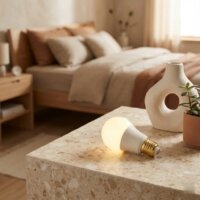
These E12 smart bulbs are fantastic for my antique table lamps. I love that I can modernize them without having to replace the lamps themselves. The ability to control them from my phone is so convenient, especially when I’m already in bed. Definitely recommend for anyone with smaller, intricate light fixtures.
I got these for my ceiling fan light, and while they work, I found the initial setup a bit finicky. It took a few tries to get them to connect to my hub, which was a little annoying. Once they’re connected, they’re fine, but I wish the process was smoother. The 12-millimeter screw diameter was correct though.
Finally, smart bulbs for my wall sconces! I was always frustrated that most smart lighting options were too big for my decorative fixtures. These E12 bulbs are exactly what I needed. The color changing is a fun bonus, though I mostly stick to warm white. Integration with voice control was pretty seamless.
I’ve been wanting to upgrade my chandelier for ages but didn’t want to lose the classic look. These E12 smart bulbs are a game-changer! The dimming feature is fantastic for setting the mood, and they fit perfectly into my candelabra base fixtures. Super easy to set up with my existing smart home system.