Globe smart bulbs are spherical light sources that integrate classic design with intelligent features, allowing remote control via smartphone apps or voice commands. These bulbs connect to your home network, typically via Wi-Fi or Bluetooth, enabling users to adjust colors, dim brightness, and set schedules. They transform living spaces by offering personalized lighting, enhancing ambiance, and improving energy efficiency.
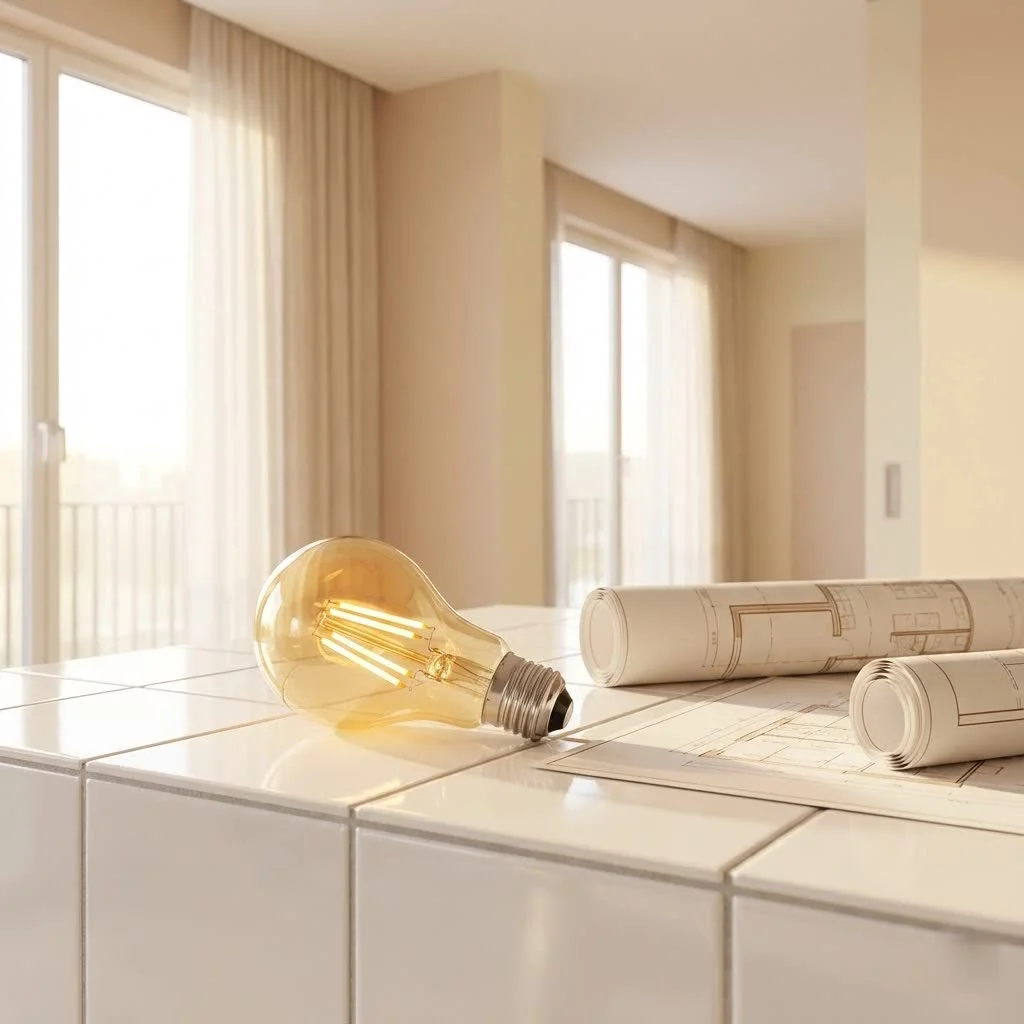 smart bulb illuminating a modern living room” style=”margin: 20px auto;width: 800px;max-width: 100%;height: auto” />
What Exactly is a Globe Smart Bulb?
You’ve likely seen traditional globe bulbs—those wonderfully round, often larger-than-average light sources that add a touch of elegance to any fixture. A globe smart bulb takes that familiar, attractive form factor and infuses it with powerful smart technology. Think of it as your classic, beloved light bulb, but with a brain! These bulbs connect to your home network, usually via Wi-Fi or Bluetooth, allowing you to control them remotely through an app on your smartphone or even with your voice. No more fumbling for light switches in the dark; your lighting is now as smart as the rest of your home.
The magic truly begins with their smart capabilities. Unlike traditional bulbs, a smart globe light can change colors, dim to your desired brightness, and even turn on or off according to schedules you set. Many models even work without a separate hub, connecting directly to your Wi-Fi, making setup a breeze.
Popular Types and Their Applications
The beauty of a globe smart bulb lies in its versatility, both in function and form. They’re not a one-size-fits-all solution; different types cater to different needs and design preferences.
RGB and Tunable White Globe Bulbs
These are the chameleon of the smart lighting world.
- RGB (Red, Green, Blue) Globe Smart Bulbs: With these, you can unlock a spectrum of millions of colors. Want to set a vibrant party mood with pulsating greens and blues? Or perhaps a calming lavender for an evening read? RGB globe lights make it incredibly easy. They’re perfect for entertainment areas, kids’ rooms, or anywhere you want to express a bit of personality with light.
- Tunable White Globe Smart Bulbs: Beyond just colors, tunable white bulbs allow you to adjust the warmth or coolness of your white light. Imagine having bright, crisp daylight-like illumination for your morning routine (around 5000K-6500K) and then smoothly transitioning to a cozy, warm glow for winding down in the evening (around 2700K-3000K). This feature is fantastic for supporting your natural circadian rhythm, helping you feel more alert during the day and relaxed at night.
Filament Globe Smart Bulbs
|
Our Picks for the Best Smart Bulb in 2026
As an Amazon Associate I earn from qualifying purchases.
|
||
| Num | Product | Action |
|---|---|---|
| 1 | Amazon Basics Smart A19 LED Light Bulb, Dimmable Soft White (2700K), 9W (60W Equivalent), 800LM, Works with Alexa Only, 2.4 GHz Wi-Fi, No Hub Required, 4 Pack |

|
| 2 | Kasa Smart Light Bulbs, Full Color Changing Dimmable Smart WiFi Bulbs Compatible with Alexa and Google Home, A19, 60 W 800 Lumens,2.4Ghz only, No Hub Required, 2-Pack (KL125P2), Multicolor |
|
| 3 | Govee Smart Light Bulbs, Color Changing Light Bulb, Work with Alexa and Google Assistant, 16 Million Colors RGBWW, WiFi & Bluetooth LED Light Bulbs, Music Sync, A19, 800 Lumens, 4 Pack |
|
| 4 | Bluex Bulbs 3 Pack Motion Sensor LED Light Bulb A21, 15W 1300 Lumens, Warm White 3000K, Automatic On/Off Security Light, E26 Medium Base Indoor & Outdoor Use, 120V (3000K - Warm White) |
|
| 5 | Amazon Basics Smart A19 LED Light Bulb, Color Changing, 9W (60W Equivalent), 800LM, Works with Alexa Only, 2.4 GHz Wi-Fi, No Hub Required, 1 Pack |
|
| 6 | SYLVANIA Wifi LED Smart Light Bulb, 60W Equivalent Full Color and Tunable White A19, Dimmable, Compatible with Alexa and Google Home Only - 4 Pack (75674) |
|
| 7 | Govee LED Smart Light Bulbs, 1000LM Color Changing Light Bulb, Wi-Fi & Bluetooth Light Bulbs, Work with Alexa and Google Assistant, Dimmable RGBWW A19 75W Equivalent Smart Bulbs, 2 Pack |
|
| 8 | Kasa Smart Light Bulbs that works with Alexa and Google Home, Dimmable Smart LED Bulb, A19, 9W, 800Lumens, Soft White(2700K), CRI≥90, WiFi 2.4Ghz only, No Hub Required, 4 Count (Pack of 1)(KL110P4) |
|
| 9 | Linkind Smart Light Bulbs, Smart Bulb That Work with Alexa & Google Home, LED Light Bulbs Color Changing, 104 Preset Scene, Music Sync, A19 E26 2.4GHz RGBTW WiFi Bluetooth Light Bulb 60W, 800LM, 4Pack |
|
| 10 | Tapo TP-Link Smart Light Bulbs, 16M Colors RGBW, Dimmable, Compatible with Alexa and Google Home, A19, 60W Equivalent, 800LM CRI>90, 2.4GHz WiFi only, No Hub Required, L530E(4-Pack) |
|
For those who adore the vintage charm of Edison-style bulbs but crave modern functionality, filament globe smart bulbs are a major upgrade. These bulbs feature visible LED filaments that mimic the incandescent glow of yesteryear, often encased in clear or amber-tinted glass. They bring a touch of industrial chic or rustic warmth, while still offering smart dimming and often tunable white light capabilities. They are especially popular in exposed light fixtures where the bulb itself is part of the decor.
Understanding Globe Bulb Sizes (G25, G30, and More)
When talking about “globe” bulbs, the “G” series is quite common. You’ll often see sizes like G25 or G30, where the number refers to the bulb’s diameter in eighths of an inch. A G25, for example, is 25/8 inches (or 3.125 inches) in diameter. These larger, rounder bulbs are frequently used in:
- Vanity lights: Providing ample, often diffuse light.
- Pendant lights: Where the bulb is visible and contributes to the aesthetic.
- Decorative fixtures: Adding a soft, appealing glow to open designs.
Choosing the right size and type ensures your globe smart bulb not only performs well but also enhances the visual appeal of your fixtures and overall room design.
Effortless Setup: Connecting Your Globe Smart Bulb to Your Smart Home
Getting your globe smart bulb up and running is typically a straightforward process, designed to be user-friendly even for beginners. Most modern bulbs are designed for a “no-hub required” experience, connecting directly to your home Wi-Fi network.
Pre-Installation Checklist
Before you begin, a quick check can save you headaches:
- 2.4 GHz Wi-Fi Network: Most smart bulbs operate on the 2.4 GHz band of your Wi-Fi network, not the 5 GHz band. Make sure your phone is connected to the 2.4 GHz network during setup.
- Manufacturer’s App: Download the dedicated app for your smart bulb (e.g., Globe Suite, Philips Hue, Govee Home). You’ll find it on the App Store or Google Play.
- Account Creation: Create an account within the app and log in.
Step-by-Step Installation Guide
Ready to get glowing? Follow these steps:
- Screw in the Bulb: Gently screw your globe smart bulb into any standard light socket. Ensure the power to the fixture is off before handling.
- Power On and Enter Pairing Mode: Turn on the power to the fixture. Your bulb should start flashing rapidly. If it doesn’t, you’ll need to cycle the power off and on a few times (typically three times: on-off-on-off-on) until it begins to flash quickly. This rapid flashing indicates it’s in pairing mode, ready to connect.
- Launch the App and Add Device: Open the manufacturer’s app on your smartphone. Look for a “+” icon or an “Add Device” option. The app should then detect your flashing bulb.
- Connect to Wi-Fi: Follow the in-app prompts to connect the bulb to your 2.4 GHz Wi-Fi network. You’ll need to enter your Wi-Fi password. Patience is key here; sometimes it takes a minute or two for the connection to establish.
- Name and Integrate: Once connected, you can give your bulb a descriptive name (e.g., “Living Room Lamp,” “Kitchen Pendant”). Many apps will also guide you through integrating your bulb with popular voice assistants like Amazon Alexa, Google Assistant, or Apple Siri, allowing for hands-free control.
“Setting up a new globe smart bulb is far simpler than many people imagine,” notes Dr. Anya Sharma, a leading smart home technology expert at Srjja. “With today’s intuitive apps and direct Wi-Fi connectivity, you’re just minutes away from enjoying personalized lighting.”
Maximizing Your Smart Lighting Experience: Tips and Maintenance
Once your globe smart bulb is installed, the real fun begins! To truly improve your experience and ensure your bulbs last, here are some pro tips:
Creating Ambiance with Scenes and Schedules
- Custom Scenes: Don’t just stick to on/off. Experiment with “scenes” in your app. Create a “Movie Night” scene with dimmed, warm lights, or a “Focus” scene with bright, cool white light for work. The possibilities are endless for your smart light globe.
- Automated Schedules: Use the scheduling feature to automate your lighting. Have your bedroom lights gently brighten in the morning to simulate a sunrise, or set your outdoor lights (if your globe bulb is rated for it) to turn on at dusk and off at dawn for security and convenience. This can even make it seem like someone is home when you’re away, enhancing security.
- Grouping Bulbs: If you have multiple globe smart bulbs in a single fixture or room, group them together in your app. This allows you to control all of them simultaneously with a single command or tap.
Energy Efficiency and Cost Savings
Modern globe smart bulbs are predominantly LED, making them incredibly energy-efficient compared to traditional incandescent bulbs. By using features like dimming and scheduling, you can further reduce energy consumption. For instance, dimming your lights by just 25% can significantly extend their lifespan and lower your electricity bill. Many models are also ENERGY STAR certified, meaning they meet strict energy efficiency guidelines.
Keeping Your Bulbs Up-to-Date
Just like your smartphone, your smart bulbs often receive firmware updates. These updates can introduce new features, improve performance, and patch security vulnerabilities. Regularly check your bulb’s app for available updates and install them to keep your system running smoothly and securely.
Cleaning for Longevity
Over time, dust can accumulate on your globe smart bulbs, slightly dimming their output. When the bulb is off and cool, gently wipe it with a dry, soft microfiber cloth. Avoid harsh chemicals or abrasive materials that could damage the bulb’s finish or electronics. Proper care ensures your smart light globe stays bright and beautiful for years.
Troubleshooting Common Globe Smart Bulb Glitches
Even the smartest bulbs can sometimes be a bit quirky. If your globe smart bulb isn’t behaving as expected, don’t fret! Most issues are easily resolvable.
“My Bulb Won’t Connect!”
This is perhaps the most common frustration.
- Check Your Wi-Fi Band: Double-check that your phone is connected to a 2.4 GHz Wi-Fi network, not 5 GHz. Most smart bulbs only work on the 2.4 GHz band.
- Signal Strength and Interference: Is your bulb too far from your Wi-Fi router? Walls and other electronics can interfere with the signal. Try moving the bulb closer to the router during setup.
- Correct Pairing Mode: Ensure the bulb is rapidly flashing, indicating it’s in pairing mode. If it’s blinking slowly or not at all, try the power cycle trick again (on-off-on-off-on).
- Router Settings: Some routers have advanced settings like MAC filtering or a limit on the number of connected devices. Temporarily disabling these or checking your router’s manual might help. If your router uses “band steering” (combining 2.4GHz and 5GHz into one network name), try temporarily splitting them or connecting to a guest 2.4GHz network for setup.
- App and Firmware Updates: Make sure your smart bulb app is updated, and if possible, try updating the bulb’s firmware (though this can be tricky if it’s not connecting).
“Colors Are Off” or “Bulb Flickers”
If your globe smart bulb isn’t displaying the right colors or is flickering, consider these points:
- Enclosed Fixtures: Some smart bulbs aren’t designed for fully enclosed light fixtures. The heat buildup can damage internal components, leading to color inconsistencies or premature failure. Check the bulb’s specifications.
- Power Fluctuation: Inconsistent power supply can cause flickering. Ensure the fixture is receiving steady power.
- LED Failure: In rare cases, individual LEDs within an RGB bulb might fail, leading to incorrect color mixing. If this is the case, contacting customer support might be necessary.
“Bulb Keeps Going Offline”
A bulb that frequently disconnects from your network can be annoying.
- Wi-Fi Coverage: This often points back to poor Wi-Fi signal strength. Consider a Wi-Fi extender or mesh system if your home has dead zones.
- Network Congestion: Too many devices on your 2.4 GHz network can slow things down. Try reducing the number of connected devices or optimizing your router settings.
Resetting Your Smart Bulb
When all else fails, a factory reset is your last resort. The exact method varies by brand, but it typically involves a more prolonged power cycling sequence (e.g., on for 5 seconds, off for 5 seconds, repeated five times). Refer to your bulb’s manual for specific instructions. After a reset, you’ll need to set it up again as if it were a new bulb.
Top Picks: Leading Globe Smart Bulb Brands and Products
The market for globe smart bulbs is vibrant, with several brands offering excellent products. While “Globe Electric” is a specific brand that makes these, the term “globe smart bulb” often refers to the shape.
- Philips Hue: A premium choice, renowned for its reliability, extensive ecosystem, and exceptional color reproduction. Their Lightguide G30 Small Globe Smart LED Bulb, for example, combines stunning design with full color-changing capabilities and excellent smart home integration (requires a Hue Bridge for full functionality).
- GE Cync: Known for its hub-free Wi-Fi connectivity, GE Cync offers a range of globe-shaped smart bulbs with good brightness and color options, integrating well with Alexa and Google Assistant.
- Globe Electric: As a brand, Globe Electric offers a wide array of affordable, no-hub-required smart bulbs, including various globe shapes. They are a great entry point into smart lighting, often controlled via their Globe Suite app.
- Govee: Popular for vibrant RGB lighting, Govee offers feature-rich globe smart bulbs with extensive color customization and scene effects, often controllable via Wi-Fi and Bluetooth.
- Bulbrite Solana: Offers stylish options, often with a focus on decorative filament designs and tunable white features.
When choosing, consider factors like connectivity type (Wi-Fi, Bluetooth, Zigbee), required hub (or lack thereof), compatibility with your existing smart home ecosystem, and of course, the aesthetic of the bulb itself.
Frequently Asked Questions (FAQ)
What is the best type of globe smart bulb for decorative lighting?
For decorative lighting where the bulb is visible, a filament globe smart bulb is often preferred as it combines vintage aesthetics with smart dimming and tunable white features. RGB color-changing globe bulbs are also excellent for creating unique moods.
Do globe smart bulbs need a hub?
Many modern globe smart bulbs connect directly to your home’s 2.4 GHz Wi-Fi network and do not require a separate hub. Brands like Philips Hue, however, often offer more advanced features and stability when paired with their dedicated bridge (hub).
Can I control my globe smart bulb away from home?
Yes! As long as your globe smart bulb is connected to your home Wi-Fi and you have an internet connection on your phone, you can control your lights from anywhere using the bulb’s dedicated app.
Why is my globe smart bulb flickering?
Flickering can be caused by several issues, including an unstable power supply, loose wiring in the fixture, or poor Wi-Fi signal interference. Ensure your bulb is properly seated, check your Wi-Fi connection, and verify the bulb’s compatibility with your fixture (e.g., if it’s an enclosed space).
What’s the difference between tunable white and RGB globe smart bulbs?
Tunable white globe smart bulbs allow you to adjust the warmth or coolness of white light (from warm yellow to cool blue-white), which is great for circadian rhythm support. RGB globe smart bulbs can display millions of colors in addition to various shades of white, offering more creative and mood-setting possibilities. Some bulbs offer both!
How do I reset my globe smart bulb if it’s not connecting?
The reset process typically involves cycling the power to the bulb on and off multiple times in a specific sequence (e.g., three to five times, with short intervals in between) until the bulb flashes differently, indicating it has reset to factory defaults. Always check your bulb’s specific user manual for precise instructions.
Embrace the Brilliance of Globe Smart Bulbs
There you have it—a comprehensive look at the enchanting world of globe smart bulbs. These clever little spheres are more than just light sources; they’re integral components of a modern, intelligent home, offering unparalleled control, efficiency, and aesthetic appeal. From setting the perfect ambiance to simplifying your daily routines, a smart light globe brings both practical benefits and a touch of magic to your living spaces.
So, go ahead, take the plunge! Explore the diverse options available, find the perfect globe smart bulb for your needs, and start transforming your home with light. We’re confident you’ll love the convenience and charm they bring. Happy illuminating!
Frequently Asked Questions
What is the best type of globe smart bulb for decorative lighting?
For decorative lighting where the bulb is visible, a filament globe smart bulb is often preferred. These bulbs combine vintage aesthetics with modern smart dimming and tunable white features, enhancing the fixture's visual appeal. RGB color-changing globe bulbs are also excellent for creating unique moods and vibrant displays.
Do globe smart bulbs need a hub for connectivity?
Many modern globe smart bulbs connect directly to your home's 2.4 GHz Wi-Fi network and do not require a separate hub. However, premium brands like Philips Hue often offer more advanced features, enhanced stability, and broader smart home integration when paired with their dedicated bridge (hub).
Can I control my globe smart bulb when I am away from home?
Yes, you can control your globe smart bulb remotely from anywhere, provided it is connected to your home Wi-Fi network and your smartphone has an active internet connection. You simply use the bulb's dedicated mobile application to manage your lighting settings.
Why is my globe smart bulb flickering or displaying incorrect colors?
Flickering or incorrect colors in a globe smart bulb can stem from several issues, including an unstable power supply, loose wiring in the fixture, or poor Wi-Fi signal interference. Additionally, some bulbs are not designed for fully enclosed fixtures, where heat buildup can damage internal components. Ensure the bulb is properly seated and check its compatibility with your fixture.
What is the difference between tunable white and RGB globe smart bulbs?
Tunable white globe smart bulbs allow you to adjust the warmth or coolness of white light, ranging from warm yellow (around 2700K) to cool blue-white (around 6500K), which is beneficial for supporting circadian rhythms. RGB globe smart bulbs, conversely, can display millions of colors in addition to various shades of white, offering more creative and mood-setting possibilities for entertainment or ambiance.
How do I reset my globe smart bulb if it's not connecting to my network?
To reset a globe smart bulb that isn't connecting, you typically need to cycle its power on and off multiple times in a specific sequence. For example, you might turn it on for 5 seconds, then off for 5 seconds, repeating this process three to five times until the bulb flashes differently, indicating a factory reset. Always consult your bulb's user manual for precise, brand-specific instructions.
Smart home that does not lock you in
Free PDF — protocol compatibility matrix for 30 hubs and devices.
I was hesitant to try smart bulbs, but the classic design of these Globe ones really sold me. They fit perfectly in my vintage lamps and still give me all the smart features. Being able to dim them with voice commands is incredibly convenient, and it totally transforms the ambiance of my living room.
The remote control via smartphone app works well most of the time, but I’ve had a couple of instances where a bulb became unresponsive and I had to power cycle it. It’s not a huge deal, but a bit annoying when you’re trying to quickly turn off a light. Otherwise, the light quality and features are solid.
These bulbs are pretty good for the price. I appreciate being able to set schedules, which helps a lot with energy efficiency when I’m not home. My only minor complaint is that sometimes the Bluetooth connection can be a little finicky if my phone isn’t super close, but it usually sorts itself out quickly.
I’ve been slowly upgrading my home to smart lighting, and these Globe smart bulbs are a game-changer. I love how I can adjust the colors and brightness from my phone, especially for movie nights. The Wi-Fi connection was super easy to set up, and they look so much nicer than regular bulbs in my exposed fixtures.