Welcome to the world of smart lighting, where convenience meets cutting-edge technology! If you’re diving into home automation, the E12 smart light bulb is likely on your radar. As a seasoned smart lighting enthusiast and content creator for Srjja.com, I’ve seen these little powerhouses transform countless homes. This guide will illuminate everything you need to know about E12 smart light bulbs, ensuring you can confidently choose, install, and optimize them for your smart living space.
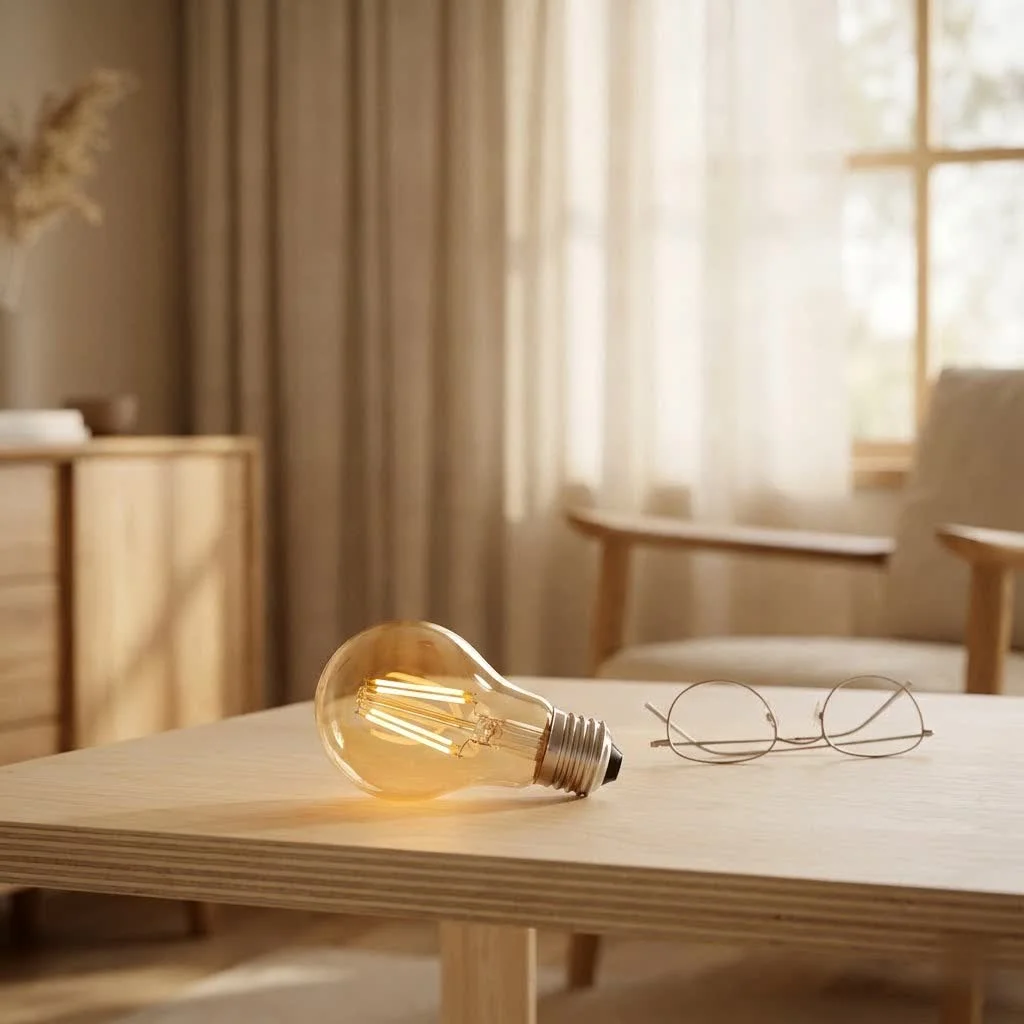
An E12 smart light bulb is essentially an LED bulb equipped with wireless connectivity (usually Wi-Fi or Bluetooth) that fits into fixtures designed for an E12 candelabra base. This smaller screw-in base is commonly found in decorative light fixtures like chandeliers, sconces, and ceiling fans, making it a perfect fit for adding intelligent control to areas where standard A19 bulbs might be too large. Unlike traditional bulbs, an E12 smart light bulb allows you to control lighting remotely, adjust brightness and color, set schedules, and integrate with your smart home ecosystem, all from your smartphone or voice assistant. For compare top smart home on this site.
Why choose an E12 smart light bulb for your home? Beyond the sheer convenience, these bulbs offer incredible flexibility and energy savings. Imagine effortlessly changing the ambiance of your dining room chandelier for a romantic dinner or brightening your office sconces for focused work, all with a simple tap or voice command. Plus, being LED technology, they consume significantly less energy and boast a much longer lifespan than old incandescent bulbs, saving you money and reducing your environmental footprint. The ability to customize your lighting experience to match any mood or activity makes these bulbs an indispensable part of a modern smart home.
Popular Types and Brilliant Applications of E12 Smart Light Bulbs
The versatility of E12 smart light bulbs is one of their biggest draws. They come in a few primary types, each offering unique capabilities to enhance your home’s ambiance and functionality.
Exploring E12 Smart Bulb Varieties
When it comes to E12 smart light bulbs, you’ll typically encounter two main categories:
- Tunable White Bulbs: These bulbs allow you to adjust the color temperature of your white light, ranging from warm, cozy amber tones (around 2000K-2700K) to cool, crisp daylight hues (up to 5000K-6500K). This flexibility is fantastic for supporting your circadian rhythm, providing bright, energizing light in the morning and a calming, warm glow in the evening. Many users find this feature essential for creating a comfortable and productive environment throughout the day.
- Color-Changing (RGB/RGBW) Bulbs: For those who love to express their creativity through lighting, color-changing E12 smart light bulbs are a game-changer. These bulbs offer millions of color options, along with tunable white light. You can transform a room’s mood instantly, from vibrant party colors to soothing pastels, or even synchronize them with music for an immersive experience. They often come with preset scenes like “night mode” or “leisure” to quickly set the perfect atmosphere.
While less common for direct smart control, some E12 bulbs also offer a “white ambiance” feature, providing a range of warm-to-cool white light without the full spectrum of colors. You might also find vintage Edison-style E12 smart light bulbs that combine a classic filament look with smart functionalities, perfect for open-socket fixtures.
Where Do E12 Smart Light Bulbs Shine Brightest?
|
Our Picks for the Best Smart Bulb in 2026
As an Amazon Associate I earn from qualifying purchases.
|
||
| Num | Product | Action |
|---|---|---|
| 1 | Bluex Bulbs 3 Pack Motion Sensor LED Light Bulb A21, 15W 1300 Lumens, Warm White 3000K, Automatic On/Off Security Light, E26 Medium Base Indoor & Outdoor Use, 120V (3000K - Warm White) |

|
| 2 | SYLVANIA Wifi LED Smart Light Bulb, 60W Equivalent Full Color and Tunable White A19, Dimmable, Compatible with Alexa and Google Home Only - 4 Pack (75674) |
|
| 3 | Govee LED Smart Light Bulbs, 1000LM Color Changing Light Bulb, Wi-Fi & Bluetooth Light Bulbs, Work with Alexa and Google Assistant, Dimmable RGBWW A19 75W Equivalent Smart Bulbs, 2 Pack |
|
| 4 | Tapo TP-Link Smart Light Bulbs, 16M Colors RGBW, Dimmable, Compatible with Alexa and Google Home, A19, 60W Equivalent, 800LM CRI>90, 2.4GHz WiFi only, No Hub Required, L530E(4-Pack) |
|
| 5 | Govee Smart Light Bulbs, Color Changing Light Bulb, Work with Alexa and Google Assistant, 16 Million Colors RGBWW, WiFi & Bluetooth LED Light Bulbs, Music Sync, A19, 800 Lumens, 4 Pack |
|
| 6 | Linkind Smart Light Bulbs, Smart Bulb That Work with Alexa & Google Home, LED Light Bulbs Color Changing, 104 Preset Scene, Music Sync, A19 E26 2.4GHz RGBTW WiFi Bluetooth Light Bulb 60W, 800LM, 4Pack |
|
| 7 | Kasa Smart Light Bulbs, Full Color Changing Dimmable Smart WiFi Bulbs Compatible with Alexa and Google Home, A19, 60 W 800 Lumens,2.4Ghz only, No Hub Required, 2-Pack (KL125P2), Multicolor |
|
| 8 | Kasa Smart Light Bulbs that works with Alexa and Google Home, Dimmable Smart LED Bulb, A19, 9W, 800Lumens, Soft White(2700K), CRI≥90, WiFi 2.4Ghz only, No Hub Required, 4 Count (Pack of 1)(KL110P4) |
|
| 9 | Amazon Basics Smart A19 LED Light Bulb, Color Changing, 9W (60W Equivalent), 800LM, Works with Alexa Only, 2.4 GHz Wi-Fi, No Hub Required, 1 Pack |
|
| 10 | Amazon Basics Smart A19 LED Light Bulb, Dimmable Soft White (2700K), 9W (60W Equivalent), 800LM, Works with Alexa Only, 2.4 GHz Wi-Fi, No Hub Required, 4 Pack |
|
The compact E12 base makes these smart bulbs ideal for a variety of specific fixtures where larger bulbs won’t fit or look appropriate.
- Chandeliers: This is arguably where E12 smart light bulbs make the biggest impact. Replacing traditional candelabra bulbs with smart versions in a multi-bulb chandelier allows for dramatic transformations, from soft, elegant lighting to vibrant, dynamic displays.
- Wall Sconces: Add a touch of modern sophistication to hallways, living rooms, or bedrooms by upgrading your wall sconces with E12 smart bulbs. Adjust their brightness and warmth to create inviting accent lighting.
- Ceiling Fans: Many ceiling fans feature E12 sockets. Integrating smart bulbs here provides convenient control over overhead lighting, often independent of fan speed controls.
- Decorative Lamps & Niche Fixtures: Think about those smaller table lamps, vanity lights, or outdoor decorative lanterns (if rated for outdoor use) where a smaller base is required. E12 smart bulbs bring smart capabilities to these often-overlooked lighting elements.
“E12 smart light bulbs are truly fantastic for elevating the ambiance in decorative fixtures that often felt ‘stuck’ with basic lighting options,” notes James K. Peterson, a renowned smart home architect. “Their compact size combined with advanced control opens up a world of creative lighting possibilities.”
Effortless Installation: Connecting Your E12 Smart Light Bulb to Your Smart Home
Getting your E12 smart light bulb up and running is typically a straightforward process, designed to be user-friendly even for smart home newcomers.
Step-by-Step Guide to Setting Up Your E12 Smart Light Bulb
Most E12 smart light bulbs follow a similar setup routine, usually involving these steps:
- Install the Bulb: First things first, ensure the power to your light fixture is OFF at the switch. Carefully screw your E12 smart light bulb into the candelabra base socket. Once secure, turn the power ON at the switch. The bulb may flash, indicating it’s ready for pairing.
- Download the App: Download the manufacturer’s dedicated app (e.g., Smart Life, Globe Suite, Govee Home, Philips Hue) from your smartphone’s app store (Apple App Store or Google Play Store). Register for an account or log in if you already have one.
- Initiate Pairing: In the app, tap the “+” icon or “Add Device” option. The app will typically prompt you to confirm if your bulb is flashing. If not, you might need to perform a “soft reset” by turning the light switch OFF and ON a specific number of times (e.g., three or five times, with short intervals). The bulb should then begin to blink rapidly, indicating pairing mode.
- Connect to Wi-Fi: Ensure your smartphone is connected to a 2.4GHz Wi-Fi network. Most E12 smart light bulbs, particularly those that are “no hub required” Wi-Fi bulbs, only support this frequency. Enter your Wi-Fi password in the app. The app will then discover and connect to your bulb.
- Name and Configure: Once connected, give your E12 smart light bulb a memorable name (e.g., “Dining Chandelier,” “Hallway Sconce”). You can then begin customizing settings like brightness, color, and scheduling within the app.
Integrating with Your Smart Home Ecosystem
The real magic of an E12 smart light bulb happens when it integrates with your broader smart home ecosystem. Most popular brands are compatible with major platforms:
- Amazon Alexa: Once your bulbs are set up in their native app, enable the corresponding “skill” in the Alexa app (e.g., “Smart Life skill,” “Govee Home skill”). Alexa will then discover your E12 smart light bulbs, allowing for voice control (e.g., “Alexa, turn on the dining light,” “Alexa, set the sconce to warm white”).
- Google Home/Google Assistant: Similar to Alexa, link your bulb’s native app account within the Google Home app under “Works with Google.” You can then use voice commands with your Google Assistant devices.
- Apple Home/HomeKit: Some E12 smart bulbs are HomeKit compatible, or increasingly, Matter-certified. Matter compatibility allows for seamless integration across multiple platforms, including Apple Home, without needing a separate bridge or complex setup.
- SmartThings: Many E12 smart bulbs that use the Smart Life app or support Matter can also be integrated into a Samsung SmartThings hub for centralized control and automation.
Expert Tip: The 2.4GHz Wi-Fi Connection Explained
“A common stumbling block for first-time users is the 2.4GHz Wi-Fi requirement,” explains Dr. Elena Petrova, a smart home technology specialist. “Many modern routers offer both 2.4GHz and 5GHz bands. While 5GHz is faster, 2.4GHz has a longer range and better penetration through walls, which is crucial for smart home devices like E12 smart light bulbs that might be further from your router.” During setup, temporarily connect your phone to the 2.4GHz band if your router combines them. If you face persistent connection issues, consider separating your Wi-Fi networks into distinct 2.4GHz and 5GHz SSIDs (network names) via your router settings.
Maximize Lifespan and Performance: Smart Usage and Maintenance Tips
To ensure your E12 smart light bulb provides years of brilliant illumination, a few simple usage and maintenance practices can make a big difference.
Daily Habits for Optimal E12 Smart Bulb Performance
- Rely on the App/Voice Control: While tempting, frequently toggling your E12 smart light bulb with a physical wall switch can sometimes interrupt its smart connection or even shorten its lifespan. Instead, use the app, voice commands, or smart home routines to control your lights. If you absolutely need a physical switch, consider a smart dimmer switch that is compatible with your smart bulbs to maintain power to the bulb while still offering local control.
- Avoid Over-Dimming with Incompatible Dimmers: If your fixture has an old, traditional dimmer switch, it’s best to keep it set to the ‘on’ position or replace it with a smart-compatible dimmer. Using an incompatible traditional dimmer with a smart LED bulb can lead to flickering, buzzing, or even damage the bulb due to power leakage. Your E12 smart light bulb’s dimming capabilities are controlled digitally through its app, not by the voltage from the wall switch.
- Keep Firmware Updated: Manufacturers regularly release firmware updates for their E12 smart light bulbs to improve performance, add features, and fix bugs. Check your bulb’s companion app periodically for available updates and install them to ensure optimal functionality and security.
Keeping Your E12 Smart Light Bulbs Shining Bright
- Gentle Cleaning: Over time, dust and grime can accumulate on your E12 smart light bulb, slightly reducing its light output. Ensure the power is off and the bulb is cool before gently wiping it with a dry, soft cloth. Avoid abrasive cleaners or excessive moisture, which could damage the electronics.
- Proper Placement: While E12 smart light bulbs are designed for various fixtures, ensure they are used within their specified environmental ratings (e.g., indoor-only bulbs shouldn’t be used outdoors). Also, avoid enclosing them in fixtures that restrict airflow too much, as excessive heat can degrade LED components over time.
- Check Wattage Equivalents: When replacing traditional bulbs, pay attention to the LED wattage equivalent. An E12 smart light bulb often uses only 4-6 watts but can be equivalent to a 40W or 50W incandescent, providing ample brightness while being energy-efficient.
Common Headaches Solved: Troubleshooting Your E12 Smart Light Bulb
Even the most reliable E12 smart light bulbs can encounter hiccups. Here are some common issues and how to troubleshoot them like a pro.
“Why won’t my E12 smart light bulb connect?”
Connectivity issues are often the most frustrating. Here’s a checklist:
- 2.4GHz Wi-Fi Check: Double-check that your phone is connected to your home’s 2.4GHz Wi-Fi network during setup. As mentioned, most E12 smart bulbs don’t support 5GHz.
- Wi-Fi Signal Strength: Ensure the E12 smart light bulb is within a good range of your Wi-Fi router. Walls and other obstructions can weaken the signal. A Wi-Fi extender might help if the bulb is in a distant fixture.
- Correct Password: It sounds obvious, but a mistyped Wi-Fi password is a frequent culprit. Re-enter it carefully.
- Network Overload: Too many devices on your Wi-Fi network can sometimes cause connectivity problems. Try disconnecting a few non-essential devices temporarily to see if that helps.
- Router Restart: A simple router reboot can often resolve underlying network issues.
- Soft Reset the Bulb: Follow the manufacturer’s instructions to soft reset your E12 smart light bulb (usually by cycling its power OFF and ON a specific number of times) to put it back into pairing mode.
“Dealing with frustrating flickering issues”
Flickering can be annoying and is often a sign of incompatibility or an unstable power supply.
- Incompatible Dimmer Switches: If your fixture has a traditional dimmer, it’s highly likely the cause. E12 smart light bulbs are designed for digital dimming through their app. Traditional dimmers can cause power fluctuations that result in flickering. Bypass or replace the traditional dimmer with a smart-compatible switch or ensure the dimmer is set to 100% “on.”
- Loose Connection: Make sure the E12 smart light bulb is securely screwed into its socket. A loose connection can cause intermittent power and flickering.
- “Powered Switch” Issues (Ceiling Fans): Some ceiling fan light kits or older light switches might “leak” a small amount of power even when off, which isn’t enough for an incandescent bulb but can make an LED smart bulb flicker or glow faintly. This is a known issue, and sometimes adding a “dummy load” (a device that emulates an incandescent bulb’s electrical draw) or a specific LED-compatible switch is needed.
- Defective Bulb: Rarely, a bulb might be faulty. If all other troubleshooting fails, try swapping the E12 smart light bulb with another one to see if the problem persists.
“My E12 smart light bulb isn’t responding to commands”
When your E12 smart light bulb seems unresponsive, consider these solutions:
- Check Power: Ensure the light fixture’s switch is ON and the bulb is receiving power.
- App and Firmware Updates: Make sure your smart bulb’s app is updated to the latest version, and check if there’s a firmware update for the bulb itself.
- Re-Sync with Smart Home Platform: Sometimes the connection between the bulb’s native app and your smart home ecosystem (Alexa, Google Home) can drop. Try disabling and re-enabling the skill/service in your smart home app.
- Internet Connection: Confirm your home internet is working. If your E12 smart light bulbs rely on Wi-Fi and cloud services, a lost internet connection can prevent commands from reaching them.
- Reinstall App/Factory Reset: As a last resort, you can try reinstalling the bulb’s companion app or performing a factory reset on the bulb (refer to the manufacturer’s instructions for the specific power cycle sequence). This will erase all settings and require you to set it up again.
Top Picks: Navigating the World of E12 Smart Light Bulb Brands
The market for E12 smart light bulbs is growing, with several reputable brands offering excellent options. Choosing the right one often depends on your existing smart home ecosystem, desired features, and budget.
Comparing Leading E12 Smart Bulb Brands
- Philips Hue E12: A premium choice, Philips Hue offers excellent reliability, vibrant colors, and seamless integration, especially if you already have a Hue Bridge. Their E12 bulbs come in White Ambiance and White and Color Ambiance options. While often pricier, the ecosystem and feature set are top-notch.
- Govee E12: Known for competitive pricing and impressive color accuracy, Govee offers E12 smart light bulbs that are Wi-Fi and Bluetooth enabled. They typically offer tunable white and rich RGB colors, often with music sync features and a user-friendly app. Many users praise their brightness and ease of setup.
- Linkind E12: Linkind often features Matter-compatible E12 smart bulbs, making them a great choice for future-proofing your smart home and ensuring broad compatibility with platforms like Apple Home, Alexa, and Google Home without a proprietary hub. They typically offer 16 million colors and tunable white light.
- Lightinginside E12 & DOGAIN E12: These brands often offer more budget-friendly E12 smart light bulbs that work with the generic “Smart Life” app. They provide essential smart features like color changing, tunable white, and voice control with Alexa/Google Assistant. They are a good entry point for those looking for basic functionality without a hefty investment.
What to look for when buying an E12 smart light bulb
Consider these factors to make an informed decision:
- Connectivity (Wi-Fi, Bluetooth, Zigbee, Matter): Decide if you need a hub (like for Philips Hue Zigbee bulbs) or prefer direct Wi-Fi/Bluetooth connection. Matter compatibility offers the most flexibility.
- Color Capabilities: Do you need full RGB color changing, or is tunable white light sufficient for your needs?
- Brightness (Lumens): Look at the lumen output (e.g., 400-500 lumens for a 40W equivalent) to ensure the bulb is bright enough for your space.
- Wattage Equivalent: This tells you what traditional bulb brightness the smart LED replaces, helping you choose correctly.
- Bulb Shape: E12 bulbs come in various shapes like B11 (candelabra), C37 (candle), or G16.5 (globe). Ensure it fits your fixture.
- Smart Home Ecosystem Compatibility: Verify it works with your preferred system (Alexa, Google Home, Apple Home, SmartThings).
- Reviews and Reliability: Check user reviews for consistent performance and ease of use.
Frequently Asked Questions About E12 Smart Light Bulbs
Got more questions about E12 smart light bulbs? Let’s tackle some common inquiries.
Q: What does E12 mean in a light bulb?
A: “E12” refers to the Edison screw base type, specifically a candelabra screw base. The “E” stands for Edison, and “12” indicates the diameter of the base in millimeters. It’s a smaller screw-in base often found in decorative fixtures.
Q: Can I use E12 smart bulbs with my existing dimmer switch?
A: Generally, no. E12 smart bulbs are designed to be dimmed digitally through their companion app or smart home system, not by traditional wall dimmers. Using a traditional dimmer can cause flickering, buzzing, or damage to the bulb. It’s best to keep traditional dimmers set to the “on” position or replace them with smart-compatible switches.
Q: Do E12 smart bulbs require a hub?
A: It depends on the brand and technology. Many E12 smart light bulbs connect directly to your home’s 2.4GHz Wi-Fi network and do not require a separate hub. Brands like Philips Hue, however, typically use Zigbee and require their Hue Bridge for full functionality, though some newer Hue bulbs offer Bluetooth for single-room control.
Q: What’s the difference between tunable white and color-changing E12 smart bulbs?
A: Tunable white E12 smart light bulbs allow you to adjust the warmth or coolness of white light (e.g., from warm white to cool daylight). Color-changing (RGB/RGBW) E12 smart light bulbs offer millions of colors in addition to tunable white light, providing a much wider spectrum of ambiance options.
Q: How do I reset my E12 smart light bulb?
A: The reset process typically involves turning the E12 smart light bulb OFF and ON a specific number of times in quick succession (e.g., three, five, or six times) using the physical light switch. The bulb will usually flash rapidly to indicate it has entered pairing mode or performed a factory reset. Always refer to your bulb’s specific user manual for the exact sequence.
The Future is Bright with E12 Smart Light Bulbs
E12 smart light bulbs are more than just a novelty; they’re a practical and exciting way to integrate advanced lighting control into every corner of your home, especially in those often-neglected decorative fixtures. With their energy efficiency, customization options, and seamless integration into smart home ecosystems, these small but mighty bulbs offer immense value. Whether you’re setting a mood, enhancing security through schedules, or simply enjoying the convenience of voice control, the e12 smart light bulb empowers you to craft the perfect lighting experience. Take the leap, install one in your favorite chandelier, and watch as your home truly comes alive with intelligent illumination. The future of lighting is bright, and it’s powered by the humble, yet incredibly capable, E12 smart light bulb.
Smart home that does not lock you in
Free PDF — protocol compatibility matrix for 30 hubs and devices.
