Stepping into the world of smart home technology often begins with the humble light bulb, and for many, the smart bulb E27 is the perfect starting point. As an expert with over a decade in smart lighting and a content creator for Srjja.com, I’ve seen these versatile bulbs transform homes, offering a blend of convenience, energy efficiency, and ambiance that traditional lighting simply can’t match. This guide will illuminate everything you need to know, from selection to setup and beyond, ensuring you get the most out out of your E27 smart lighting.
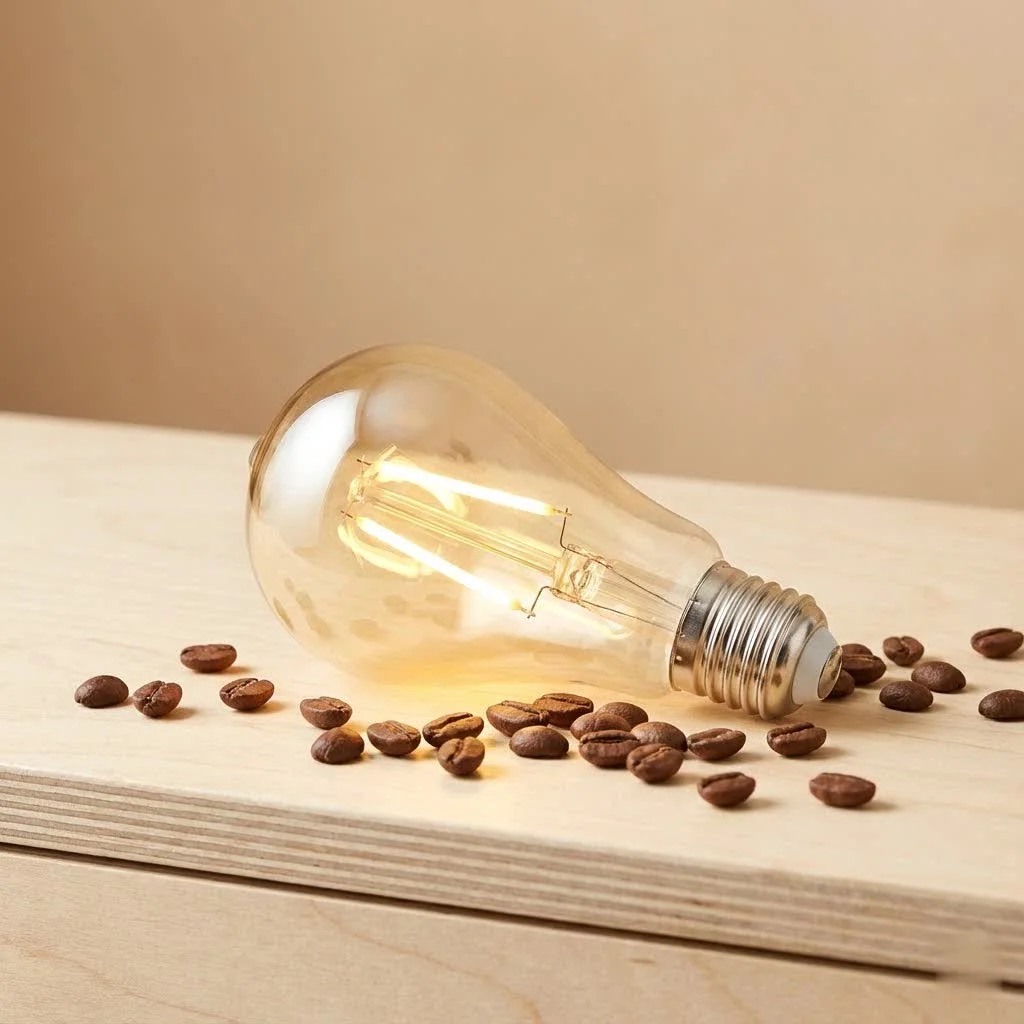
What Exactly is a Smart Bulb E27?
At its core, a smart bulb E27 is an LED light bulb with integrated wireless communication technology, designed to fit into a standard E27 screw base (27mm diameter). Unlike conventional bulbs, it can be controlled remotely via a smartphone app, voice commands, or smart home hubs. These bulbs often boast a range of features, including dimming capabilities, color-changing options, and scheduling, allowing you to personalize your lighting experience like never before. They’re built upon robust LED technology, offering significant energy savings and a much longer lifespan compared to incandescent or even CFL bulbs. For more smart home guides on this site.
Popular Types of E27 Smart Bulbs and Their Applications
The E27 fitting is incredibly common, making smart upgrades straightforward. You’ll primarily encounter a few types, each offering distinct advantages:
- Dimmable White E27 Smart Bulbs: These are perfect for functional lighting where you need adjustable brightness but don’t require color changes. Think kitchen task lighting, hallways, or reading nooks. They offer excellent energy savings and a crisp, clean light that can be softened for relaxation.
- Tunable White E27 Smart Bulbs: Taking it a step further, tunable white bulbs allow you to adjust not just brightness but also the color temperature – from warm, cozy yellows to cool, invigorating blues. This is fantastic for bedrooms, home offices, or living rooms where your lighting needs change throughout the day to support different activities and moods.
- Color-Changing (RGBW/RGBIC) E27 Smart Bulbs: These are the most feature-rich, capable of displaying millions of colors in addition to white light. They’re ideal for creating ambiance, setting the mood for parties, or adding a vibrant splash to entertainment areas. Many models even offer dynamic scenes and effects, truly bringing your space to life.
“The beauty of the E27 smart bulb lies in its versatility,” notes Dr. Elara Vance, a leading researcher in smart home integration. “It’s a universally adopted fitting that allows for a seamless transition to intelligent lighting, supporting everything from subtle mood changes to robust security automation.”
Step-by-Step Guide: Installing and Connecting Your E27 Smart Bulb
Getting your smart bulb E27 up and running is typically a straightforward process, even for beginners. Here’s how to integrate it into your smart home system:
1. Physical Installation
|
Our Picks for the Best Smart Bulb in 2026
As an Amazon Associate I earn from qualifying purchases.
|
||
| Num | Product | Action |
|---|---|---|
| 1 | Bluex Bulbs 3 Pack Motion Sensor LED Light Bulb A21, 15W 1300 Lumens, Warm White 3000K, Automatic On/Off Security Light, E26 Medium Base Indoor & Outdoor Use, 120V (3000K - Warm White) |

|
| 2 | Amazon Basics Smart A19 LED Light Bulb, Dimmable Soft White (2700K), 9W (60W Equivalent), 800LM, Works with Alexa Only, 2.4 GHz Wi-Fi, No Hub Required, 4 Pack |
|
| 3 | Amazon Basics Smart A19 LED Light Bulb, Color Changing, 9W (60W Equivalent), 800LM, Works with Alexa Only, 2.4 GHz Wi-Fi, No Hub Required, 1 Pack |
|
| 4 | SYLVANIA Wifi LED Smart Light Bulb, 60W Equivalent Full Color and Tunable White A19, Dimmable, Compatible with Alexa and Google Home Only - 4 Pack (75674) |
|
| 5 | Kasa Smart Light Bulbs that works with Alexa and Google Home, Dimmable Smart LED Bulb, A19, 9W, 800Lumens, Soft White(2700K), CRI≥90, WiFi 2.4Ghz only, No Hub Required, 4 Count (Pack of 1)(KL110P4) |
|
| 6 | Tapo TP-Link Smart Light Bulbs, 16M Colors RGBW, Dimmable, Compatible with Alexa and Google Home, A19, 60W Equivalent, 800LM CRI>90, 2.4GHz WiFi only, No Hub Required, L530E(4-Pack) |
|
| 7 | Linkind Smart Light Bulbs, Smart Bulb That Work with Alexa & Google Home, LED Light Bulbs Color Changing, 104 Preset Scene, Music Sync, A19 E26 2.4GHz RGBTW WiFi Bluetooth Light Bulb 60W, 800LM, 4Pack |
|
| 8 | Govee LED Smart Light Bulbs, 1000LM Color Changing Light Bulb, Wi-Fi & Bluetooth Light Bulbs, Work with Alexa and Google Assistant, Dimmable RGBWW A19 75W Equivalent Smart Bulbs, 2 Pack |
|
| 9 | Kasa Smart Light Bulbs, Full Color Changing Dimmable Smart WiFi Bulbs Compatible with Alexa and Google Home, A19, 60 W 800 Lumens,2.4Ghz only, No Hub Required, 2-Pack (KL125P2), Multicolor |
|
| 10 | Govee Smart Light Bulbs, Color Changing Light Bulb, Work with Alexa and Google Assistant, 16 Million Colors RGBWW, WiFi & Bluetooth LED Light Bulbs, Music Sync, A19, 800 Lumens, 4 Pack |
|
- Unscrew the Old Bulb: Ensure the power to the light fixture is off before removing any existing bulb. Safety first!
- Screw in the New E27 Smart Bulb: Gently twist your new smart bulb E27 into the empty socket until it’s snug. Don’t overtighten.
- Restore Power: Flip the light switch back on. Your smart bulb should illuminate, possibly flashing to indicate it’s ready for pairing.
2. Downloading the App and Initial Setup
Most smart bulbs come with a dedicated mobile application.
- Download the Manufacturer’s App: Search for the specific brand’s app (e.g., Philips Hue, Govee Home, TP-Link Kasa) on your smartphone’s app store (iOS or Android).
- Create an Account: Follow the in-app instructions to create a user account.
- Start Device Discovery: Within the app, look for an option to “Add Device” or “Discover Devices.”
3. Connecting to Your Smart Home Ecosystem
The connection method depends on your bulb’s technology:
For Wi-Fi E27 Smart Bulbs:
- Connect to Your Home Wi-Fi: The app will guide you to connect the bulb to your 2.4 GHz home Wi-Fi network. Ensure your phone is also on the same network during setup.
- Name Your Bulb: Give your bulb a descriptive name (e.g., “Living Room Lamp,” “Bedroom Nightlight”) for easy identification and voice control.
For Bluetooth E27 Smart Bulbs:
- Enable Bluetooth: Make sure Bluetooth is enabled on your smartphone.
- Pair Directly: The app will usually detect and pair with the bulb automatically via Bluetooth. These are great for single-room control without a hub.
For Zigbee E27 Smart Bulbs (e.g., Philips Hue):
- Connect to a Hub: Zigbee bulbs require a compatible hub (like the Philips Hue Bridge or an Amazon Echo with a built-in Zigbee hub).
- Discover via Hub: Open your hub’s app and initiate a device search. The hub will then find and add your E27 smart bulb. This allows for more robust whole-home automation.
4. Integrating with Voice Assistants
Once your smart bulb E27 is connected to its app or hub, you can link it to voice assistants like Amazon Alexa, Google Assistant, or Apple HomeKit.
- Open Voice Assistant App: Go to the “Skills” or “Works with Google” section in your assistant’s app.
- Enable the Skill/Service: Search for the manufacturer of your smart bulb and enable their skill or service, linking your accounts.
- Discover Devices: Ask your voice assistant to “Discover devices” to add your new smart bulb. Now you can say, “Alexa, turn on the living room lamp!”
Smart Usage and Maintenance Tips for Your E27 Smart Bulbs
To ensure your smart bulb E27 provides years of reliable service and continues to enhance your home, consider these expert tips:
- Keep Firmware Updated: Manufacturers frequently release firmware updates to improve performance, add features, and patch security vulnerabilities. Regularly check for and install updates via the bulb’s app.
- Avoid Physical Stress: While durable, smart bulbs are still electronic devices. Handle them carefully during installation and avoid placing them in fixtures where they might be prone to impact or excessive vibration.
- Optimize Placement for Connectivity: For Wi-Fi bulbs, ensure they are within a reasonable range of your router or Wi-Fi extenders. For Zigbee bulbs, a well-placed hub will ensure strong mesh network connectivity throughout your home.
- Understand Dimming Compatibility: Smart bulbs are designed to be dimmed via their app or smart controller, not standard dimmer switches. Using a traditional dimmer with a smart bulb can damage the bulb or cause erratic behavior. Ensure any physical dimmer switches are set to full power, or ideally, replace them with a simple on/off switch.
- Clean Gently: If your bulb collects dust, wipe it gently with a dry, soft cloth. Avoid abrasive cleaners or liquids near the electrical components.
- Don’t Overuse Hard Resets: While hard resets (frequently turning the bulb on/off at the switch) are sometimes necessary for troubleshooting, doing so excessively can shorten the bulb’s lifespan. Use the app for regular control.
- Monitor Energy Usage: Many smart bulb apps offer insights into energy consumption. Use this feature to understand your usage patterns and further optimize energy savings.
Common Problems and Troubleshooting for E27 Smart Bulbs
Even the most advanced smart bulb E27 can occasionally encounter a hiccup. Here’s how to tackle common issues:
“My E27 Smart Bulb Won’t Connect to Wi-Fi/Bluetooth.”
- Check Your Network: Ensure your 2.4 GHz Wi-Fi network is active and stable. Many smart bulbs don’t support 5 GHz Wi-Fi.
- Router Distance: Is the bulb too far from your router? Try moving it closer temporarily for setup.
- Restart Everything: Reboot your router, your phone, and perform a soft power cycle on the bulb (turn off at the switch for 10 seconds, then back on).
- Factory Reset: As a last resort, perform a factory reset on the bulb. This usually involves a specific on/off sequence (e.g., flip the switch on for 2 seconds, off for 2, repeat 5 times) until the bulb flashes, indicating it’s ready to pair again. Consult your bulb’s manual for the exact sequence.
“The Bulb is Unresponsive to App or Voice Commands.”
- Connectivity Check: Confirm your phone has internet access and your Wi-Fi is working. If using a hub, check its status.
- App Status: Ensure the bulb’s app is open and connected to the cloud service.
- Voice Assistant Link: Verify the skill/service for your bulb manufacturer is still enabled in your Alexa/Google Home/HomeKit app.
- Power Cycle: Turn the light switch off and on. This often resolves temporary communication glitches.
“My E27 Smart Bulb is Flashing or Dimming Erratically.”
- Traditional Dimmer: This is the most common culprit. Ensure the fixture’s physical switch is a standard on/off switch or that an existing dimmer is set to 100% power.
- Loose Connection: Gently re-tighten the bulb in the socket to ensure a good electrical connection.
- Overheating: If the bulb is in an enclosed fixture, it might be overheating. Ensure adequate ventilation.
- Firmware Glitch: Check for and install any available firmware updates.
Leading E27 Smart Bulb Brands and Products on the Market
The smart bulb E27 market is vibrant, with many reputable brands offering excellent products. Here are a few top contenders that consistently deliver quality and innovation:
- Philips Hue: Often considered the gold standard, Philips Hue offers a comprehensive ecosystem with excellent reliability, vibrant colors, and seamless integration with various smart home platforms. While they typically require a Hue Bridge (Zigbee hub), the experience is unmatched. Their E27 color and white ambiance bulbs are top-tier.
- Govee: Known for their innovative lighting effects and often more budget-friendly options, Govee offers a range of Wi-Fi and Bluetooth E27 bulbs. Their RGBIC technology allows for multiple colors in a single bulb segment, creating stunning dynamic effects perfect for entertainment areas.
- TP-Link Kasa Smart: Kasa bulbs are a fantastic choice for those looking for direct Wi-Fi connectivity without needing a separate hub. They are easy to set up, reliable, and offer excellent value, with both dimmable white and color-changing E27 options.
- Meross: Another strong contender in the Wi-Fi direct category, Meross E27 bulbs are praised for their affordability and compatibility with Apple HomeKit, in addition to Alexa and Google Assistant. They offer good performance for their price point.
- WiZ (by Signify, makers of Philips Hue): WiZ provides a more accessible, Wi-Fi-based alternative to Philips Hue. Their E27 bulbs offer a wide range of features, including tunable white and color options, and are known for their user-friendly app and robust scene capabilities without requiring a hub.
When choosing, consider your existing smart home setup, whether you prefer a hub-based system (for reliability and advanced features) or direct Wi-Fi (for simplicity), and of course, your budget and desired lighting effects.
Frequently Asked Questions about Smart Bulb E27
Q: Do I need a hub for an E27 smart bulb?
A: Not always. Many smart bulb E27 models, particularly those using Wi-Fi or Bluetooth, can connect directly to your home network or smartphone without a separate hub. However, Zigbee-based bulbs, like Philips Hue, typically require a dedicated hub for full functionality and better network stability.
Q: Are E27 smart bulbs energy efficient?
A: Yes, absolutely! Smart bulb E27 models are almost exclusively LED-based, making them significantly more energy-efficient than traditional incandescent or halogen bulbs. They consume far less electricity and have a much longer lifespan, leading to considerable energy savings over time.
Q: Can I use an E27 smart bulb in any lamp?
A: As long as the lamp or fixture has an E27 screw base and is not connected to a traditional dimmer switch, you can generally use an E27 smart bulb. Always ensure the fixture’s wattage rating is suitable for the LED bulb, although smart LEDs usually have very low wattage.
Q: What’s the difference between tunable white and color-changing E27 smart bulbs?
A: Tunable white E27 smart bulbs allow you to adjust the warmth (color temperature) of white light, from a cozy warm white to a crisp cool white. Color-changing (RGBW) E27 smart bulbs can do all that, plus display millions of different colors, making them more versatile for decorative or mood lighting.
Q: What if my Wi-Fi goes down? Can I still control my E27 smart bulbs?
A: If your Wi-Fi network goes down, cloud-based control (via app or voice assistant) will typically stop working. However, some smart bulb E27 models that also support Bluetooth might still be controllable locally via Bluetooth, provided you are within range. For hub-based systems, some basic local control might still be available through the hub’s local network if your router is still active.
Q: How long do E27 smart bulbs last?
A: E27 smart bulbs are LEDs, and LEDs are renowned for their longevity. Most smart bulbs have an estimated lifespan of 15,000 to 25,000 hours, which can translate to over 10-20 years of typical use. This is significantly longer than traditional bulbs.
Q: Can E27 smart bulbs improve home security?
A: Yes, they can! By integrating your smart bulb E27 with smart home routines, you can schedule lights to turn on and off at specific times, or even randomly, to simulate occupancy when you’re away. This “presence simulation” can be a deterrent to potential intruders.
Bringing Intelligent Illumination Home
The smart bulb E27 stands as a beacon of modern convenience and efficiency, ready to transform any standard light fixture into an intelligent part of your smart home. From setting the perfect ambiance with a tap on your phone to saving energy and enhancing security, these bulbs offer a world of possibilities. With the insights shared here, you’re well-equipped to choose, install, and optimize your E27 smart lighting setup, confidently stepping into a brighter, smarter future. Dive in, experiment with colors and scenes, and truly make your lighting work for you!
Smart home that does not lock you in
Free PDF — protocol compatibility matrix for 30 hubs and devices.
