The Wyze Smart Bulb ecosystem offers an impressive blend of affordability, functionality, and seamless integration for smart home lighting. These bulbs connect directly to your home’s 2.4 GHz Wi-Fi network without needing a separate hub, providing remote control, scheduling, and scene creation. Wyze offers various types, including the Wyze Bulb White for adjustable white light (2700K to 6500K), the Wyze Bulb Color with millions of color options, and the Wyze Bulb BR30 for recessed fixtures.
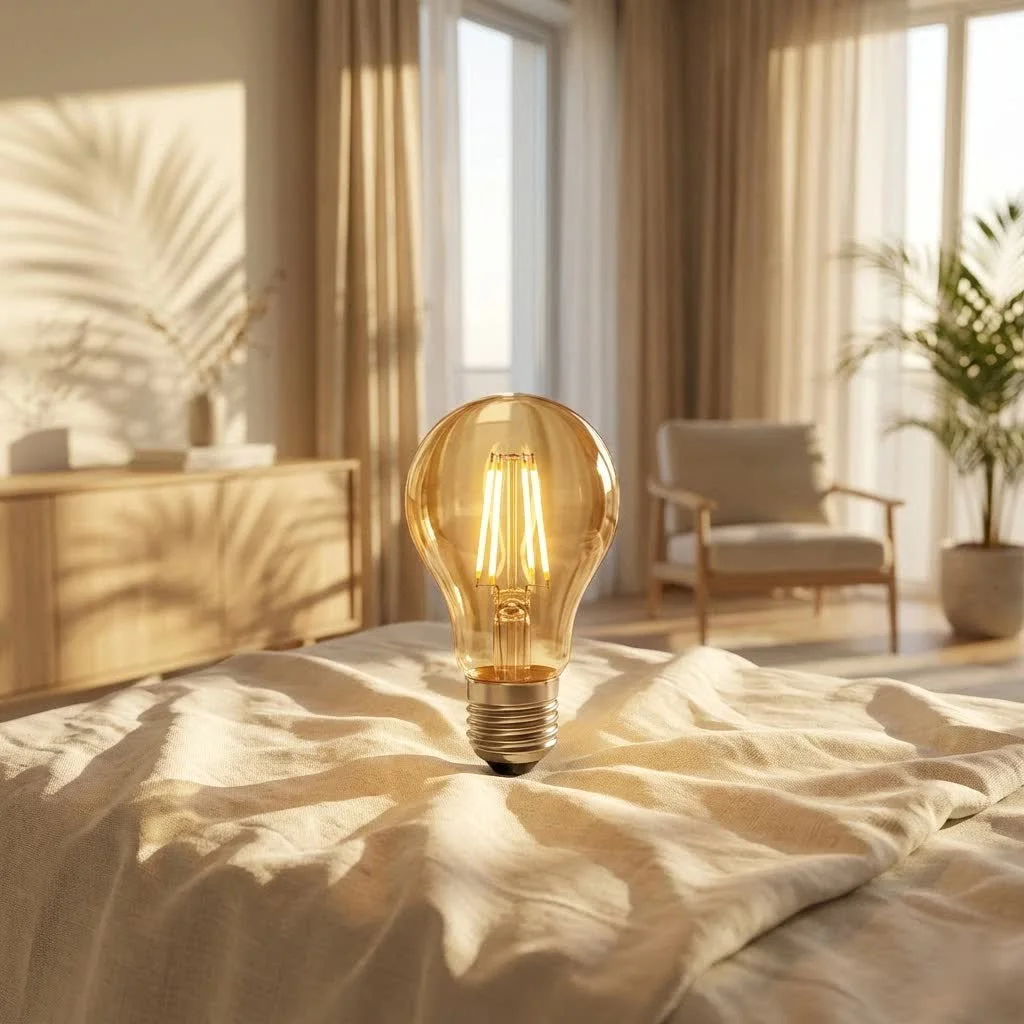 smart bulbs illuminating a modern living room” style=”margin: 20px auto;width: 800px;max-width: 100%;height: auto” />
What Makes the Wyze Smart Bulb a Smart Choice?
When we talk about smart bulbs, we’re not just discussing a light that turns on and off. We’re talking about a gateway to enhanced ambiance, energy efficiency, and convenience, and the Wyze Smart Bulb family truly embodies this. These bulbs offer far more than basic illumination; they provide a dynamic lighting experience that can adapt to your mood, schedule, and even integrate with other smart devices in your home.
Types of Wyze Smart Bulbs and Their Applications
Wyze offers a variety of smart bulbs, each designed to cater to different lighting needs and preferences. Understanding the distinctions is key to choosing the right ones for your space.
- Wyze Bulb White: This is your foundational smart bulb, offering adjustable white light. You can typically change the color temperature from warm to cool (e.g., 2700K to 6500K), allowing you to set the perfect mood for relaxation or concentration. These are excellent for general room lighting, reading nooks, or kitchens where task lighting is crucial.
- Wyze Bulb Color: If you’re looking to add a splash of vibrancy, the Wyze Bulb Color is your go-to. With millions of colors to choose from, along with tunable white light, you can improve your living space into a party zone, a serene sanctuary, or create dynamic lighting scenes for holidays and special occasions. Imagine syncing your lights to a movie or music – it’s all possible!
- Wyze Bulb BR30: Designed for recessed lighting fixtures, the BR30 version combines smart features with a broader light dispersion, perfect for overhead lighting in larger rooms or areas needing wider illumination. Like its A19 counterparts, it comes in both white and color-tunable options.
Each of these Wyze Smart Bulb types brings unique capabilities, but they all share the core benefits of smart lighting: remote control, scheduling, and scene creation.
Seamless Setup: Installing and Connecting Your Wyze Smart Bulb
One of the biggest hurdles for many people considering smart home tech is the perceived complexity of installation. Thankfully, setting up your Wyze Smart Bulb is surprisingly straightforward. You don’t need a separate hub; they connect directly to your home’s 2.4 GHz Wi-Fi network.
Step-by-Step Installation Guide
|
Our Picks for the Best Smart Bulb in 2026
As an Amazon Associate I earn from qualifying purchases.
|
||
| Num | Product | Action |
|---|---|---|
| 1 | Amazon Basics Smart A19 LED Light Bulb, Dimmable Soft White (2700K), 9W (60W Equivalent), 800LM, Works with Alexa Only, 2.4 GHz Wi-Fi, No Hub Required, 4 Pack |

|
| 2 | Govee LED Smart Light Bulbs, 1000LM Color Changing Light Bulb, Wi-Fi & Bluetooth Light Bulbs, Work with Alexa and Google Assistant, Dimmable RGBWW A19 75W Equivalent Smart Bulbs, 2 Pack |
|
| 3 | Kasa Smart Light Bulbs, Full Color Changing Dimmable Smart WiFi Bulbs Compatible with Alexa and Google Home, A19, 60 W 800 Lumens,2.4Ghz only, No Hub Required, 2-Pack (KL125P2), Multicolor |
|
| 4 | Govee Smart Light Bulbs, Color Changing Light Bulb, Work with Alexa and Google Assistant, 16 Million Colors RGBWW, WiFi & Bluetooth LED Light Bulbs, Music Sync, A19, 800 Lumens, 4 Pack |
|
| 5 | SYLVANIA Wifi LED Smart Light Bulb, 60W Equivalent Full Color and Tunable White A19, Dimmable, Compatible with Alexa and Google Home Only - 4 Pack (75674) |
|
| 6 | Bluex Bulbs 3 Pack Motion Sensor LED Light Bulb A21, 15W 1300 Lumens, Warm White 3000K, Automatic On/Off Security Light, E26 Medium Base Indoor & Outdoor Use, 120V (3000K - Warm White) |
|
| 7 | Amazon Basics Smart A19 LED Light Bulb, Color Changing, 9W (60W Equivalent), 800LM, Works with Alexa Only, 2.4 GHz Wi-Fi, No Hub Required, 1 Pack |
|
| 8 | Kasa Smart Light Bulbs that works with Alexa and Google Home, Dimmable Smart LED Bulb, A19, 9W, 800Lumens, Soft White(2700K), CRI≥90, WiFi 2.4Ghz only, No Hub Required, 4 Count (Pack of 1)(KL110P4) |
|
| 9 | Linkind Smart Light Bulbs, Smart Bulb That Work with Alexa & Google Home, LED Light Bulbs Color Changing, 104 Preset Scene, Music Sync, A19 E26 2.4GHz RGBTW WiFi Bluetooth Light Bulb 60W, 800LM, 4Pack |
|
| 10 | Tapo TP-Link Smart Light Bulbs, 16M Colors RGBW, Dimmable, Compatible with Alexa and Google Home, A19, 60W Equivalent, 800LM CRI>90, 2.4GHz WiFi only, No Hub Required, L530E(4-Pack) |
|
Follow these simple steps to get your Wyze Smart Bulb up and running:
- Download the Wyze App: If you haven’t already, download the Wyze app from your smartphone’s app store (iOS or Android). This app is your central control panel for all Wyze devices.
- Screw in the Bulb: Carefully screw your Wyze Smart Bulb into any standard light socket. Ensure the light switch controlling that socket is in the “on” position.
- Open the Wyze App and Add a Device: Open the Wyze app, tap the “+” icon in the top left corner, and then select “Add Device.”
- Select Your Bulb Type: Choose “Lights” from the device categories, then select the specific Wyze Bulb model you’re installing (e.g., “Wyze Bulb Color”).
- Follow On-Screen Pairing Instructions: The app will guide you through the pairing process. This usually involves toggling the light switch on and off a few times to put the bulb into pairing mode (it will typically flash when ready).
- Connect to Wi-Fi: When prompted, select your home’s 2.4 GHz Wi-Fi network and enter your password. Ensure your phone is also connected to the same 2.4 GHz network during this step.
- Name Your Bulb: Give your bulb a descriptive name (e.g., “Living Room Lamp,” “Bedroom Overhead”) for easy identification and voice control.
- Enjoy! Once connected, you can immediately start controlling your new Wyze Smart Bulb from anywhere using the app.
Integrating with Your Smart Home Ecosystem
The beauty of the Wyze Smart Bulb extends beyond the Wyze app itself. These bulbs play nicely with other popular smart home platforms, enhancing your overall automation experience.
- Amazon Alexa: Link your Wyze account within the Alexa app, and you’ll be able to control your bulbs with voice commands like, “Alexa, turn on the living room light” or “Alexa, set the kitchen light to warm white.”
- Google Assistant: Similarly, integrate Wyze with Google Assistant for hands-free control. Commands such as, “Hey Google, dim the bedroom light to 50%” become second nature.
- IFTTT (If This Then That): For more advanced users, IFTTT allows you to create powerful custom automations. For instance, you could set up an applet that turns your Wyze Smart Bulb on when your Wyze Cam detects motion, or changes its color when your favorite sports team scores.
According to Alex Chen, Srjja.com’s Lead Smart Lighting Engineer, “The real power of a smart bulb like Wyze isn’t just in its individual features, but how seamlessly it integrates into a broader smart home ecosystem, creating truly intuitive and responsive environments.”
Maximizing Your Wyze Smart Bulb Experience: Tips and Maintenance
Having a Wyze Smart Bulb is just the beginning. To truly get the most out of your smart lighting and ensure its longevity, a few tips and tricks can go a long way.
Smart Usage Tips
- Create Scenes and Routines: Don’t just turn lights on and off. Use the Wyze app to create custom scenes (e.g., “Movie Night” dims lights and sets a warm glow) and schedules (e.g., “Wake Up Light” slowly brightens your room in the morning). This automation not only saves energy but adds immense convenience.
- Group Bulbs: If you have multiple Wyze Smart Bulbs in one room, group them together in the app. This allows you to control them all simultaneously with a single command or tap.
- Explore Color Options (for Color Bulbs): Experiment with the vast color palette. Different colors can impact mood and productivity. Cool blues and whites for concentration, warm yellows and reds for relaxation.
- Leverage Vacation Mode: Some Wyze bulbs offer a “Vacation Mode” that randomly turns lights on and off throughout the day, mimicking occupancy to deter potential intruders.
Maintenance and Troubleshooting
Wyze Smart Bulbs are designed for durability, but like any electronic device, proper care and occasional troubleshooting can extend their life and ensure optimal performance.
- Keep Your App Updated: Regular updates to the Wyze app often include bug fixes, performance improvements, and new features. Make sure you’re always running the latest version.
- Firmware Updates: Periodically check for firmware updates for your bulbs within the Wyze app. These updates can enhance functionality and security.
- Avoid Over-Tightening: When screwing in your bulb, tighten it just enough to make contact. Over-tightening can damage the socket or the bulb.
- Troubleshooting Common Issues:
- Bulb Offline: If your Wyze Smart Bulb appears offline, first check your Wi-Fi router to ensure it’s functioning correctly. Try toggling the physical light switch off for 5 seconds, then back on. If it reconnects, great. If not, try restarting your router.
- Difficulty Pairing: Ensure your phone is connected to a 2.4 GHz Wi-Fi network during pairing. Many modern routers have both 2.4 GHz and 5 GHz bands; sometimes, separating these into distinct network names (SSIDs) can help.
- Unresponsive Bulb: If a specific bulb isn’t responding, try power cycling it by turning the physical switch off and on. If the issue persists, a factory reset might be necessary (this usually involves a specific pattern of turning the bulb off and on, check the Wyze support page for exact steps).
Why Wyze Stands Out in the Smart Bulb Market
The smart bulb market is competitive, but Wyze Smart Bulb products consistently rank highly due to their commitment to value, functionality, and user experience. While other brands might offer similar features at a higher price point, Wyze has successfully democratized smart lighting, making it accessible to a wider audience without compromising on quality or performance. Their robust app, consistent updates, and growing ecosystem of interconnected devices make them a strong contender for anyone building a smart home.
Frequently Asked Questions about Wyze Smart Bulbs
Q: Do I need a hub to use a Wyze Smart Bulb?
A: No, you do not need a separate hub. Wyze Smart Bulbs connect directly to your home’s 2.4 GHz Wi-Fi network.
Q: Can I use Wyze Smart Bulbs outdoors?
A: Wyze Smart Bulbs are generally rated for indoor use in dry locations. Exposure to the elements (rain, extreme temperatures) can damage them. Always check the specific product’s rating.
Q: What is the lifespan of a Wyze Smart Bulb?
A: Wyze Smart Bulbs are designed for long lifespans, typically rated for 20,000 to 25,000 hours of use, which translates to many years under normal usage conditions.
Q: Can I dim my Wyze Smart Bulb without a dimmer switch?
A: Yes! You can dim your Wyze Smart Bulb directly through the Wyze app, or by using voice commands with Amazon Alexa or Google Assistant, regardless of whether your wall switch is a dimmer.
Q: What happens to my Wyze Smart Bulb if my Wi-Fi goes out?
A: If your Wi-Fi goes out, your Wyze Smart Bulb will retain its last settings. You won’t be able to control it remotely via the app or voice commands, but you can still control it with the physical light switch. When Wi-Fi is restored, it should automatically reconnect.
Q: Are Wyze Smart Bulbs energy efficient?
A: Absolutely! Wyze Smart Bulbs are LED bulbs, which are inherently more energy-efficient than traditional incandescent bulbs. They consume significantly less power and last much longer.
Illuminating Your Life with Wyze Smart Bulbs
Embracing the Wyze Smart Bulb means more than just having smart lighting; it means investing in convenience, energy efficiency, and a personalized home environment. From setting the perfect ambiance for a quiet evening to creating dynamic scenes that energize your mornings, these bulbs offer a world of possibilities. With straightforward installation, robust smart home integration, and continuous support from Wyze, upgrading your home’s lighting has never been easier or more rewarding. So go ahead, plug in a Wyze Smart Bulb, and start experiencing your home in a whole new light.
Frequently Asked Questions
Do I need a separate hub to use a Wyze Smart Bulb?
No, you do not need a separate hub to use a Wyze Smart Bulb. These bulbs connect directly to your home's 2.4 GHz Wi-Fi network for control and functionality.
Can Wyze Smart Bulbs be used in outdoor lighting fixtures?
Wyze Smart Bulbs are generally rated for indoor use in dry locations. Exposure to outdoor elements like rain or extreme temperatures can damage them, so always check the specific product's rating for suitability.
What is the typical expected lifespan of a Wyze Smart Bulb?
Wyze Smart Bulbs are designed for long lifespans, typically rated for 20,000 to 25,000 hours of use. This translates to many years of operation under normal usage conditions, offering significant durability.
Is it possible to dim a Wyze Smart Bulb without a traditional dimmer switch?
Yes, you can dim your Wyze Smart Bulb directly through the Wyze app. Additionally, voice commands with Amazon Alexa or Google Assistant allow for dimming control, regardless of your physical wall switch type.
What happens to Wyze Smart Bulbs if my home Wi-Fi network goes down?
If your Wi-Fi goes out, your Wyze Smart Bulb will retain its last settings. While remote control via the app or voice commands will be unavailable, you can still control the bulb with its physical light switch. It should automatically reconnect once Wi-Fi is restored.
Are Wyze Smart Bulbs considered energy-efficient compared to other bulbs?
Absolutely, Wyze Smart Bulbs are LED bulbs, which are inherently more energy-efficient than traditional incandescent bulbs. They consume significantly less power and last much longer, contributing to lower electricity bills.
Smart home that does not lock you in
Free PDF — protocol compatibility matrix for 30 hubs and devices.
I’ve been slowly upgrading my home to smart lighting, and the Wyze Bulb Color has been a game-changer for my living room. The ability to switch between millions of colors is fantastic for movie nights or just setting a different mood. Plus, not needing a separate hub was a huge selling point for me since I already have enough gadgets.
The Wyze Bulb BR30 for my recessed lights works pretty well, and the price point is definitely attractive. My only minor complaint is that sometimes it takes a second or two longer than I’d like for the app to connect and adjust the brightness. It’s not a dealbreaker, but it can be a little annoying when you’re in a hurry.
I’m really impressed with the seamless integration of these bulbs. I’ve got a mix of the color and white bulbs throughout my house, and they all connect directly to my 2.4 GHz Wi-Fi network without any fuss. It makes setting up different scenes and controlling them remotely incredibly easy and reliable.
I picked up a few Wyze Bulb Whites for my office and they’ve been great. I love being able to adjust the white light from a warm 2700K to a cooler 6500K depending on whether I’m working or just relaxing. The scheduling feature is also super handy for making it seem like someone’s home when I’m out of town.